Let shoppers clear their cart with one click, or save multiple named carts and restore them anytime
We just released WPGenie Save & Clear Cart for WooCommerce, a new free plugin that gives your customers more control over their shopping cart.
With one click, shoppers can empty the entire cart instead of removing products one by one. They can also save their current selection as a named cart, start a new one, and come back to any saved cart later. Both registered customers and guests can save multiple carts, each with all product details, quantities, and attributes.
Use Cases
- Repeat orders, such as monthly supplies customers buy regularly
- Separate shopping lists, for example office hardware and personal purchases
- Planning ahead, like putting together a list of birthday gifts
- Starting over without losing the current selection
How It Works
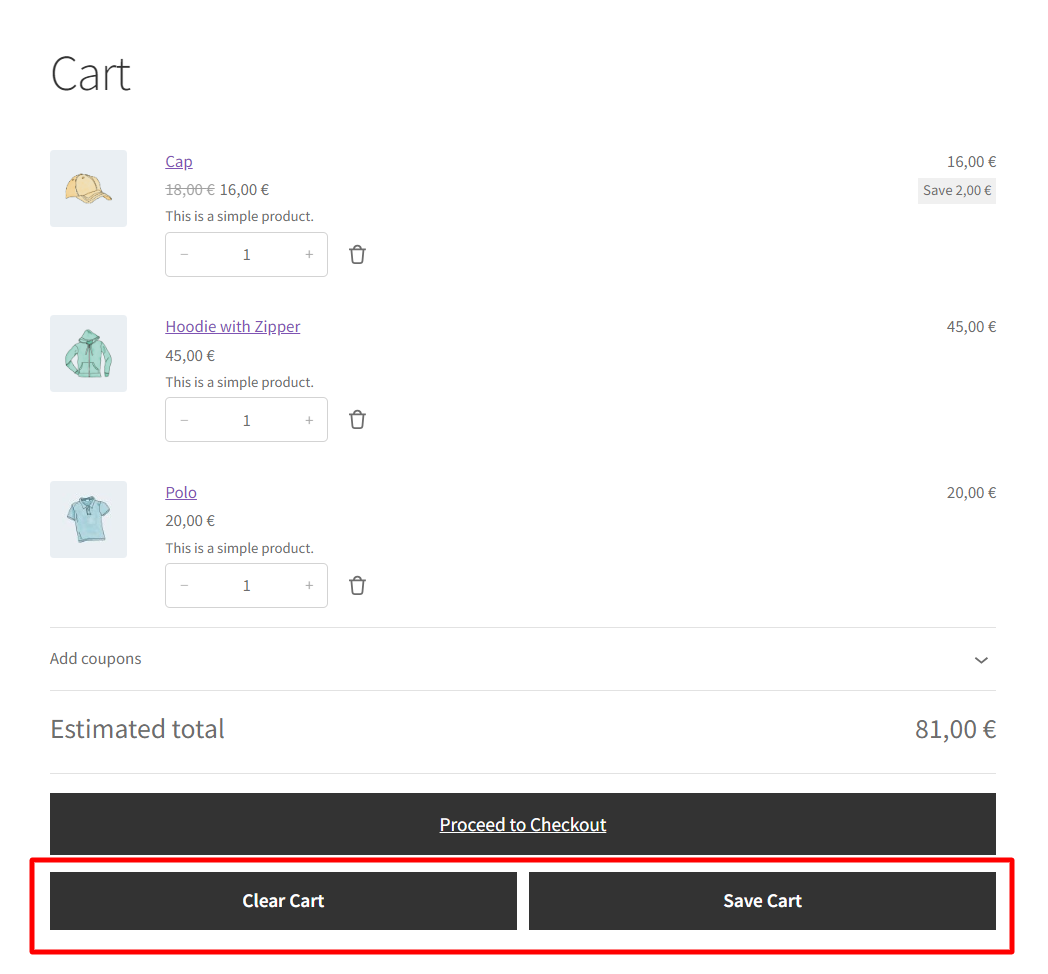
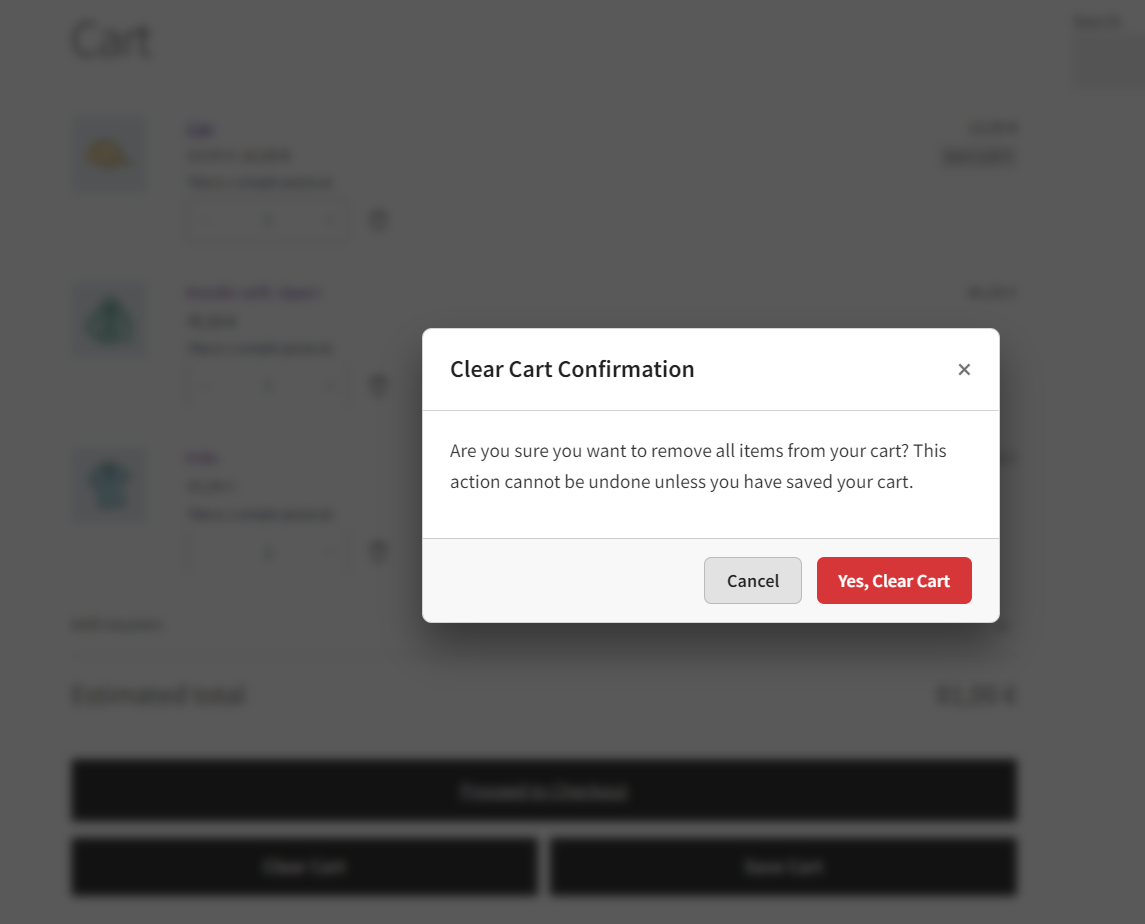
The plugin adds Clear Cart and Save Cart buttons to the WooCommerce cart page. Clear Cart shows a confirmation dialog before emptying the cart, so nothing gets removed by accident.
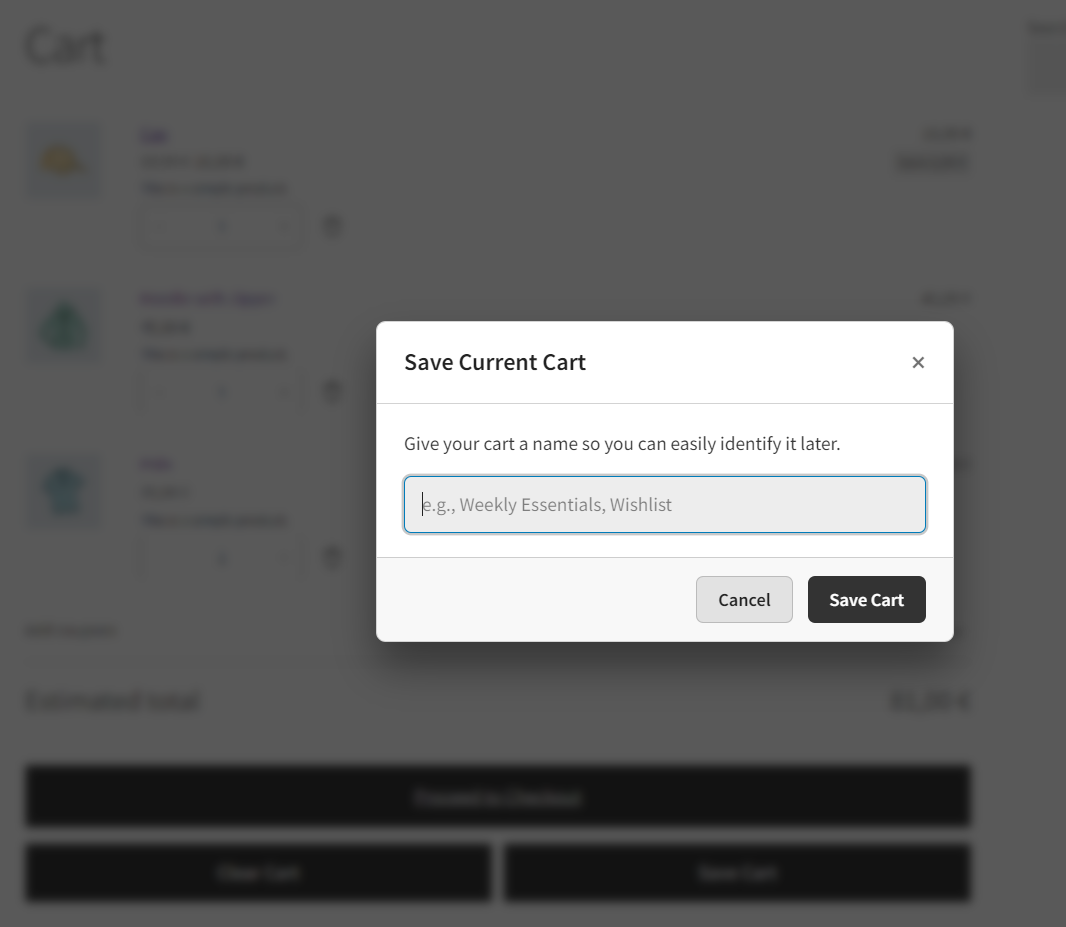
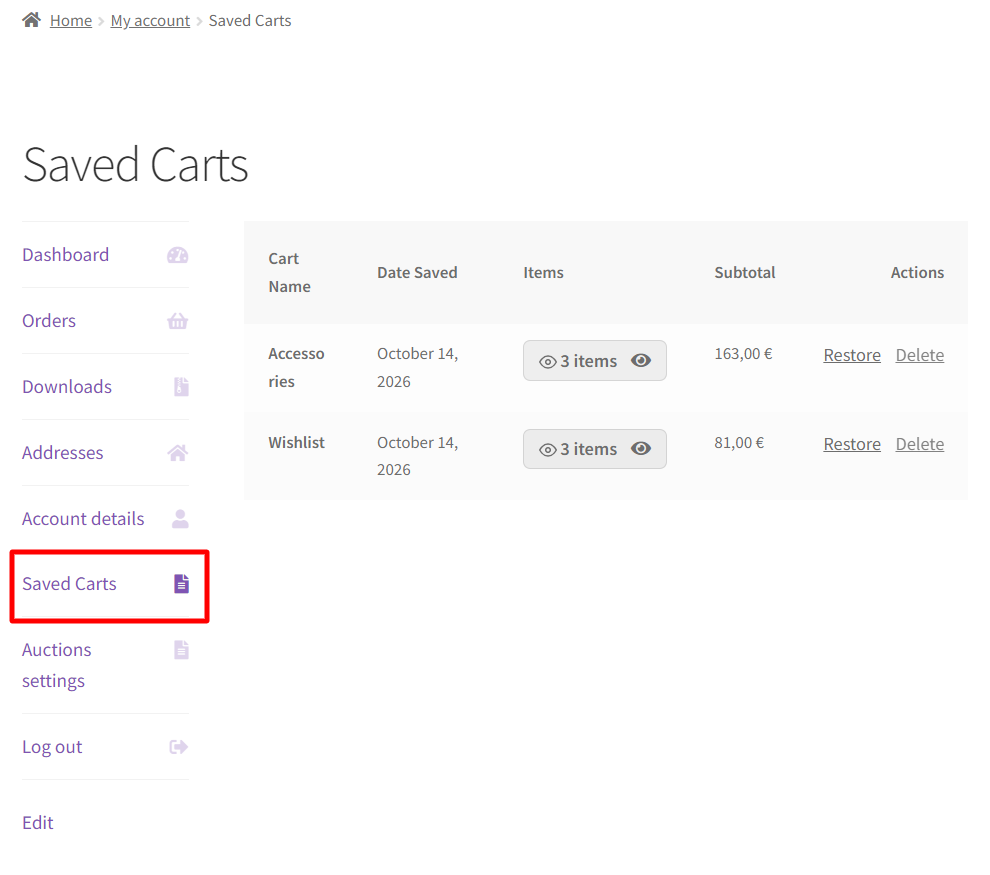
Save Cart lets customers name their current cart and store it. They can save as many carts as they need and manage each one separately. Saved carts are listed in a new Saved Carts section in My Account and below the cart table, where customers can review the items and restore any cart.
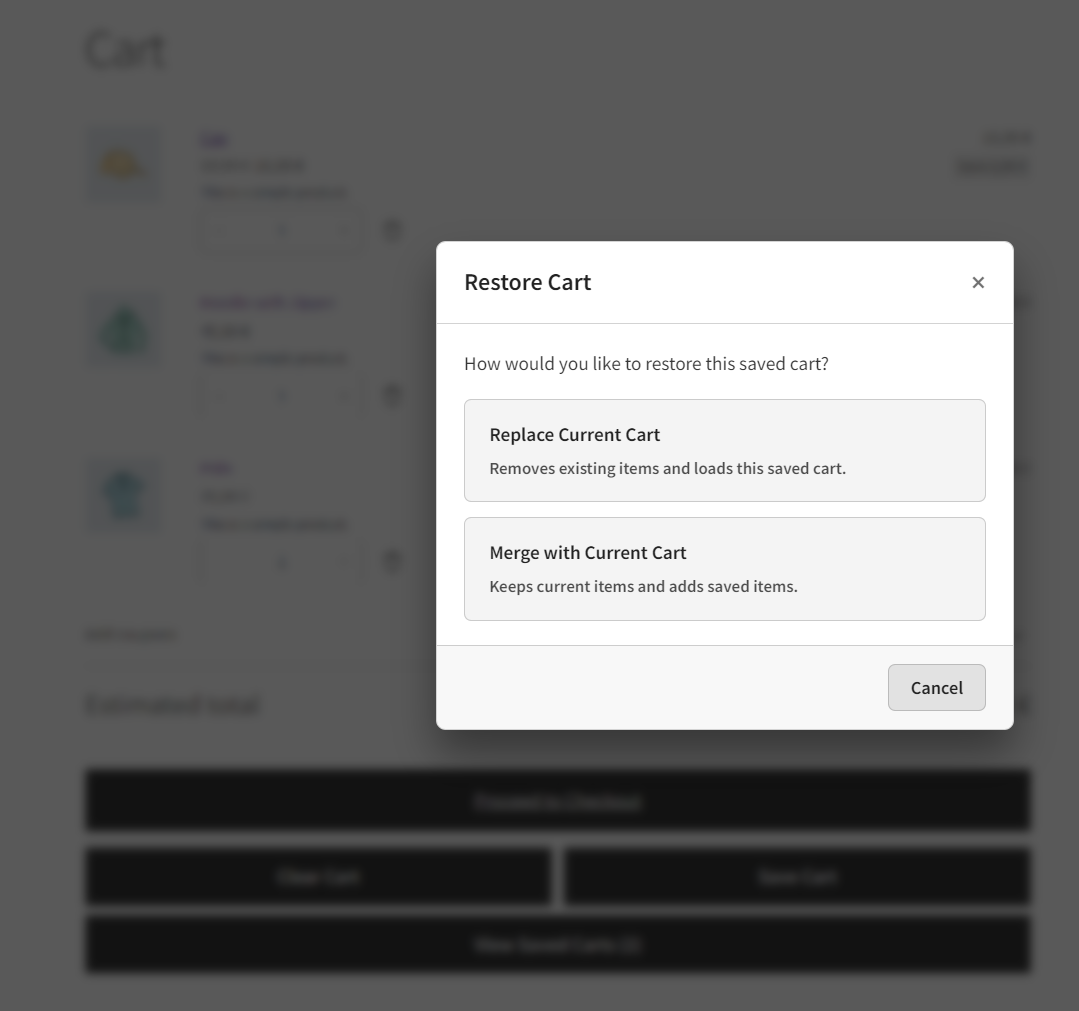
When restoring, the saved cart can replace the active cart or merge with it. You choose whether customers decide each time, or whether the store always replaces or always merges.
Guests can save carts during their browsing session. Once they log in or register, their saved carts move to their account automatically.
Customization
Button labels and colors (background, text, and border) are set in WooCommerce > Settings > Save & Clear Cart, without custom CSS. Two shortcodes let you place the buttons or the saved carts table on any page:
[wpgenie_save_clear_cart_buttons]displays the Clear Cart and Save Cart buttons[wpgenie_saved_carts]displays the customer’s saved carts table
The plugin is lightweight and works with classic themes, block themes, the WooCommerce Cart block, and HPOS.
Download
Ready to try it?
Download WPGenie Save & Clear Cart for WooCommerce from WordPress.org
If the plugin helps your store, we’d really appreciate it if you left us a review 🙂
Looking for other ways to improve your WooCommerce store? Check the complete list of our plugins that can help you bring your clients the best online shopping experience!