Show one image in your product catalog and different images on the product page
We’ve released a new, free plugin on the WordPress.org repository: WPGenie Catalog Image for WooCommerce.
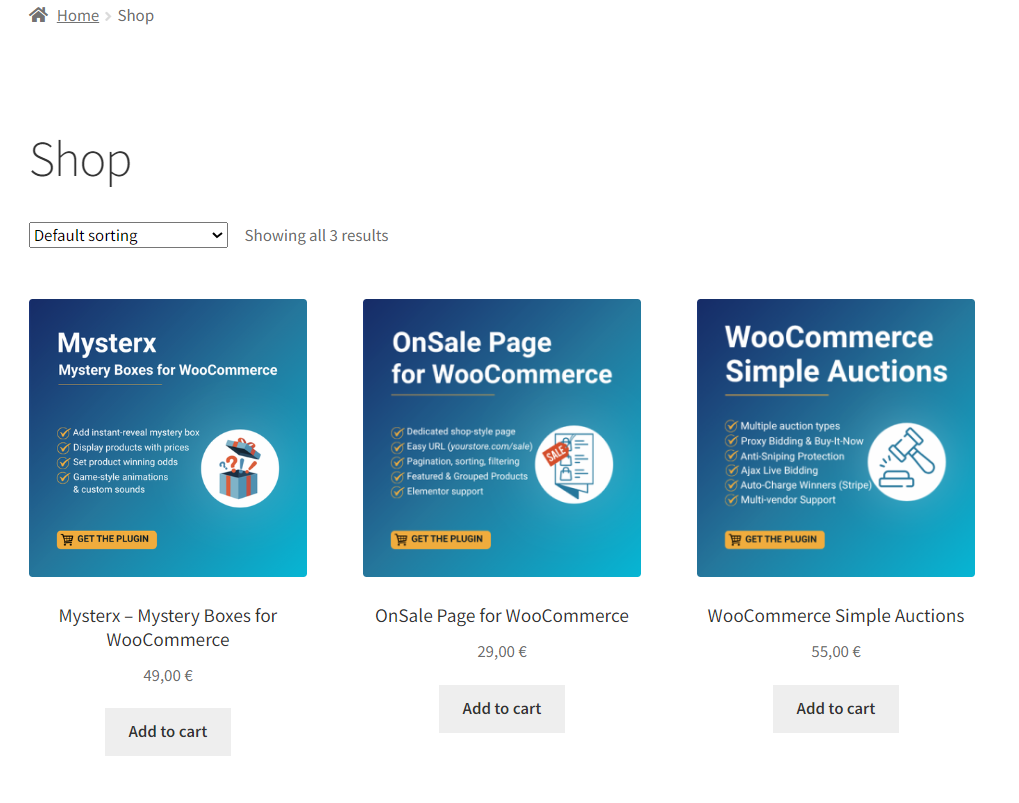
By default, WooCommerce uses the same featured image everywhere: on shop and category pages, and as the first image on the product page. With this plugin, you can choose a separate image for the catalog, while the product page keeps its own images.
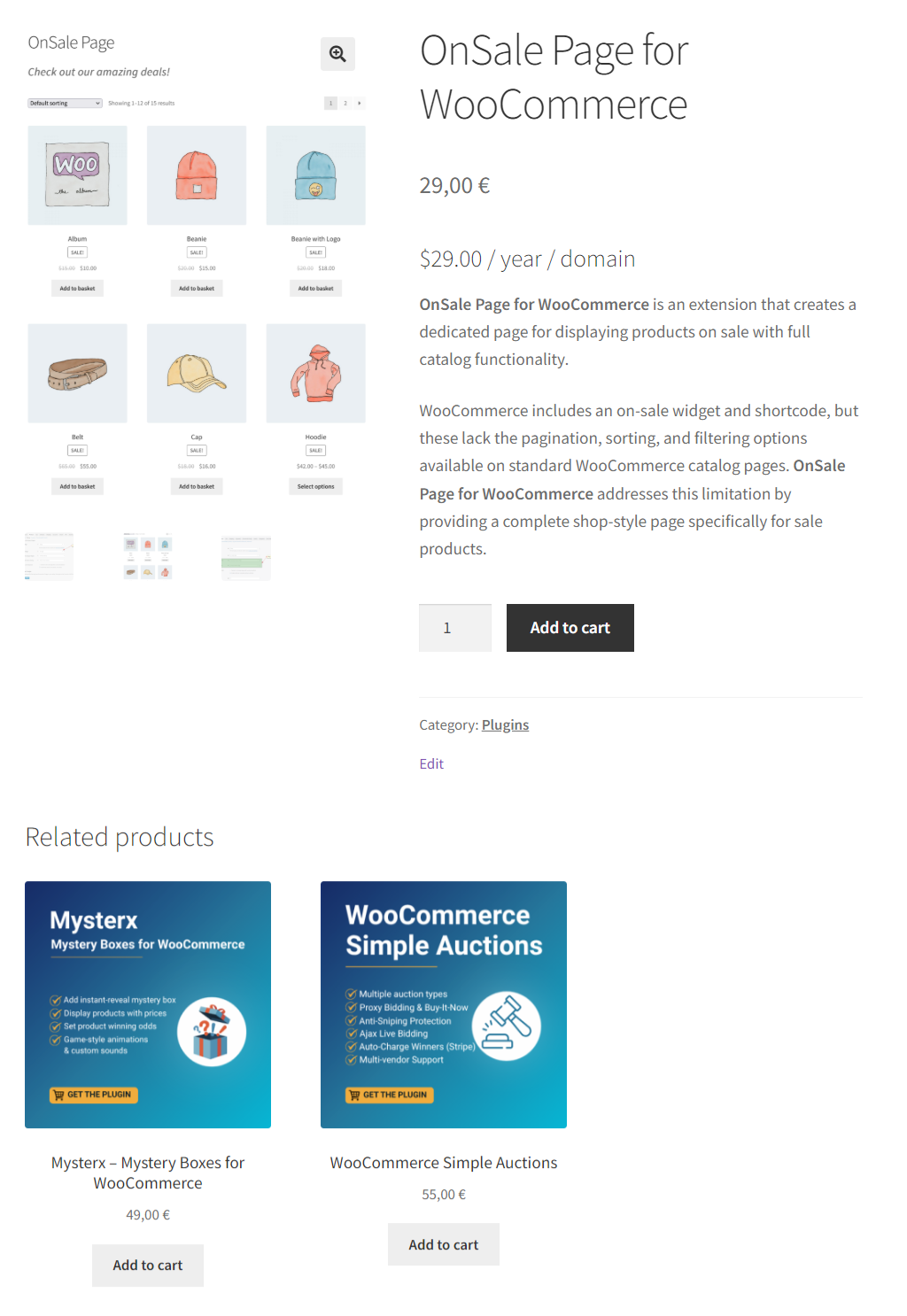
For example, you can use a branded cover or illustration in the catalog, and show screenshots or product photos once the customer opens the product.
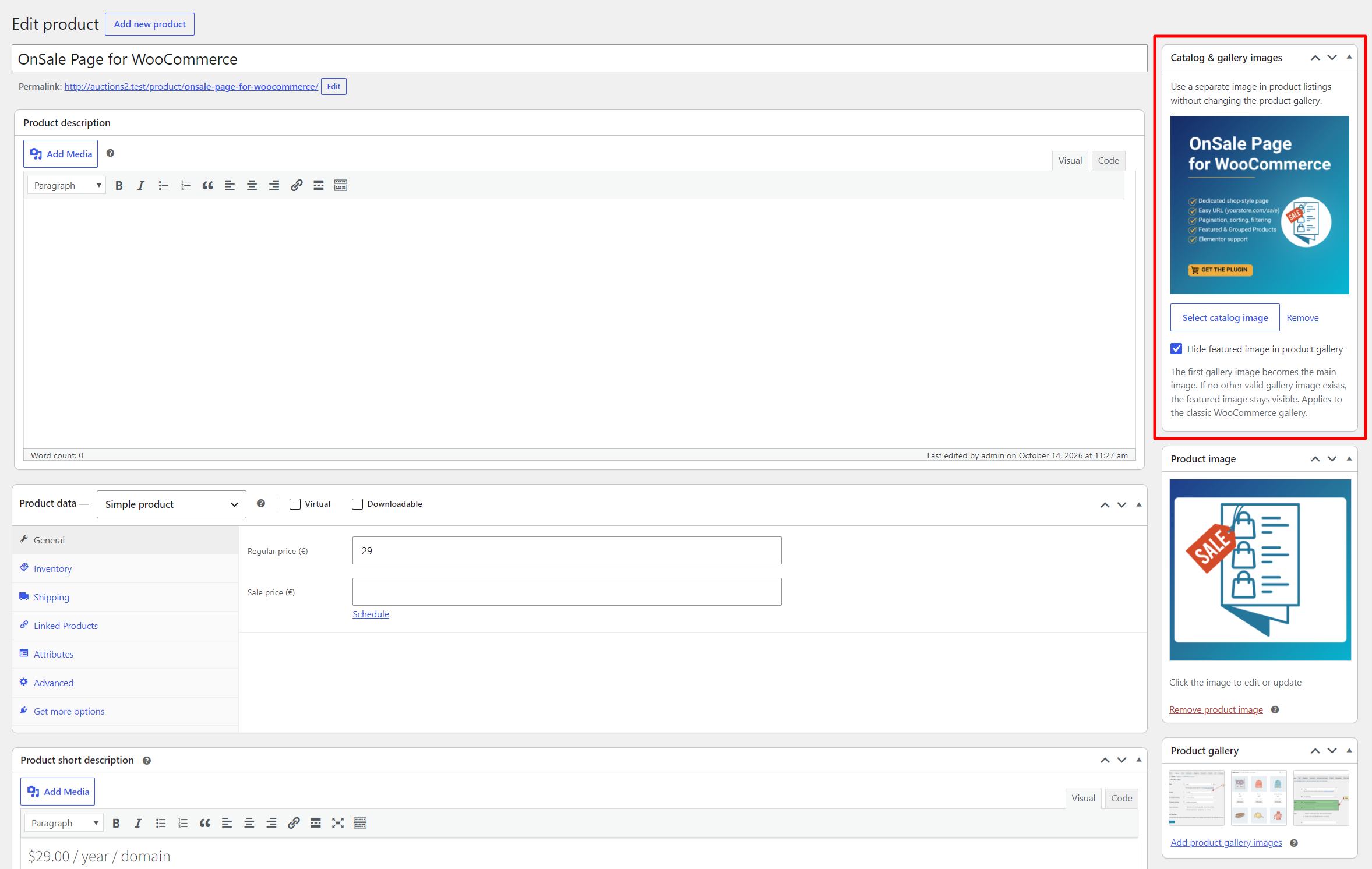
The plugin adds a Catalog & gallery images box to the product editor sidebar, with two options you can use separately or together:
- Catalog image: replaces the product image on shop pages, categories, product shortcodes, related products, and upsells.
- Hide featured image in product gallery: removes the featured image from the product page, so the gallery starts with the first gallery image. If there are no other gallery images, the featured image stays visible.
The featured image is still used everywhere else: in the cart, checkout, orders, emails, and when the product is shared on social media. This way, you can use a promotional or branded image in the catalog, while customers see a clean product image throughout the purchase. Your product images are never changed or deleted, and if you deactivate the plugin, everything returns to normal.
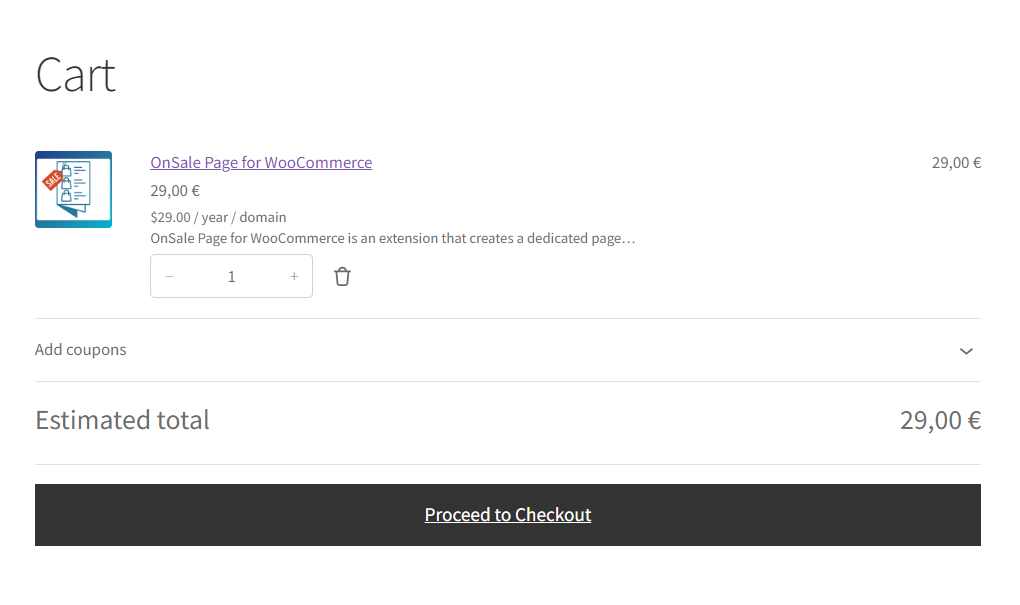
The plugin works with the classic WooCommerce product editor and standard WooCommerce themes. Block-based product collections and galleries are not supported yet.
Use Cases
- Digital products (plugins, e-books, courses): a branded cover in the catalog, screenshots on the product page
- A consistent catalog look: all products in the same style and format, with lifestyle or detail photos on the product page
- Promotional images: catalog images with labels like “New” or “Sale” that don’t belong on the product page
- No duplicate images: keep the featured image in the catalog and cart, but hide it from the product page gallery, without setting a catalog image
If you want different product images for your catalog and product pages, download Catalog Image for WooCommerce for free from WordPress.org.
Looking for other ways to improve your WooCommerce store? Check the complete list of our plugins that can help you bring your clients the best online shopping experience!