
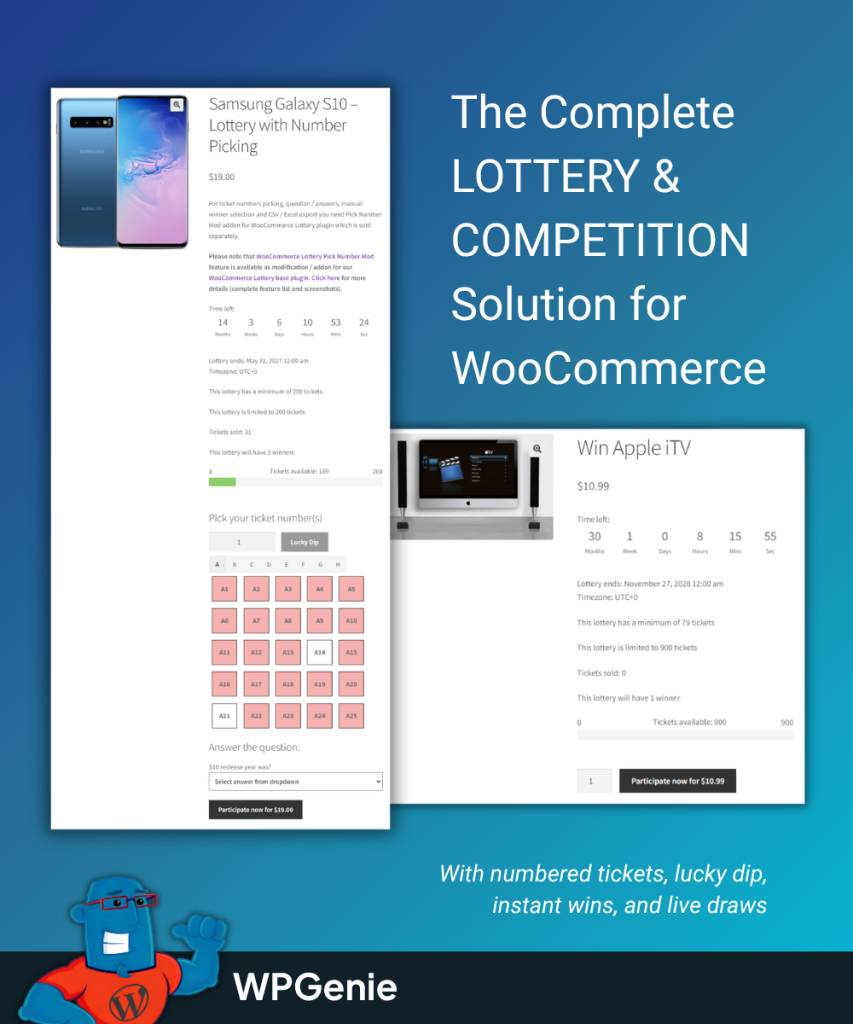
WooCommerce Lottery and Pick Ticket Number together give you the most powerful, complete, and easy-to-set-up competition, lottery, and raffle solution for WordPress and WooCommerce.
Run professional competitions with numbered tickets, instant wins, skill-based questions, and automatic or manual winner picking. Set up paid lotteries or free giveaways, with full control over ticket numbers, participant limits, and prize draws.
Integrate with multi-vendor plugins to create a full competition marketplace.
First released on Mar 2 2016, it has been actively supported and developed for 10 years.
Used on busy competition sites handling over 1 million ticket numbers, 1 million instant wins, and 1 million orders.
WooCommerce Lottery with Pick Ticket Number
Overview
Online lotteries, raffles, and competitions are among the most effective ways for WooCommerce store owners to drive traffic, boost engagement, and generate revenue. Competitions create excitement, encourage repeat visits, and offer a fun buying experience that standard product listings can’t match.
WooCommerce Lottery with Pick Ticket Number addon makes it easy to create a professional lottery, competition, or raffle website. The plugin and addon integrate seamlessly with WooCommerce and require no coding or technical skills. With a payment gateway in place, you can start running lotteries and competitions on your WooCommerce site in under 30 minutes!
WooCommerce Lottery also supports multi-vendor competition marketplaces. When combined with a multi-vendor plugin, vendors can submit and manage competition products directly from their frontend dashboard, while you earn a commission on every ticket sale. We recommend using WooCommerce Lottery with Dokan and the Dokan Lottery Integration to build a scalable competition marketplace.
With WooCommerce Lottery & Pick Ticket Number you can:
✔ Run lotteries, raffles, competitions, giveaways, and lucky draws with numbered tickets
✔ Set ticket prices or run free-entry giveaways
✔ Let users pick their own ticket numbers or auto-assign them randomly
✔ Add instant wins — users find out immediately if their ticket is a winner
✔ Run skill-based competitions with question and answer verification
✔ Define one or multiple winners per competition
✔ Set ticket limits per user and overall
✔ Pick winners automatically, manually, or via external services like random.org
✔ Instantly finish a lottery when all tickets are sold
✔ Refund, relist, or extend failed lotteries with one click
✔ Let vendors create and manage their own competitions
Features
✔ Seamless integration into WooCommerce via its hooks
✔ You get a new type of WooCommerce product type – lottery
✔ Easily control how you want to display lotteries: along with other items or on a separate page
✔ Define ticket price (including free / zero price for giveaways)
✔ Set minimum and maximum number of tickets available
✔ Set maximum tickets per user
✔ Define number of winners: 1 or more
✔ Option to allow a single user to win multiple prizes
✔ Set start and end date and time for the lottery
✔ Option to instantly finish lottery when maximum tickets are sold
✔ Lottery product has lottery icon (label) on thumbnail
✔ Countdown timer on product page
✔ Automatic random winner selection when the lottery ends (uses PHP mt_rand())
✔ Manual winner picking: enter winning number(s) yourself after the draw
✔ Use external drawing services like random.org or national lottery numbers for live draws
✔ When using questions/answers, only correct answers participate in the draw
✔ Works with TeraWallet / Credit payment gateways
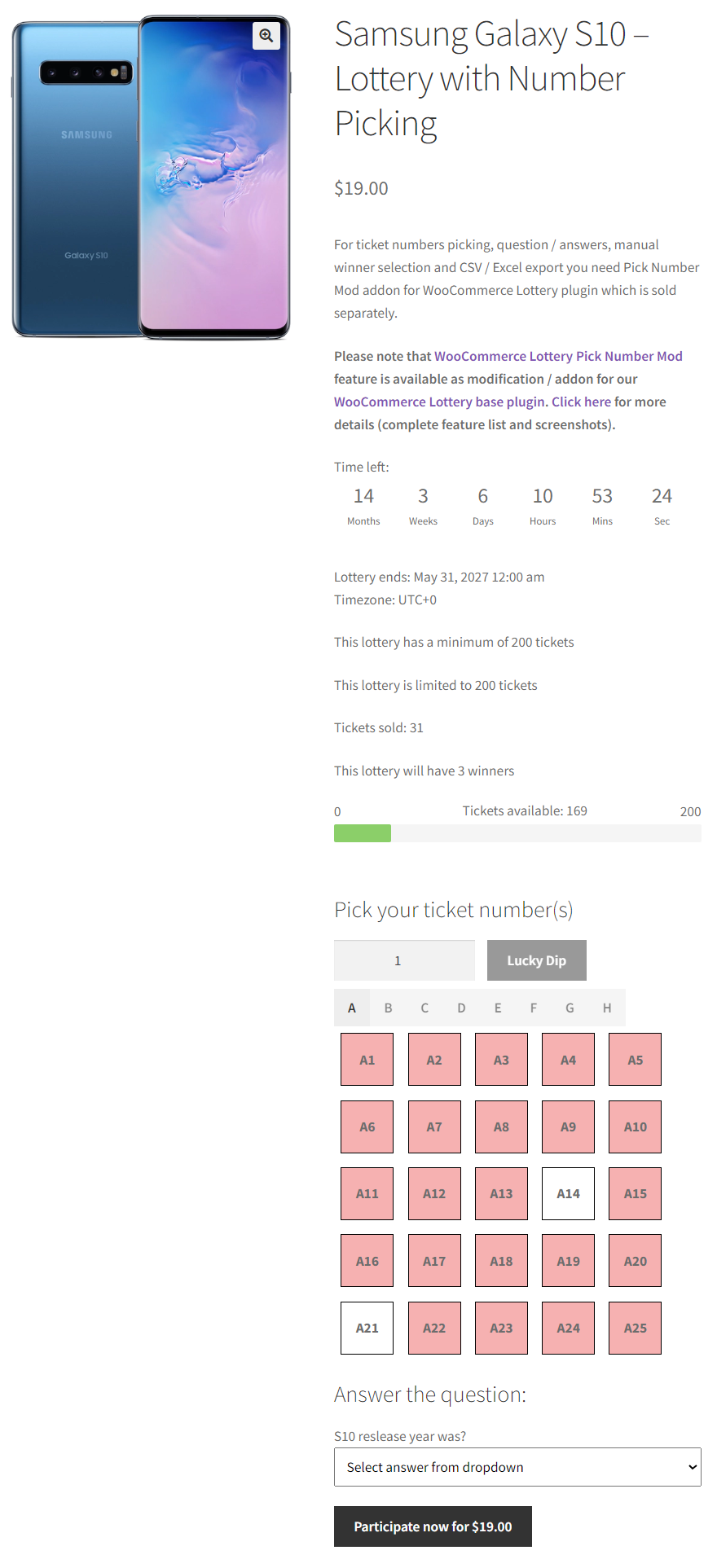
✔ Users can pick their own ticket numbers from a visual grid
✔ Randomly auto-assign ticket numbers
✔ Lucky dip option with quantity selector: buy multiple random tickets in one click
✔ Option to add letter prefix to tickets (A1…A100, B1…B100, etc.)
✔ Ticket numbers can start from any number (e.g. first ticket can be 300)
✔ Ticket number grouping in tabs for lotteries with many tickets
✔ Ticket reservations to prevent duplicate tickets during the order process
✔ Instant win numbers: users find out immediately if their ticket is a winner
✔ Import instant win numbers via CSV
✔ Grouped instant win email notifications sent to users
✔ My Account → My Wins page where users can check their won tickets and instant wins
✔ Admin notification email for instant wins with custom recipient option
✔ Shortcodes to display all instant wins and all instant winners on your site
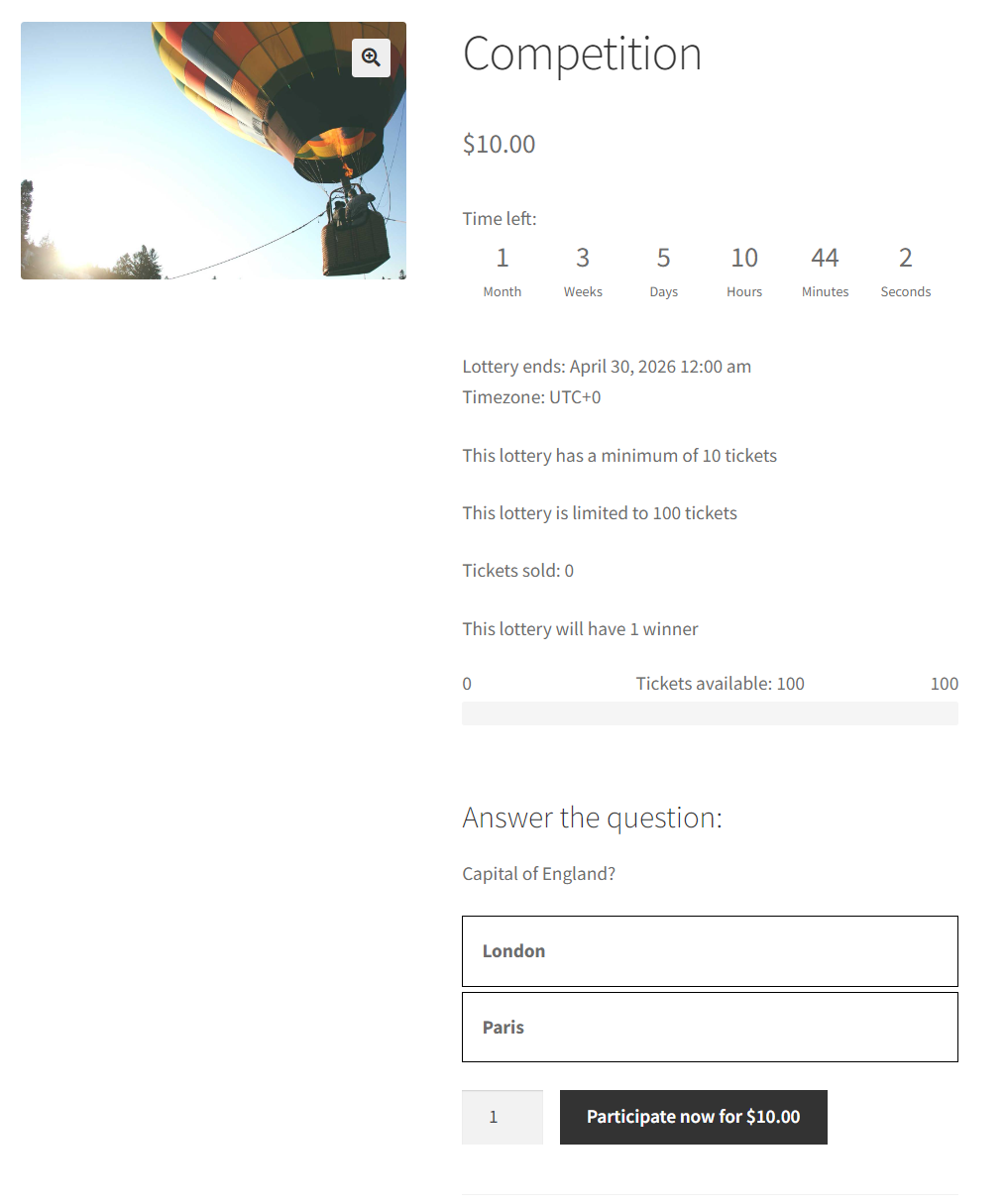
✔ Add a question that participants must answer to enter
✔ Option to allow only correct answers, or allow checkout with wrong answer but exclude from draw
✔ Winners are chosen only from participants who answered correctly
✔ Perfect for competitions that require a qualifying question by law
✔ One-click refund of all tickets if lottery fails (requires gateway refund support)
✔ Manually relist lottery with option to delete previous lottery data
✔ Automatic relist for finished lotteries with option to save complete participant info and history as CSV
✔ Extend lottery end date for failed lotteries while keeping all existing participants (ticket rollover)
✔ Product single page has new tab “Lottery History”
✔ User has “My Lotteries” page showing active lotteries and won lotteries
✔ “My Tickets” section in WooCommerce My Account
✔ Entry lists for lotteries: participants can see who entered
✔ Search on entry list page
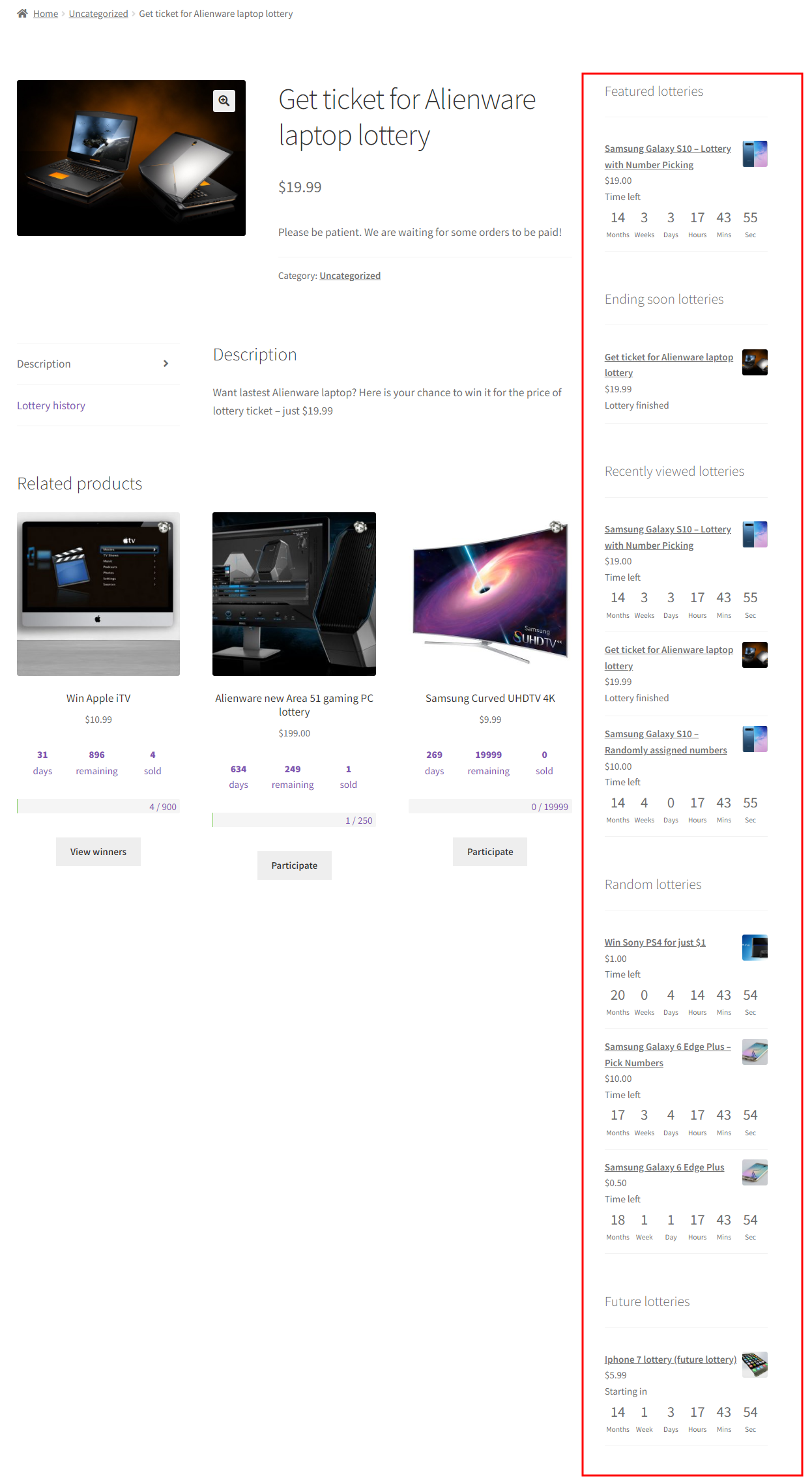
✔ Widgets: ending soon, future, latest/recent, featured, recently viewed, my lotteries, and random lotteries
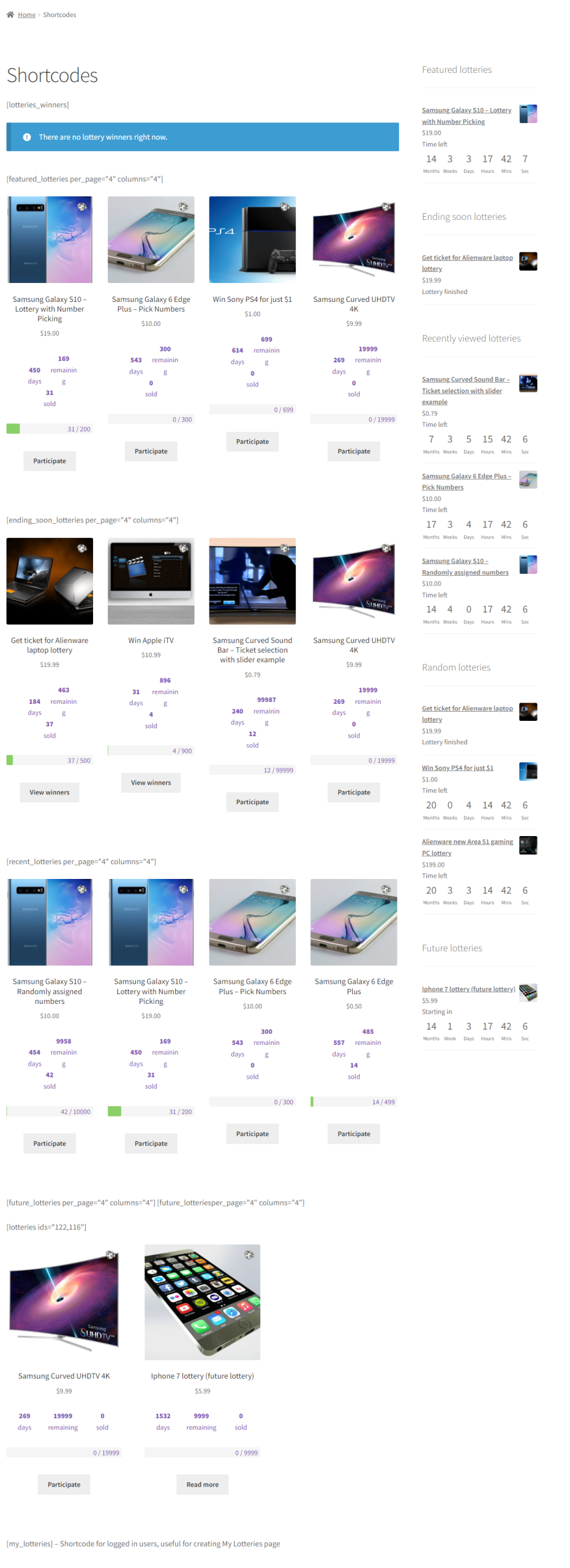
✔ Multiple shortcodes available, including my lotteries, lottery winners, featured lotteries, ending soon, and more
✔ Guest checkout support: login at a later stage of checkout
✔ WooCommerce product has new tab in Product Data block called Lottery
✔ Product list filter has lottery filtering
✔ Lottery status icons in product list: active, finished, finished and paid, failed (requires Product Type Column plugin)
✔ Single product page in wp-admin has lottery history block
✔ Option to manually delete any ticket via WooCommerce order management
✔ Lottery history with CSV and Excel export (sortable columns)
✔ Instant winners table with paging
✔ View winners on single lottery page or in wp-admin
✔ Manually add ticket numbers for a user (postal entries)
✔ Proven at scale: used on busy competition sites with more than 1 million ticket numbers, 1 million instant wins, and 1 million orders
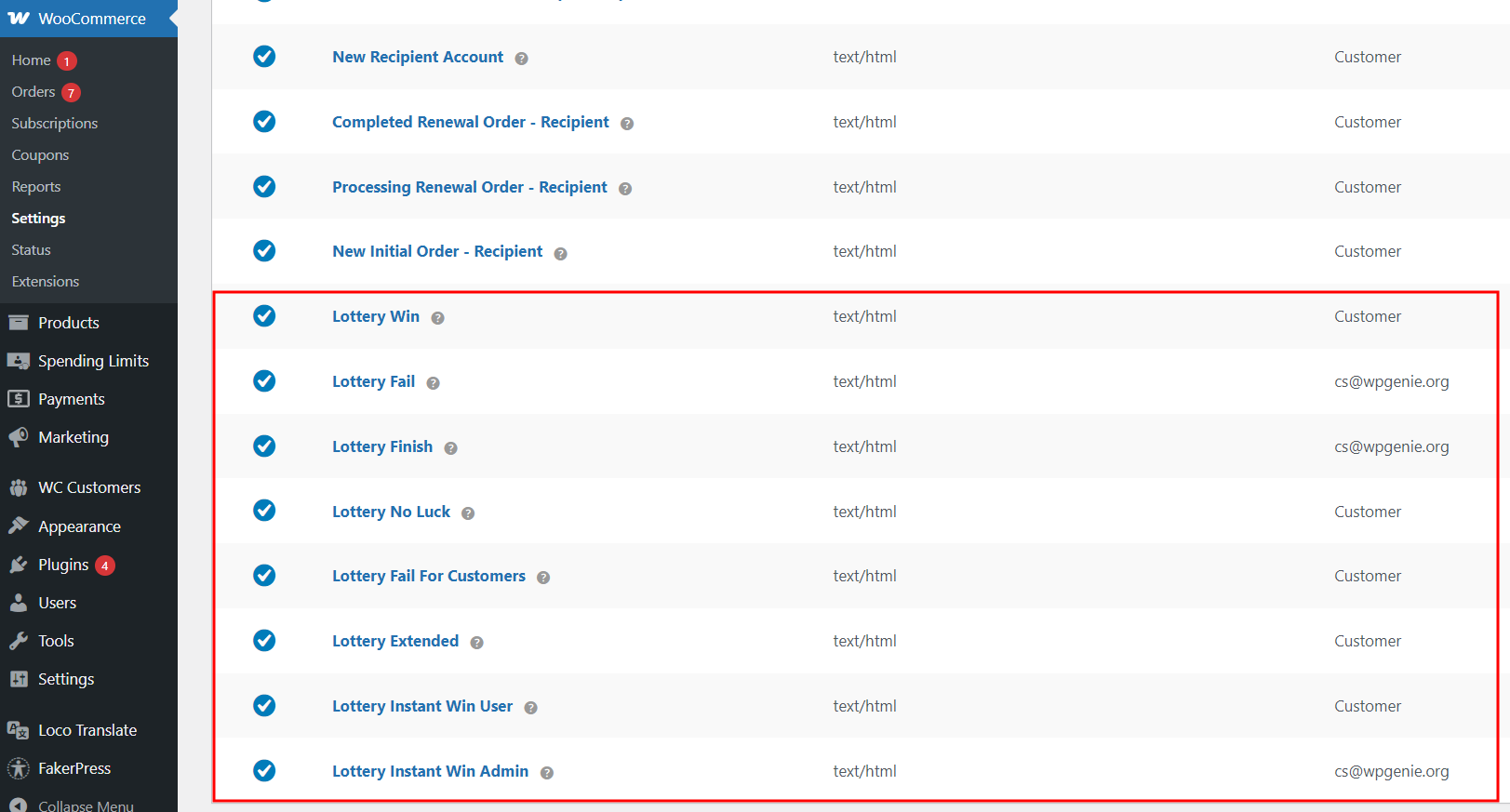
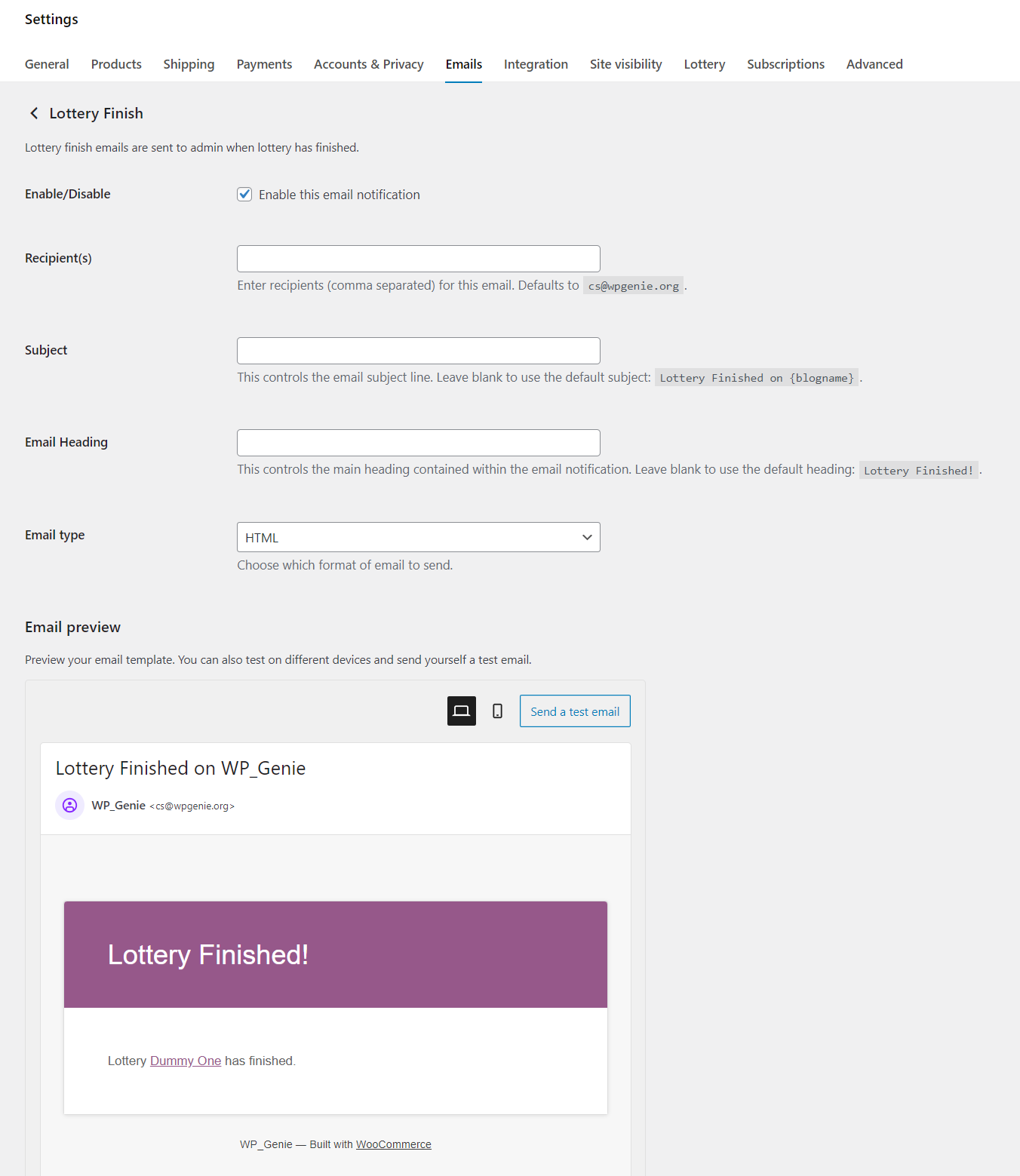
✔ Lottery Finish: sent to admin when lottery ends successfully with a winner
✔ Lottery Fail: sent to admin when lottery ends without enough participants
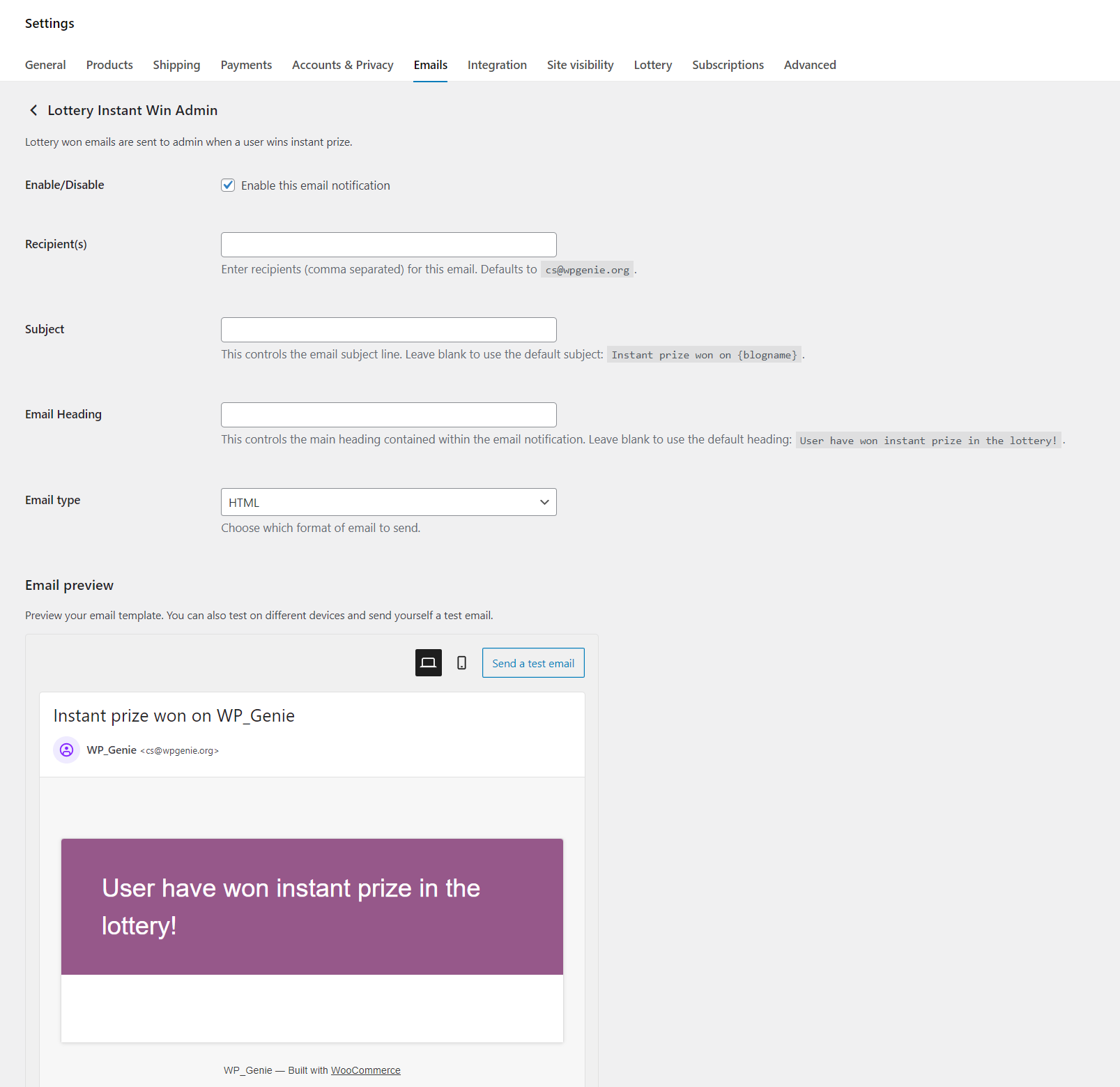
✔ Lottery Instant Win Admin: sent when a user wins an instant win (custom recipient option)
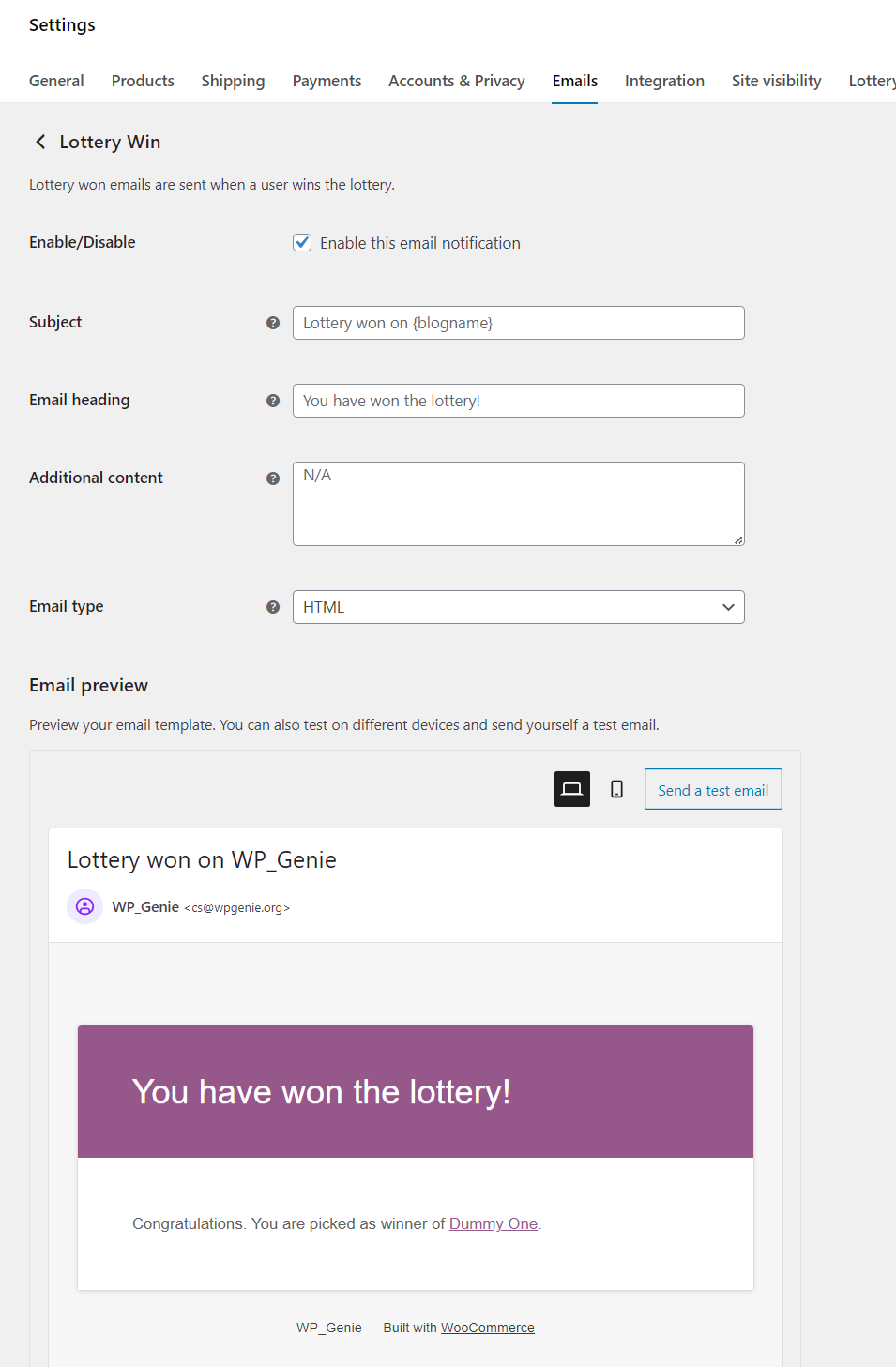
✔ Lottery Win: sent to the winner(s) when the lottery ends
✔ Lottery No Luck: sent to participants who did not win
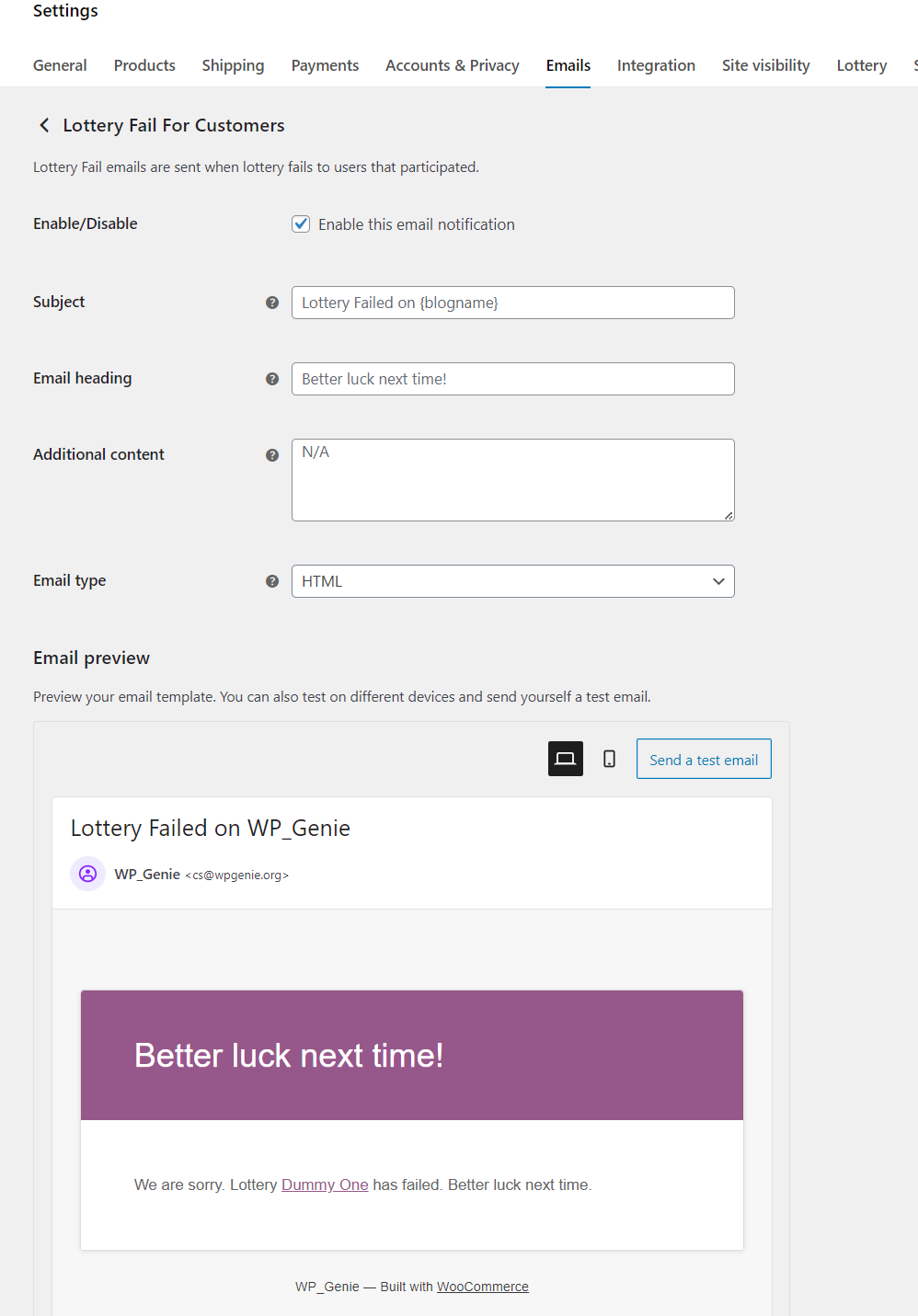
✔ Lottery Fail For Customers: sent to participants when lottery fails
✔ Lottery Extended: sent to participants when lottery end date is extended
✔ Lottery Instant Win User: sent immediately when a user purchases a winning ticket (grouped notifications)
✔ Elementor support
✔ WPML compatible
✔ Works with WooCommerce REST API; read tutorial
✔ Dokan integration available (via add-on)
✔ HPOS (High-Performance Order Storage) compatible
✔ Flip Countdown Timer : animated flip-style countdown for your competition pages
✔ Progress Bar In Loop : show progress bar with tickets sold in the shop/category page
✔ Custom Instant Win Table : enhanced instant win display table
You can also check the detailed plugin documentation for additional information concerning installation, lottery setup, plugin options and updating, available shortcodes and widgets.
Screenshots
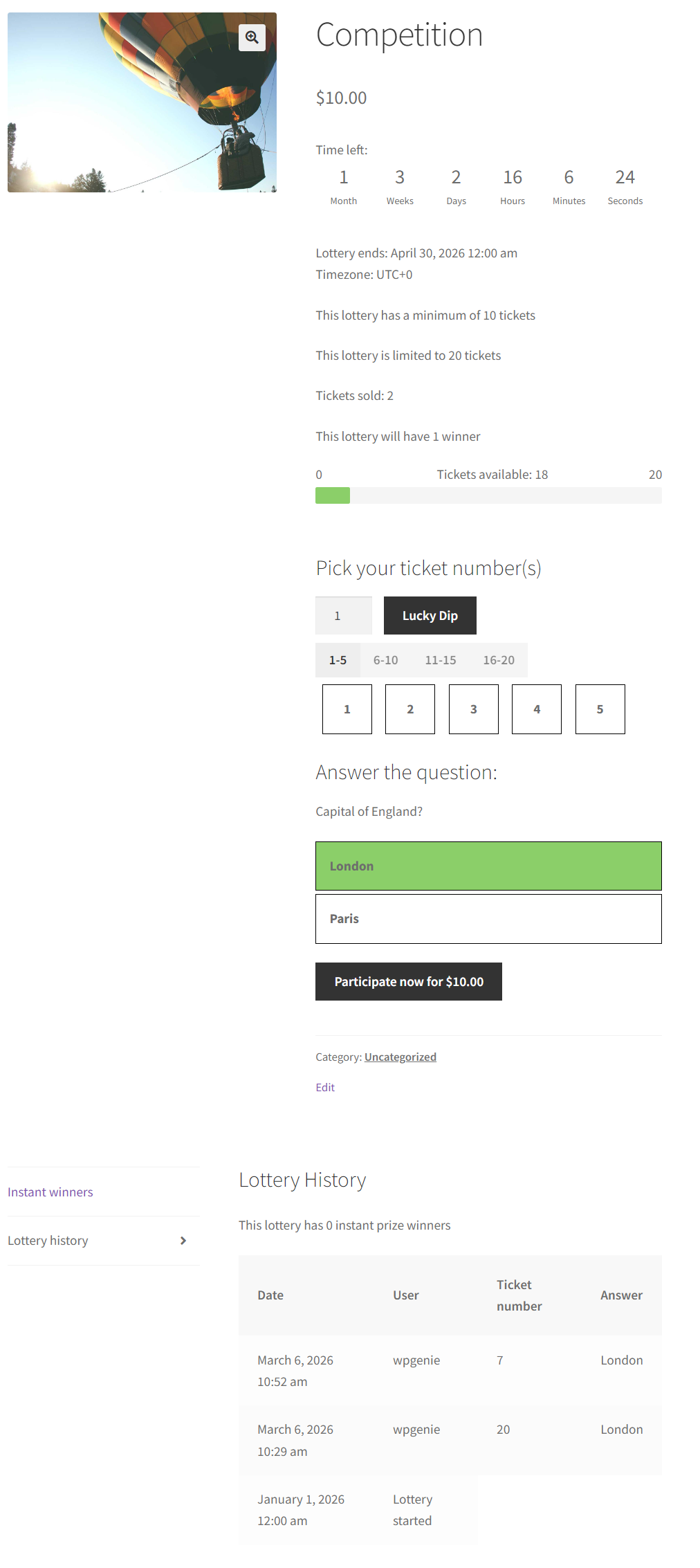
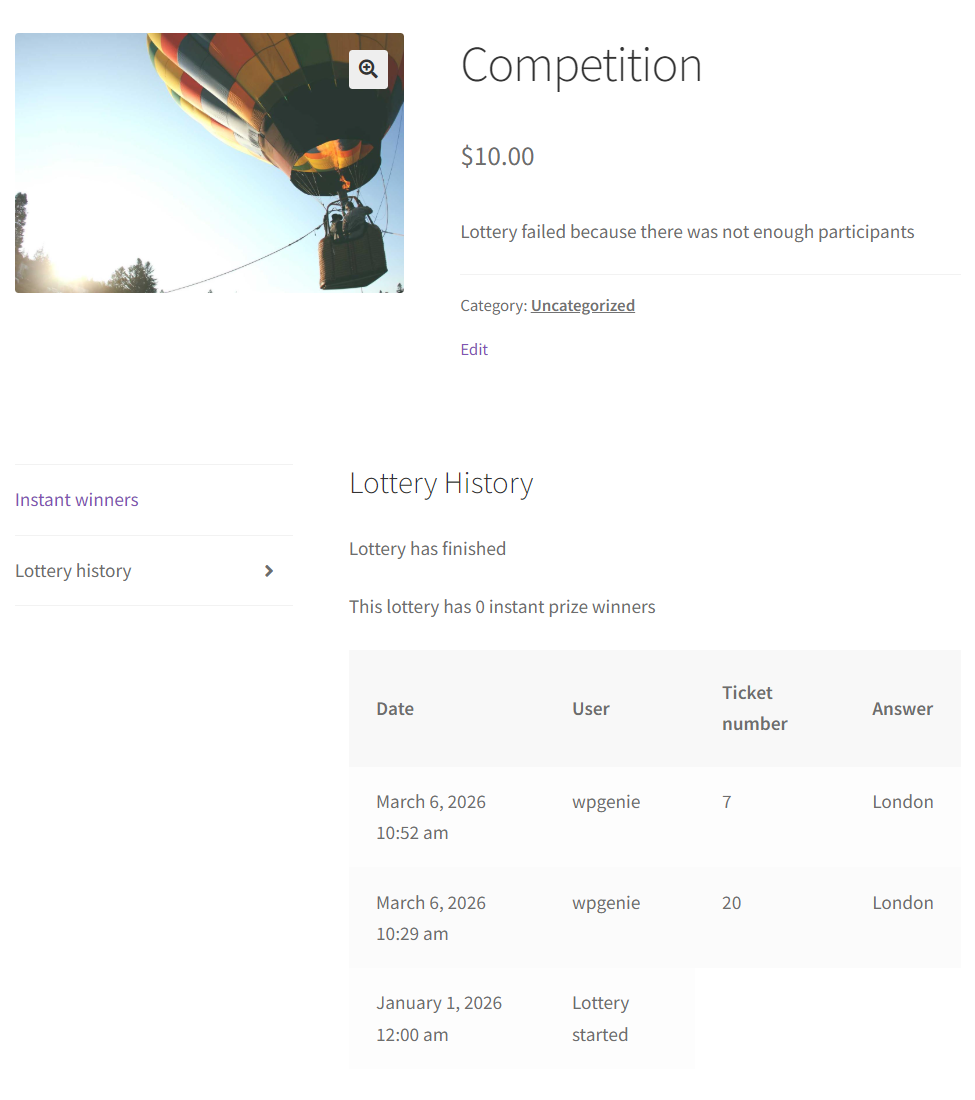
Frontend view
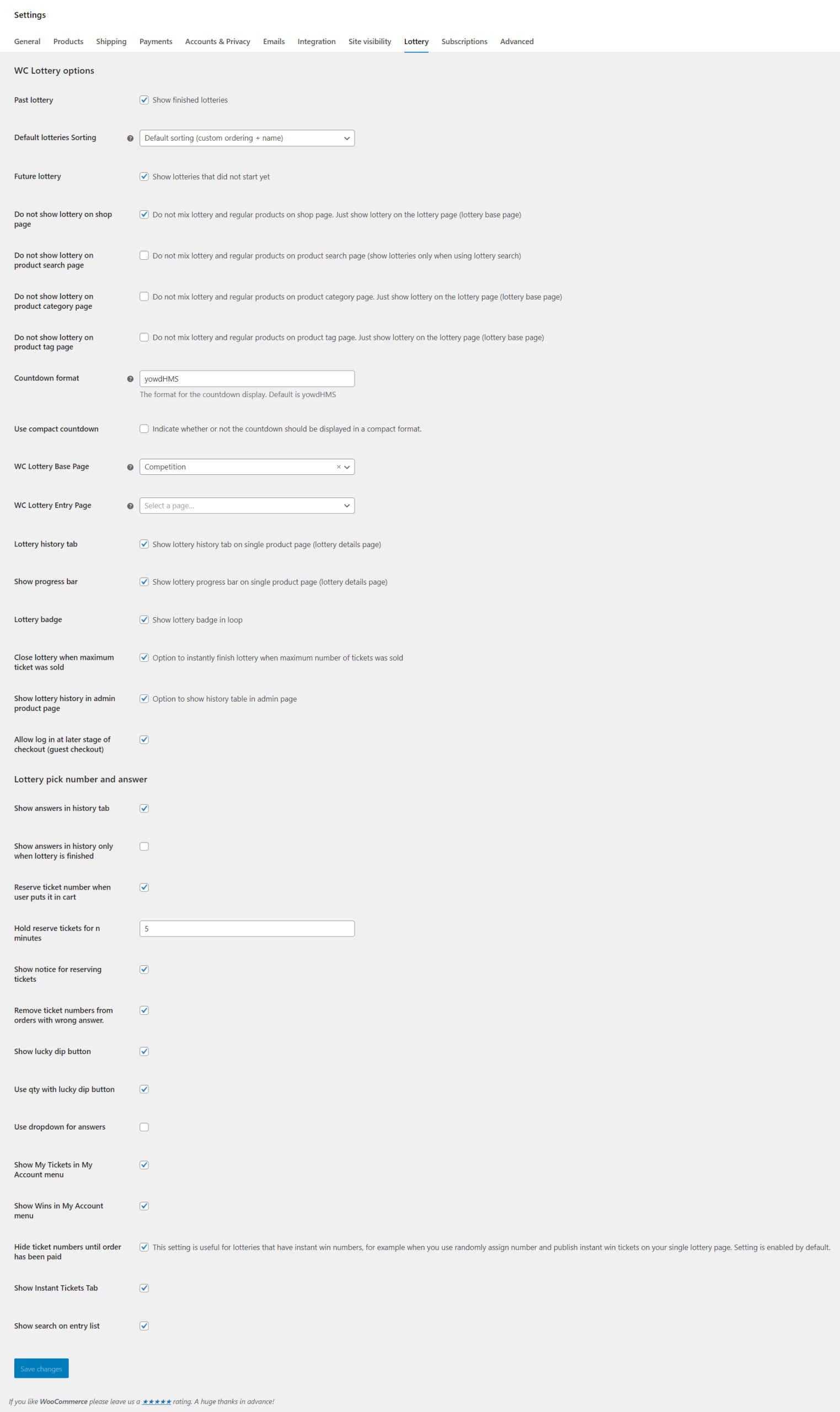
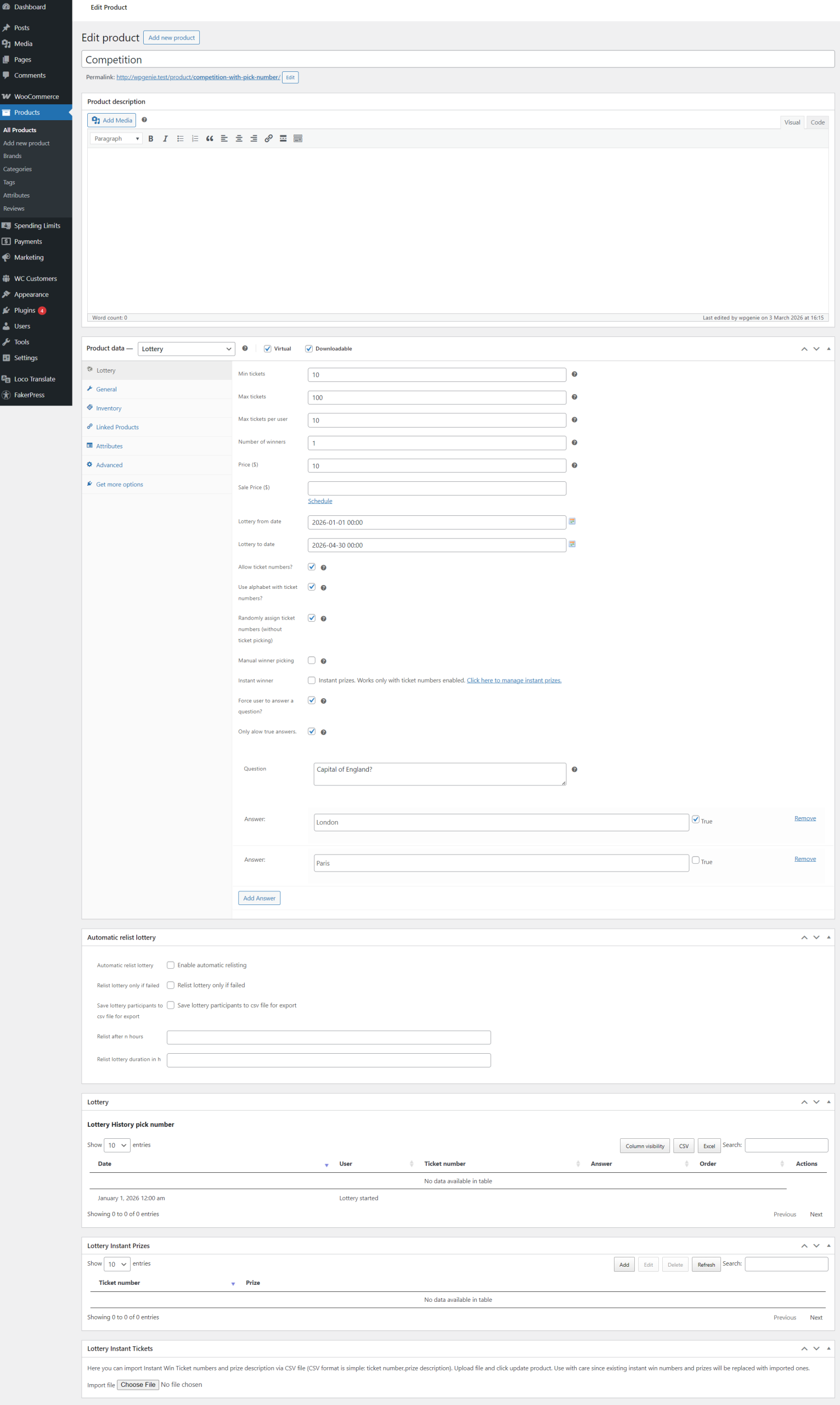
Settings

Email notifications
Shortcodes and Widgets
Lottery Only : For Simple Giveaways & Lucky Draws
Don’t need numbered tickets, instant wins, or skill-based questions? The base WooCommerce Lottery plugin works perfectly on its own for simple giveaways and random-draw lotteries.
Without Pick Ticket Number, the lottery works by logging each ticket purchase as an entry. When the lottery ends, the plugin randomly selects winner(s) from all entries, so more tickets purchased means higher chances of winning. No ticket numbers are shown to users.
This is ideal for:
✔ Free giveaways and promotional draws (ticket price can be zero)
✔ Simple paid lotteries where users just buy entries
✔ Charity raffles with random winner selection
The base plugin includes all core features: multiple winners, ticket limits, countdown timers, automatic winner picking, email notifications, relist/extend/refund for failed lotteries, entry lists, widgets, shortcodes, Elementor support, WPML, WooCommerce API, guest checkout, and Dokan integration.
The base Lottery plugin does not include:
✘ Ticket number picking or random number assignment
✘ Lucky dip
✘ Instant wins
✘ Skill-based competitions with questions and answers
✘ Manual winner picking for live draws
✘ My Tickets and My Wins in My Account
✘ Ticket reservations
✘ Letter prefix on tickets or custom starting numbers
✘ Postal entries (manually adding tickets for users)
Note: Pick Ticket Number is an addon that requires the base WooCommerce Lottery plugin. You need both for the full competition experience.
Extend Your Competition Site
Spending Limits for WooCommerce: Player Protection for Competition Sites
If you run a paid competition site, responsible gaming tools aren’t just good practice: they’re becoming a legal requirement in many regions. Spending Limits for WooCommerce adds player protection controls that regulators and payment processors increasingly expect.
Users can set their own daily, weekly, monthly, or yearly spending limits and voluntarily lock themselves out with self-exclusion periods. They can lower limits anytime, but increasing or removing them requires admin approval, preventing impulsive decisions.
The PRO version adds global site-wide limits, custom time periods, audit logs, user reports with CSV export, and customizable messaging.
Free version available on WordPress.org. Designed to work seamlessly with WooCommerce Lottery and Pick Ticket Number.
Learn more | Free download on WordPress.org
Subscription Gifts for WooCommerce: Gift Free Tickets to Subscribers
Many competition sites use WooCommerce Subscriptions to offer monthly membership plans. Subscription Gifts for WooCommerce lets you automatically reward subscribers with free competition tickets when they sign up, on each renewal, or both.
Works with WooCommerce Lottery and Pick Ticket Number: tickets are randomly assigned to subscribers automatically. The PRO version lets you control the number of gifted tickets and reward them on renewals too.
Free version available on WordPress.org. Requires WooCommerce Subscriptions.
Learn more | Free download on WordPress.org
Complete Solution with Hosting
Need everything set up and ready to go? Our Competitions / Giveaways Solution includes the plugins plus optimized hosting. → Learn more
Reviews
⭐⭐⭐⭐⭐
I’m on themeforest since 15 years now, and I must admit that the support and the reactivity of the staff is prodigious. Fews personnals tweaks manage in no time! Excellent!
SDNETWORLD @ CodeCanyon.net
⭐⭐⭐⭐⭐
Amazing set of plugins and the extra customization we have paid for is incredible, highly recommend buying direct from these guys rather than using the third party companies that are reselling their license without rewarding the original developers
Thank you for the great work and support over the past few weeks!
neil74white @ CodeCanyon.net
⭐⭐⭐⭐⭐
Brilliant customer service, quick replies and great plugin. Thanks again!
jackc87 @ CodeCanyon.net
⭐⭐⭐⭐⭐
By far the best prize draw plugin i have tired. I would highly recommend this plugin along with “WooCommerce Lottery / Competitions Pick Ticket Number Modification” available direct from their site.
I did try other plugins before finding this one and ended up removing the others in favour of this one.
The whole thing works just as you would want it to and the support is very good.
You may not like the price of the additional plugin but if you want quality, support and decent system the expect to pay a good price. Its worth every penny.
matthewbird156 @ CodeCanyon.net
FAQ
You can run lotteries, raffles, giveaways, lucky draws, and prize competitions. With the Pick Ticket Number addon, you can also run skill-based competitions with questions and answers, instant-win contests, and live-draw lotteries.
It depends on your use case. If you want users to pick ticket numbers, run instant wins, add skill-based questions, or do manual live draws, you need both WooCommerce Lottery ($29 on CodeCanyon) and Pick Ticket Number ($250 on our store; one time fee for unlimited updates and support ). If you only need simple random-draw lotteries or free giveaways without numbered tickets, the base Lottery plugin is enough.
Yes, ticket price can be set to zero. For free giveaways, you don’t even need a payment processor set up.
Yes, you can define any number of winners per lottery. You can also choose whether a single user can win multiple prizes.
Winners are picked randomly when the lottery ends. The plugin uses PHP’s mt_rand() function. If you use the Pick Ticket Number addon, you can also manually enter winning numbers for live draws or use external services like random.org.
Instant wins let certain ticket numbers be pre-set as winners. When a user purchases (or is assigned) a ticket with a winning number, they find out immediately, no need to wait for the lottery to end. You import instant win numbers via CSV.
You add a question to the lottery that participants must answer. You can choose to allow only correct answers to participate in the draw, or allow everyone to check out but exclude wrong answers from winner selection. This is useful for competitions that legally require a skill element.
Yes, with Pick Ticket Number, users see a visual number grid and can pick their preferred numbers. Alternatively, you can set it to randomly assign numbers automatically. You can also offer a “lucky dip” button for quick random purchases.
The plugin supports guest checkout with login at a later stage, so users can purchase tickets without creating an account first.
Yes, you can define the maximum number of tickets per user for each lottery.
If the minimum ticket threshold isn’t met, the lottery fails. You then have three options: refund all tickets with one click, relist the lottery (starting fresh), or extend the end date while keeping all existing participants and their tickets.
Yes, there’s an option to instantly finish the lottery when the maximum number of tickets has been sold.
Yes, a countdown timer is displayed on lottery product pages showing the time remaining.
Yes, with entry lists enabled, participants can view who has entered the lottery. When using Pick Ticket Number, entry lists also include search functionality.
Users have a “My Lotteries” page for active and won lotteries. With Pick Ticket Number, they also get “My Tickets” and “My Wins” sections in their WooCommerce My Account.
Yes. Users receive notifications when they win, when they don’t win, when a lottery fails, and when a lottery is extended. With Pick Ticket Number, users also receive instant win notifications immediately when they purchase a winning ticket. All email templates are customizable.
Yes, lottery history can be exported to CSV and Excel directly from the wp-admin edit product page, with sortable columns and paging for large datasets.
Yes, when combined with the Dokan plugin and our Dokan Lottery Integration addon, vendors can submit and manage their own lottery products from a frontend dashboard while you earn commission on sales.
Yes, with Pick Ticket Number, administrators can manually add ticket numbers for users, commonly used for postal entries or promotional giveaways.
Yes, the plugin uses cronjobs to check lottery end times. One-minute server cronjobs are recommended for best results. The plugin also works with WP Cron, though real server cronjobs are more reliable. If your host doesn’t support one-minute cronjobs, you can use a third-party service like EasyCron.
Yes, WooCommerce Lottery supports Elementor from version 2.0.
WooCommerce Lottery ($29) is available on CodeCanyon. Pick Ticket Number ($250, one time fee for unlimited updates and support, with coupon code wpgnow you can cover WooCommerce Lottery costs and get $29 discount for Pick Number) is available on our store. You need both for the full competition experience.
Extend Your WooCommerce Store
Looking for more? Check out our other WooCommerce plugins!