A great way to go viral in a saturated market is implementing online prize draws. Promotional games and contests are considered a great marketing tool since they are often an easy and fun way to gain potential customers’ attention. Whether that’s a competition, a giveaway, or some other kind of prize draw, they add the thrill of possibility, create a sense of urgency, and when promotions are time-sensitive, customers are more likely to take immediate action.
So no wonder that one of our best selling plugins is WPGenie’s WooCommerce Lottery, a simple but effective plugin that extends any WooCommerce store with competition or giveaway features.
Over the years many of our clients have successfully implemented prize draws in their webstores, but we’ve noticed a common technical question that often comes up: How WooCommerce Lottery plugin chooses winner when there are no ticket numbers?
In this article we’ll explain the mechanism behind WooCommerce Lottery plugin, when customers simply buy entries and prize draw is NOT using ticket number. We’ll also show options for prize draws where ticket numbers are required.
Table of Contents
What is WooCommerce Lottery plugin
We’re proud to say that we are the authors of the first WooCommerce Lottery plugin: v1.0 was released on 2nd March 2016.
WPGenie’s WooCommerce Lottery plugin is a powerful prize draw solution that is easy to use and customize. With our plugin you can set up WordPress competition or giveaway website and start your prize draw in less than 30 minutes (assuming you have payment processor ready if you run competitions, for giveaways you don’t even need payment processor).
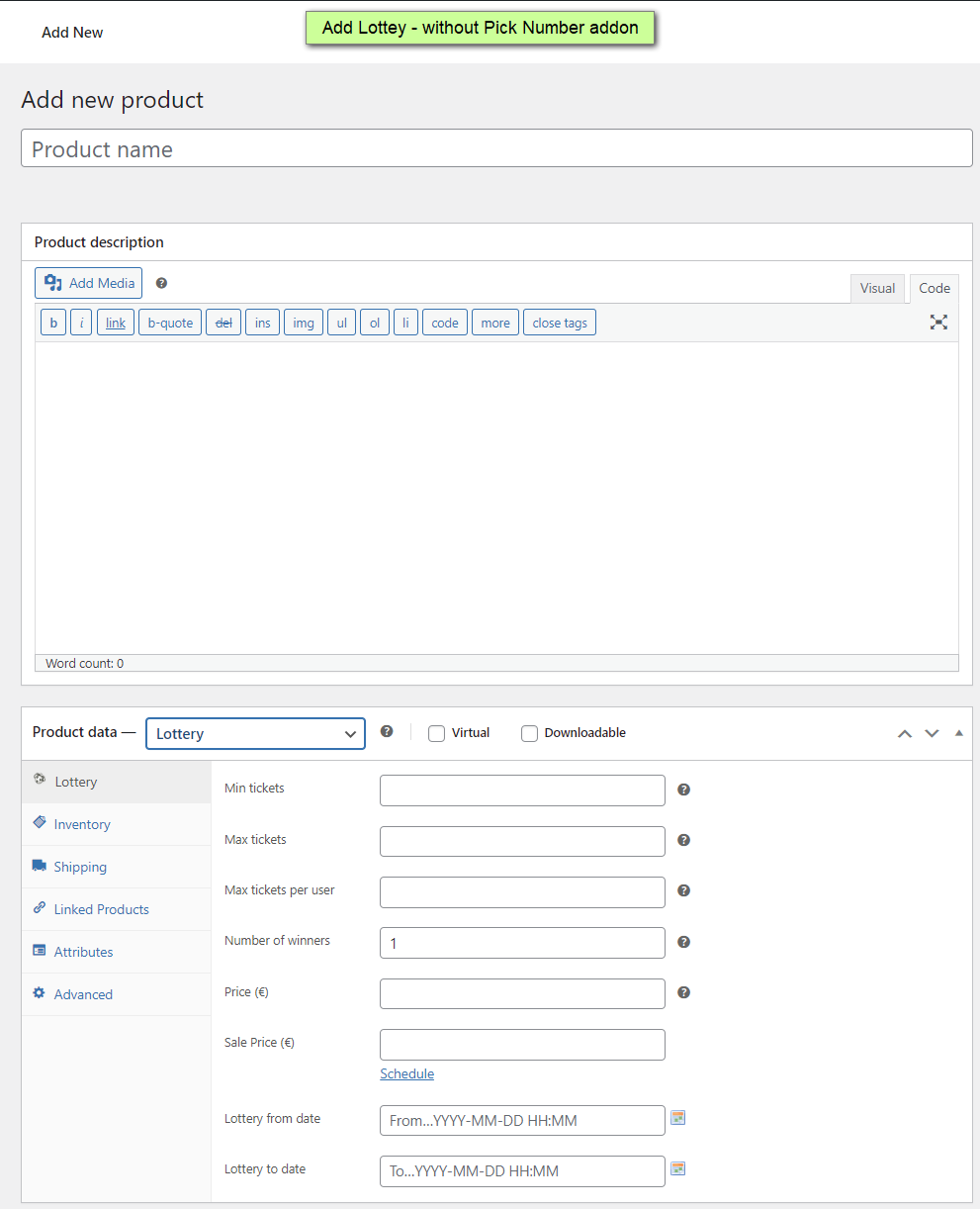
You can watch our video tutorial to see how easy is to set up WooCommerce Lottery:
How WooCommerce Lottery chooses winner
So: if there are no ticket numbers to draw, how does the plugin know who wins?
This is the technical explanation from our documentation describing the winner-picking mechanism:
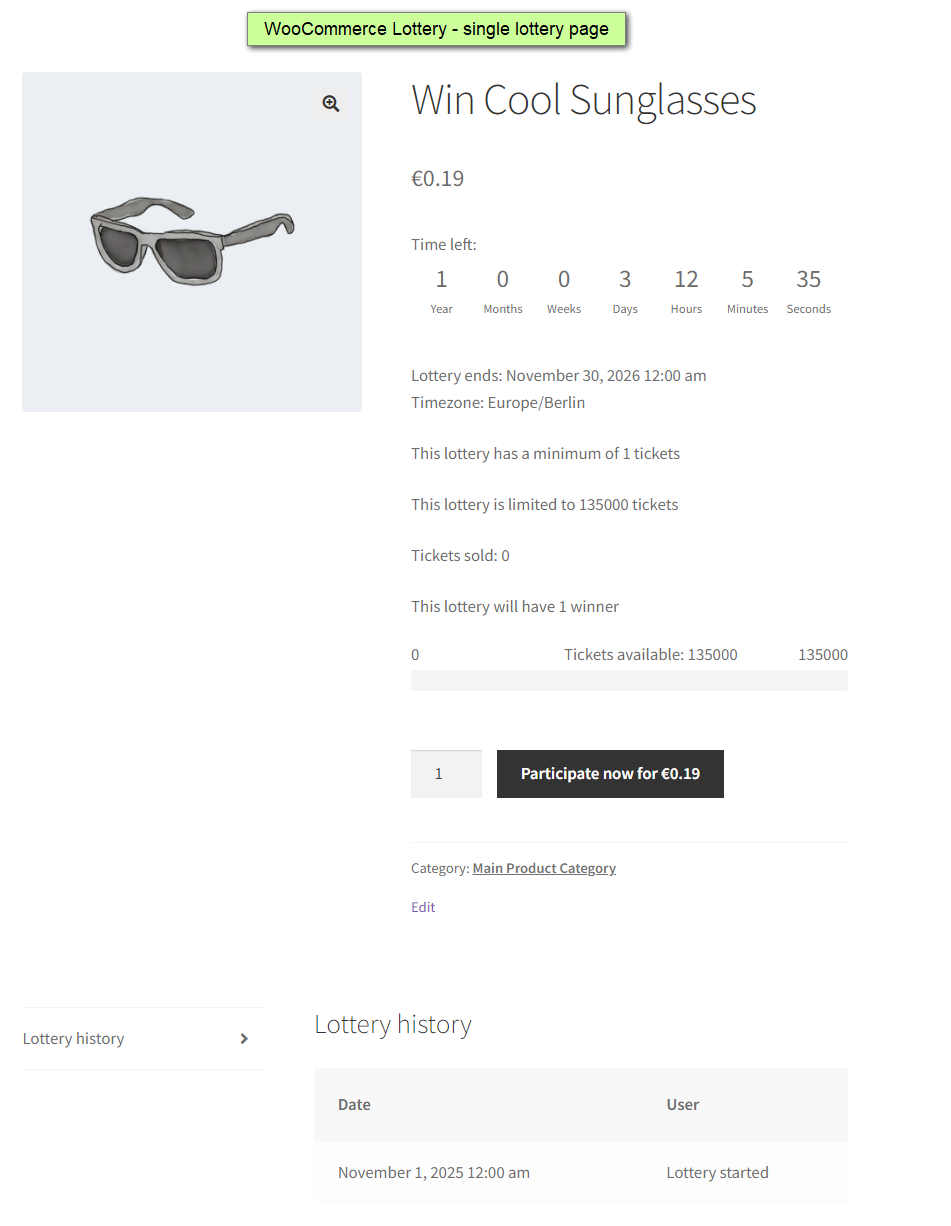
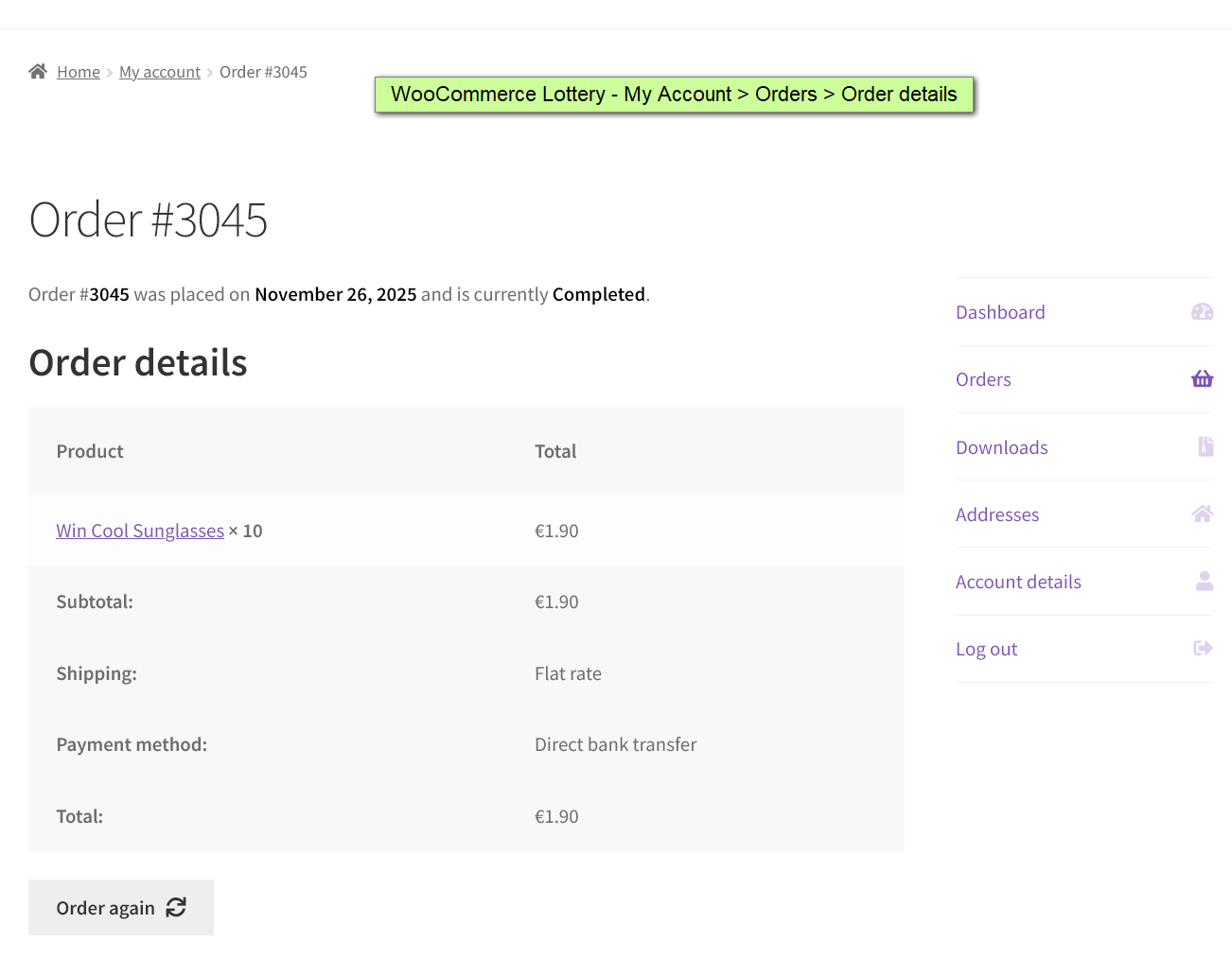
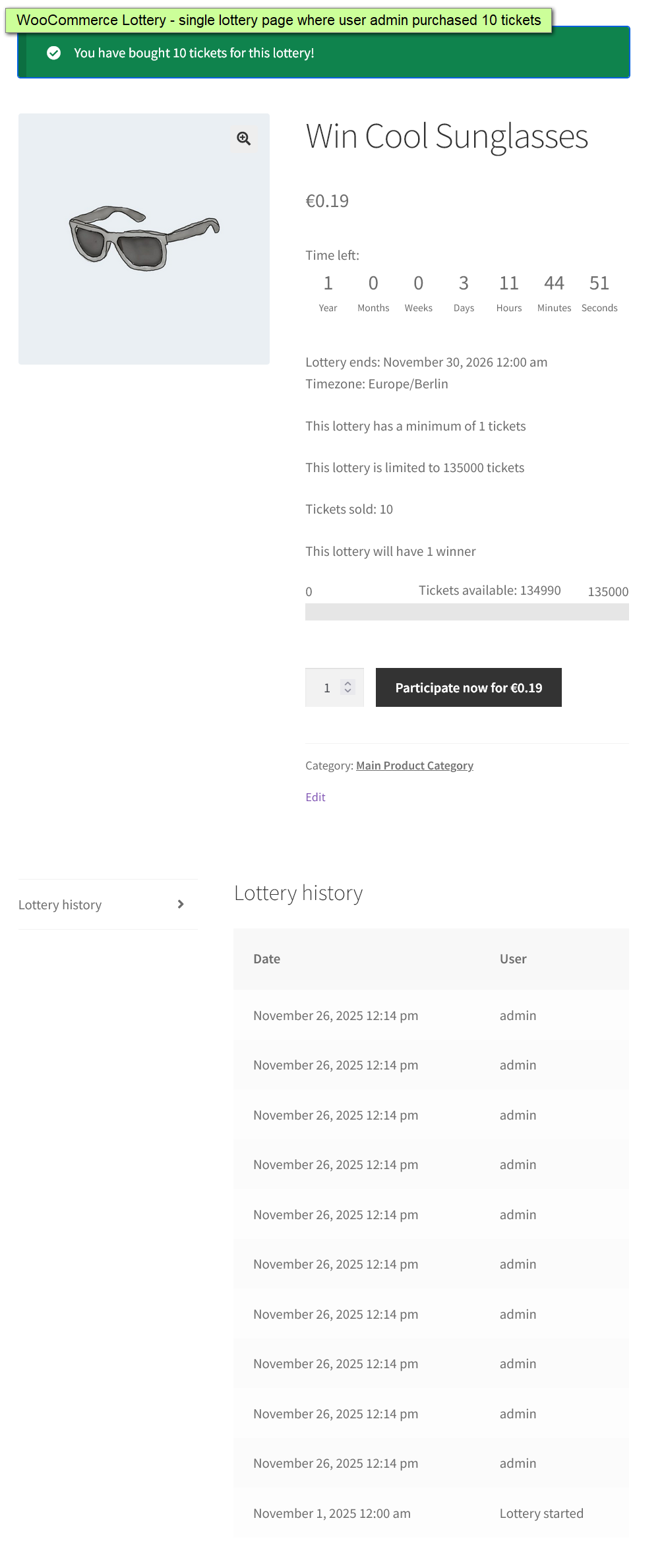
After successful order and payment we log user’s ID to a lottery log list – if user purchased 10 entries for a lottery then lottery log will have 10 rows with the user ID and timestamp. So more tickets user purchase more entries are there in lottery log.
Once lottery ends, we create a list of user IDs from that lottery log, the more entries a user purchased, the more chances they will have due to list being filled with more user IDs. Then random function chooses one or more user IDs which are in fact winning IDs. We then send won notification to those users.
Let’s make this simpler: just think of the famous Names in a hat game where people write their names on slips of paper and put them in a hat, and a winner is drawn at random. This is exactly how WooCommerce Lottery plugin chooses winner.
Step 1: Collecting Entries
When someone buys competition tickets on your site and completes payment, the plugin writes their name (well, their user ID) into a lottery log.
Here’s the key part: if a customer buys 10 entries, the plugin creates 10 separate rows in that list, all with the same user ID, but each representing one entry.
So if Customer A buys 5 entries, Customer B buys 2 entries, and Customer C buys 1 entry, the lottery log looks something like this:
Entry 1: User A
Entry 2: User A
Entry 3: User A
Entry 4: User A
Entry 5: User A
Entry 6: User B
Entry 7: User B
Entry 8: User C
Step 2: Drawing Time
When the lottery ends (based on your set end time), the plugin looks at all those entries in the database and creates a list.
That list looks like:
[Customer A] [Customer A] [Customer A] [Customer A] [Customer A] [Customer B] [Customer B] [Customer C]Step 3: Random Selection
The plugin then uses a random function to pick one or more positions from that list. Back to our Names in a hat allegory, it’s like closing your eyes and pointing at one slip of paper.
If it picks position 3, that’s Customer A. If it picks position 7, that’s Customer B. If it picks position 8, that’s Customer C
Step 4: Winner Notification
Once the winning user ID(s) are selected, the plugin sends out the win notification emails to those users.
When You Need Ticket Numbers
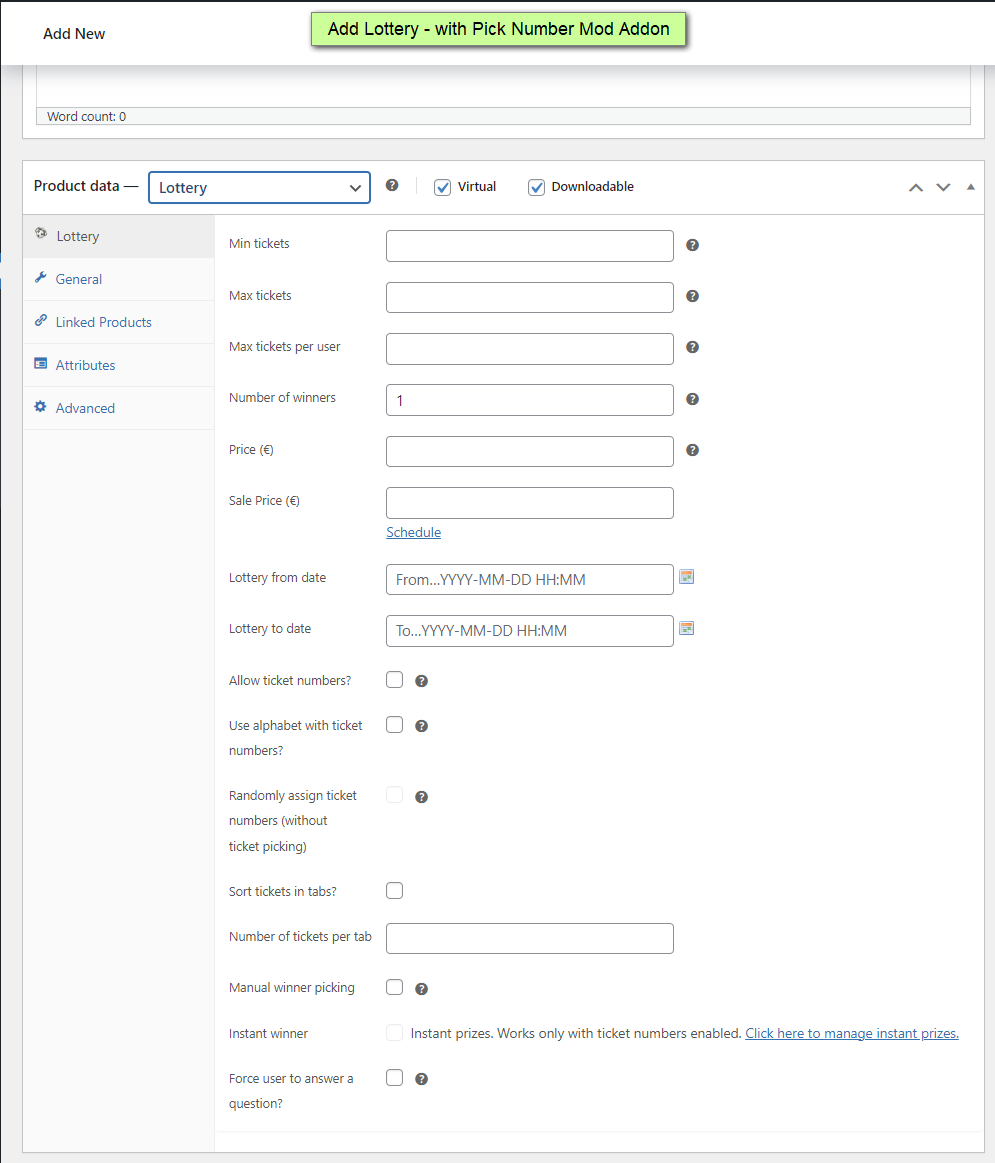
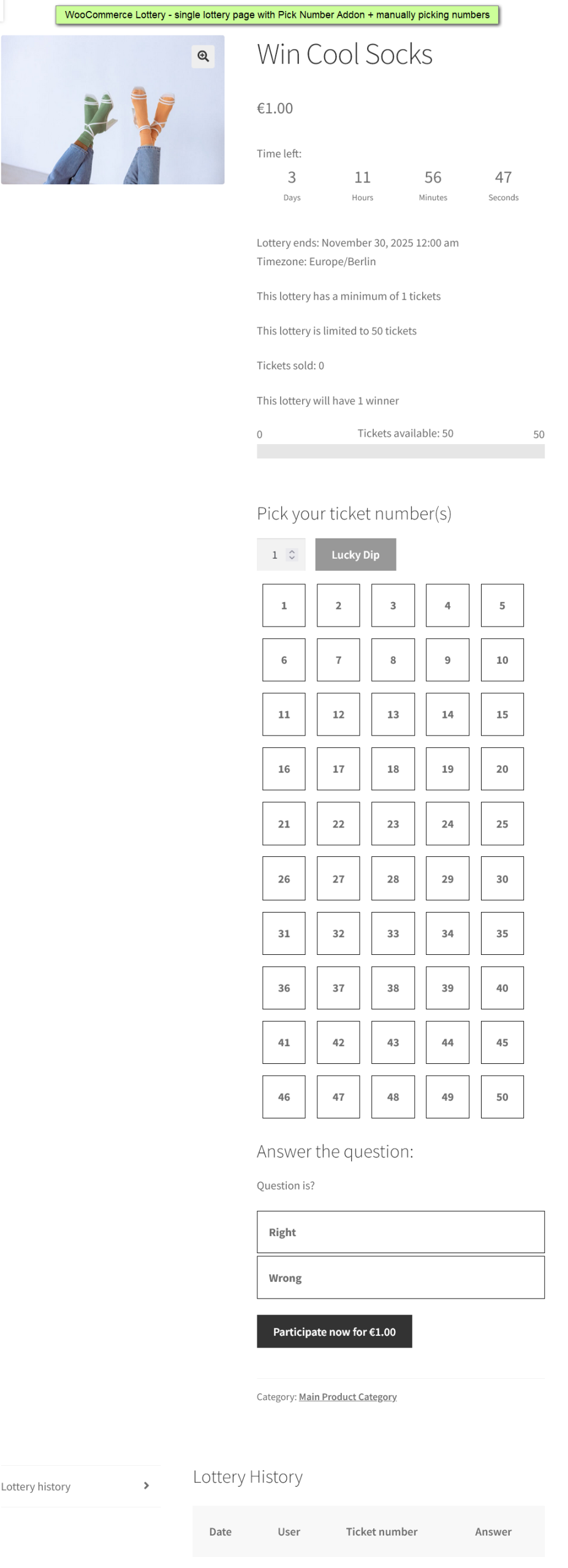
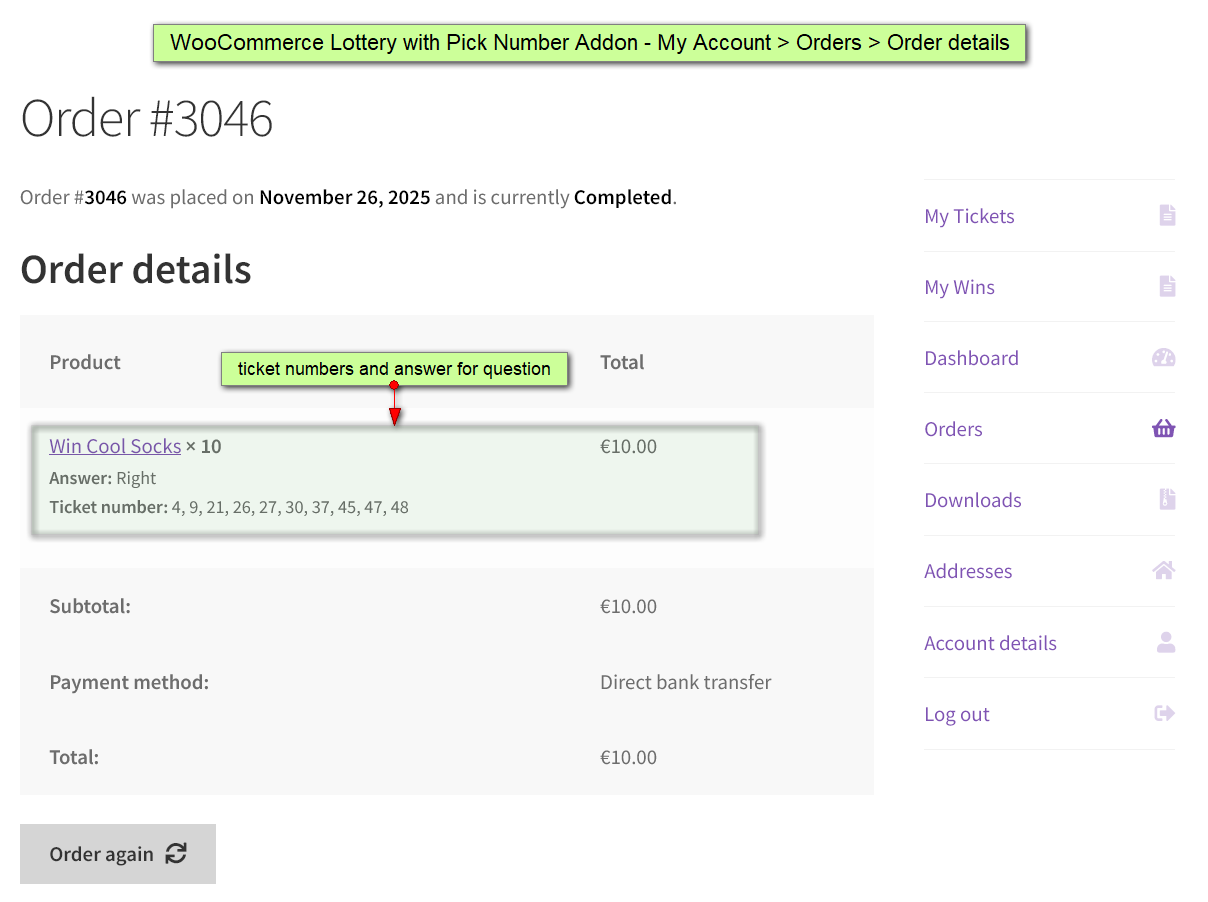
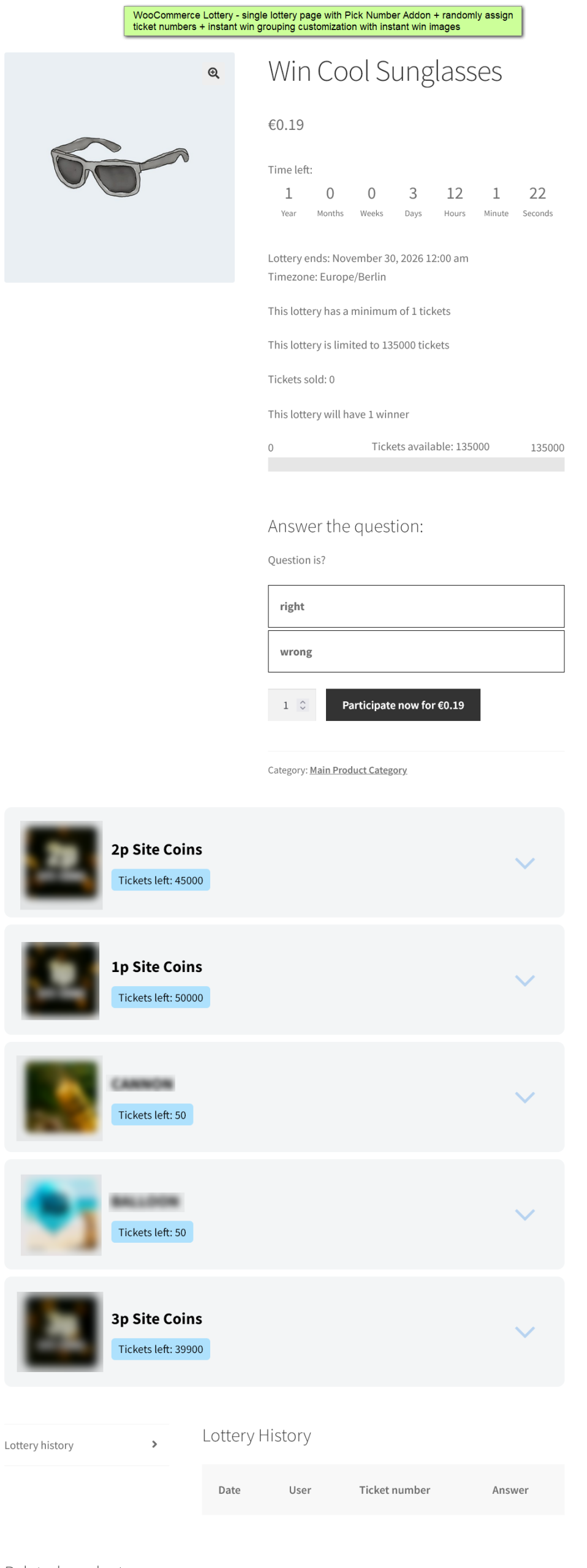
Of course, a prize draw without ticket numbers isn’t always the right solution. If you need ticket numbers for your raffles, or you need an option for skill-based competitions with question/answers, we offer Pick Ticket Number addon for WooCommerce Lottery.
With Pick Ticket Number participants can choose specific ticket numbers or have them randomly assigned. The plugin still uses random function to pick winners once lottery is finished, but it’s selecting winning numbers instead of user IDs.
The addon includes an option to manually enter winning number(s) on edit lottery page, and you can set up instant win tickets tied to specific numbers.
You can watch our video tutorial to see how easy is to set up WooCommerce Lottery with Pick Ticket Number addon:
When To Use Entry-Based Lotteries (No Numbers)
Entry-based lotteries work best for:
- Promotional giveaways aimed at driving quick sales, where a simple entry process helps speed up participation.
- Email list building campaigns, where collecting entries (such as email signups) is the main goal rather than number selection.
- Flash contests with tight timeframes that require fast, straightforward entry.
- Thank-you drawings for existing customers, offering a quick and easy way to show appreciation.
- Any scenario where speed and simplicity of checkout or entry matter more than allowing users to pick numbers.
When To Consider the Pick Number Addon
Consider adding ticket numbers when:
- You want maximum transparency: users can see (and choose) their exact numbers
- You’re running competitions where local regulations require a skill element
- You’re doing live draws and announcing winning numbers publicly
- You want instant win functionality tied to specific ticket numbers
Conclusion
Online prize draws without ticket numbers are possible and common. WPGenie’s WooCommerce Lottery plugin simply uses participants’ ID instead of ticket numbers. The selection of winners is done by randomizing over the list of entries without the need for issuing numbered ticket. This approach is typical in sweepstakes, quick promotional draws or giveaways, and some fundraising raffles that do not require or use numbered tickets.
If you want participants to choose ticket numbers, run competitions with questions and answers, set up instant wins, or manually select winners, you need the Pick Ticket Number addon.
Lottery plugin with and without Pick Ticket Number uses the same random selection mechanism, and the difference is what kind of promotional games and contests (and with what options) you want to set up in your store.
Looking for other ways to improve your WooCommerce store? Check the complete list of our plugins that can help you bring your clients the best online shopping experience!