Learn how to reward competition subscribers with free tickets using WooCommerce Subscriptions and Subscription Gifts for WooCommerce
Many of our clients running websites with our WooCommerce Lottery plugin and Pick Ticket Number add-on use WooCommerce Subscriptions to run subscription-based competitions.
Recently, we’ve received multiple requests for a reliable way to automatically reward subscribers with free tickets, either when they first subscribe or on each renewal.
That feedback led us to develop Subscription Gifts for WooCommerce, a dedicated add-on that integrates seamlessly with WooCommerce Subscriptions to automatically add gift products (including competition tickets) to subscription orders.
In this tutorial, we’ll show you how the plugin works and how it integrates with WooCommerce Subscriptions. As always, we’ve done our best to keep it simple and easy, so you’ll be able to set up free tickets for subscribers in just a few minutes.
Table of Contents
What You’ll Need Before You Start
Before implementing free ticket rewards, you need:
- WooCommerce Subscriptions
- WooCommerce Lottery plugin and Pick Ticket Number addon
- Subscription Gifts for WooCommerce (free or PRO version)
Overview of the Subscription Gifts for WooCommerce
Subscription Gifts for WooCommerce is a WooCommerce Subscriptions add-on that lets you reward loyal subscribers by easily adding free gifts to their subscription signup.
We created this add-on to gift free tickets to subscribers for competitions based on our WooCommerce Lottery plugin, but it also works with any type of WooCommerce Subscriptions product.
How to Set Up Free Ticket Rewards for Competition Subscribers
Step 1: Install the Plugin
Go to your WordPress dashboard → Plugins → Add New. Search for “Subscription Gifts for WooCommerce,” then click Install Now and Activate.
Important note: You also need to have WooCommerce Lottery, Pick Ticket Number and WooCommerce Subscriptions installed!
Step 1: Create Your Competition Product
Set up your competition as you normally would using WooCommerce Lottery with Pick Ticket Number.
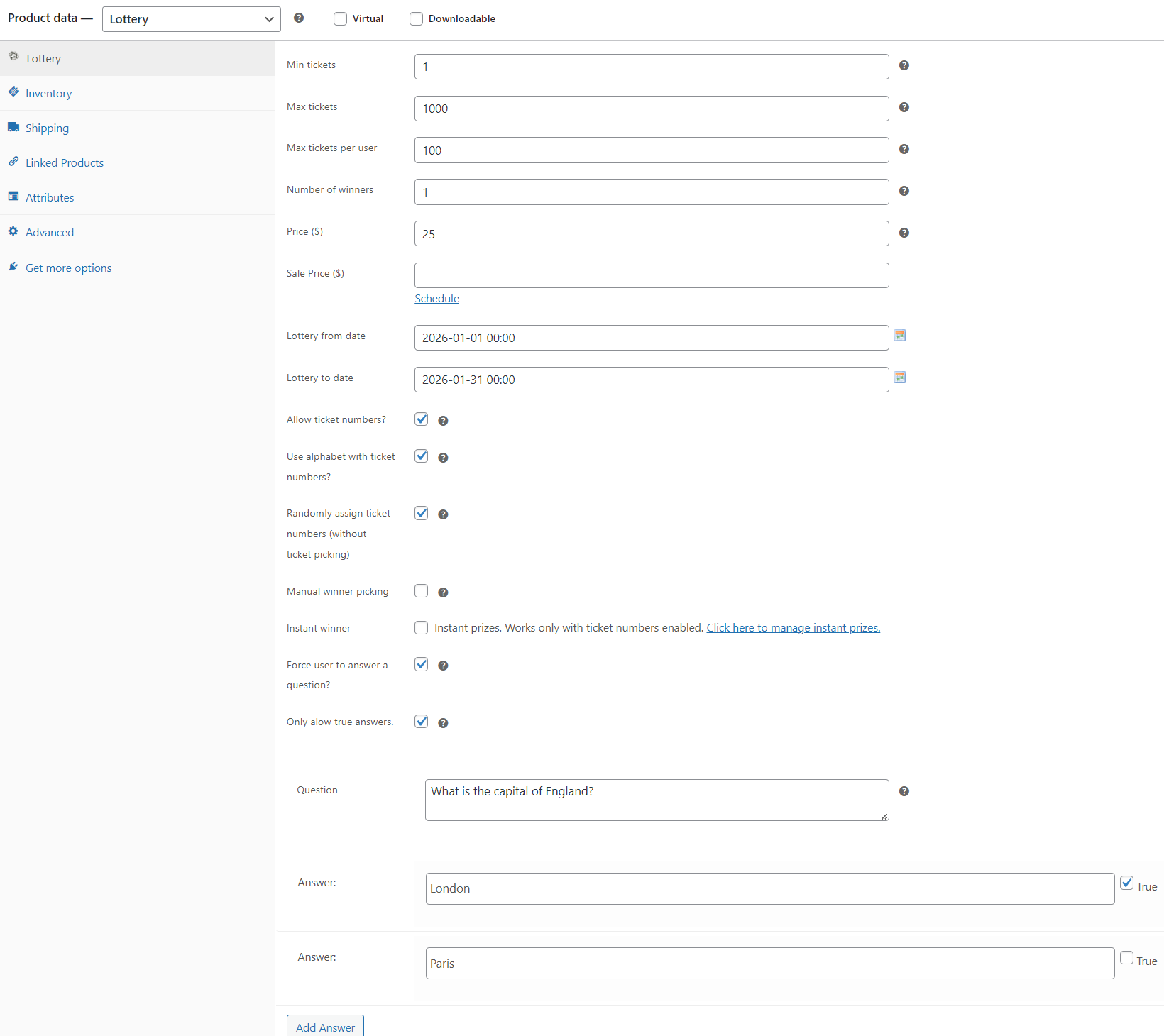
Important: When setting up competition product, you need to select the option “Randomly assign ticket number (without ticket picking)”!
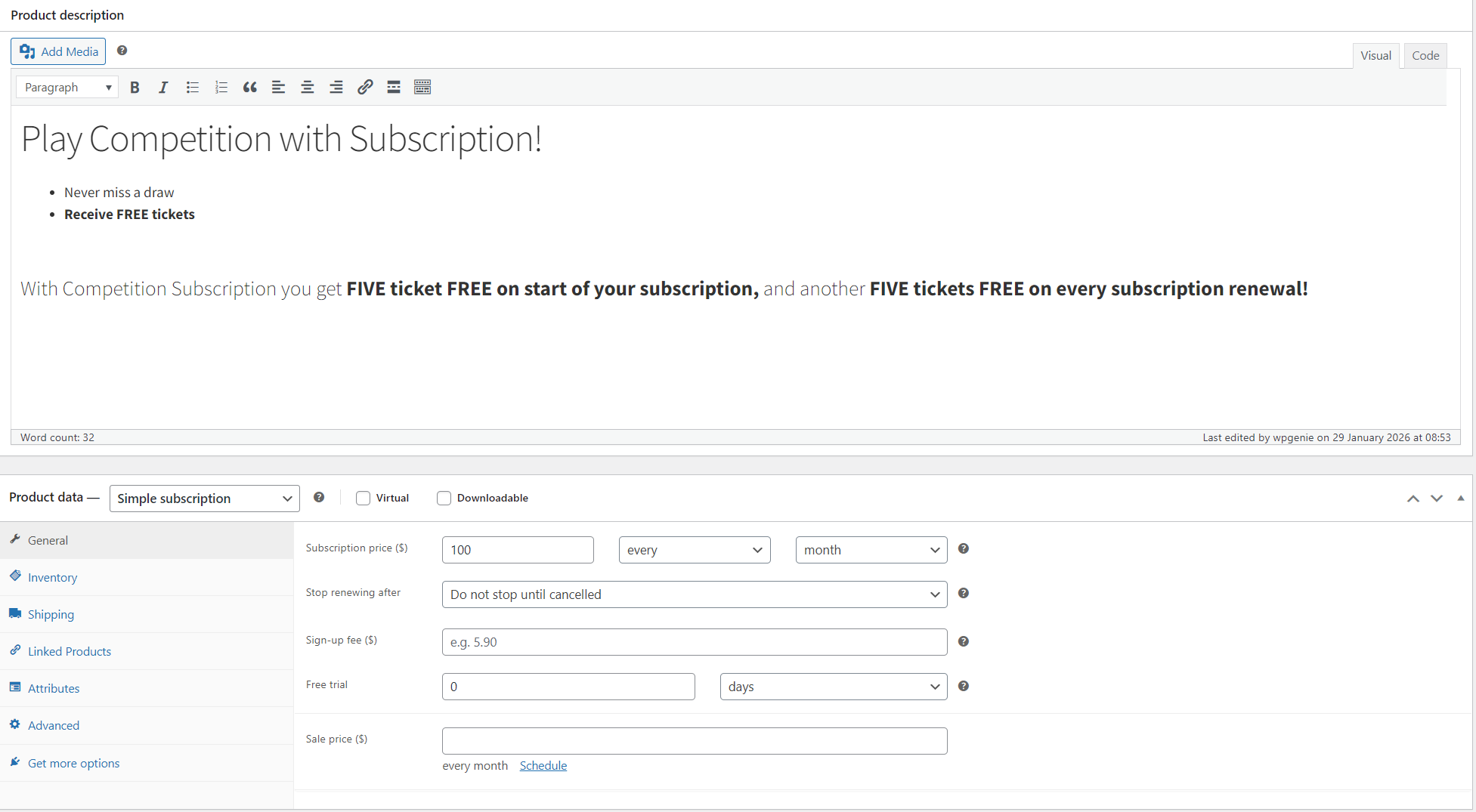
Step 2: Create Your Subscription Product
In WooCommerce, create a subscription product.
Step 3: Configure Subscription Gifts options
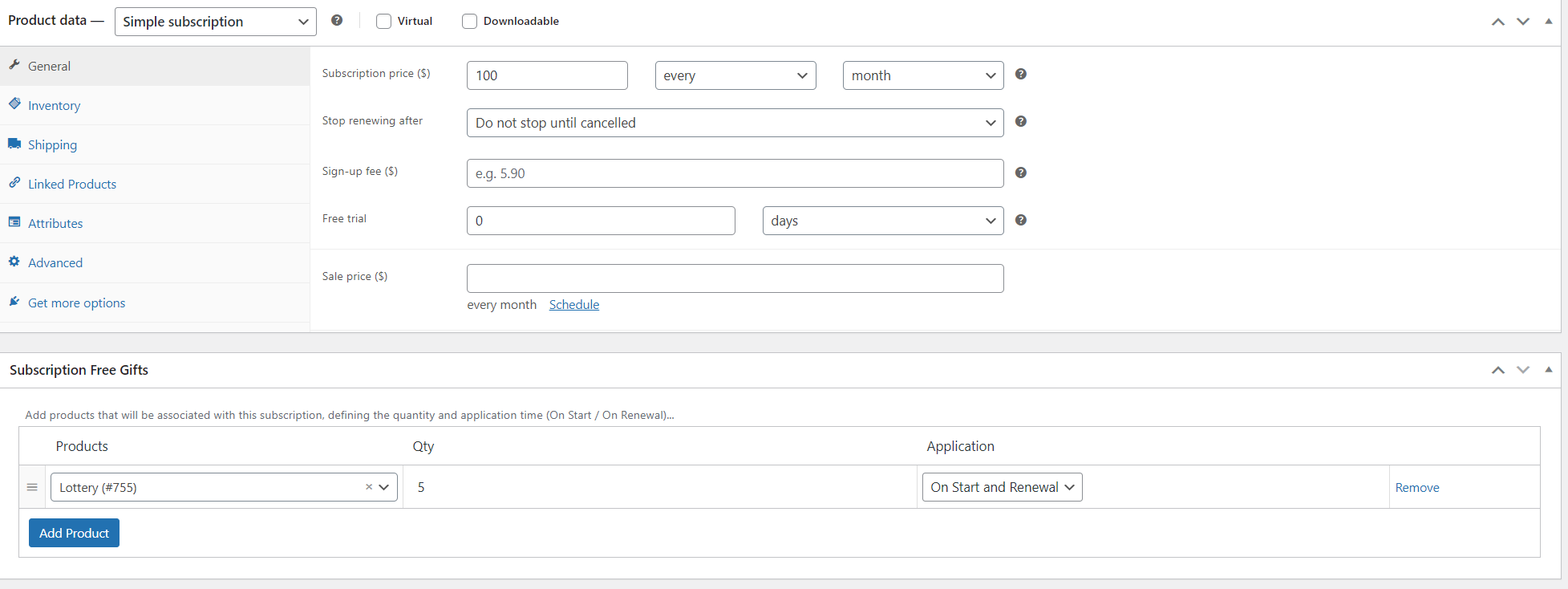
With Subscription Gifts for WooCommerce installed, you’ll see a new “Subscription Free Gifts” panel when editing your subscription product.
For product that will be associated with this subscription, you need to select your competition product.
You can also choose when to add free tickets: on subscription start, on renewal, or both (PRO feature), as well as the quantity of gifted tickets (PRO feature).
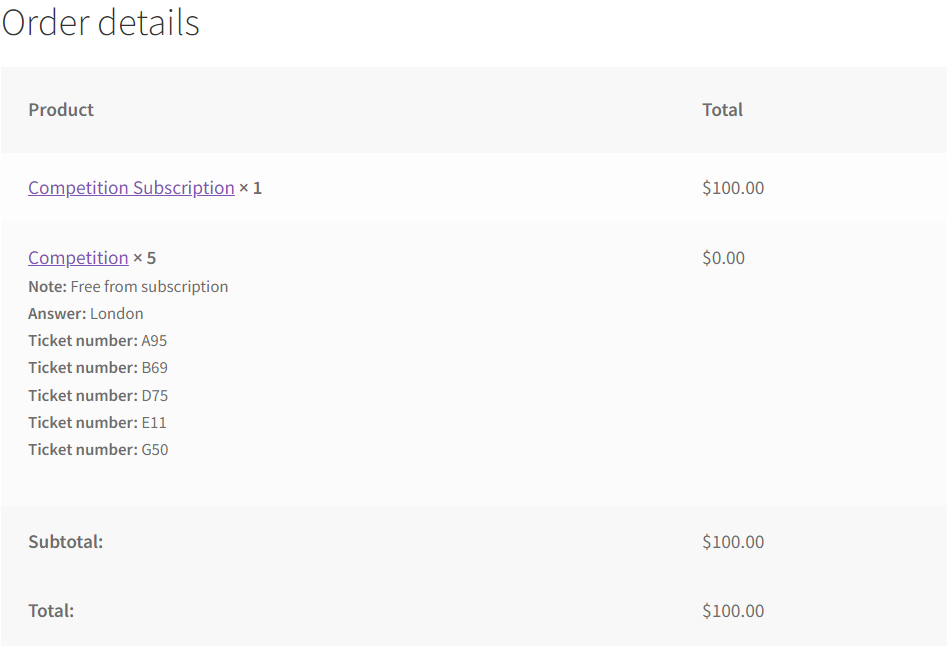
Order details
After placing an order, subscribers will see their free tickets in the order details
PRO version features
The PRO version includes everything from the free version, plus:
- The ability to add free tickets both at subscription signup and on renewals
- Control over the quantity of gifted tickets included in a subscription
- Premium support: Direct access to our ticket support system at https://wpgenie.org/support/
Conclusion
If you offer competition subscription on your website, Subscription Gifts for WooCommerce makes it simple to reward your subscribers with free tickets at the start of a subscription, on renewal, or both.
As with all of our plugins, setup is easy, and we offer support for any customization you may need.
FAQ
Q: When setting competition subscription with Subscription Gifts for WooCommerce, can subscribers choose ticket numbers?
A: When using Subscription Gifts for WooCommerce, subscribers cannot choose ticket numbers. Subscription Gifts for WooCommerce only works with the option “Randomly assign ticket number (without ticket picking)”.
Q: Can I give multiple free tickets per subscription?
A: Yes, the PRO version allows you to set the number of gifted tickets per subscription.
Q: Can I reward free tickets on both signup and renewals?
A: This feature is included in the PRO version, while the free version allows rewards on signup only.
Q: Can I use Subscription Gifts with other WooCommerce products?
A: Yes. While designed for WooCommerce Lottery, it can add any free gift product to any subscription.
Q: Do I need to install WooCommerce Lottery to use the add-on?
A: No. It works with any WooCommerce Subscriptions product, though Lottery functionality is needed to gift competition entries.
Looking for other ways to improve your WooCommerce store? Check the complete list of our plugins that can help you bring your clients the best online shopping experience!