

Description
New in version 4
From individual auctions to complete auction events.
Run individual auctions or scheduled sales, from the first bid to winner orders.
Auction lots & sessions
Parallel or sequential sales with scheduled sessions and viewing days.
Pre-bidding & live control
Accept early bids, then run the live sale with timed or staff-controlled closing.
Buyer fees & participation
Built-in buyer fees and paid seats for independent auctions.
Winner orders & analytics
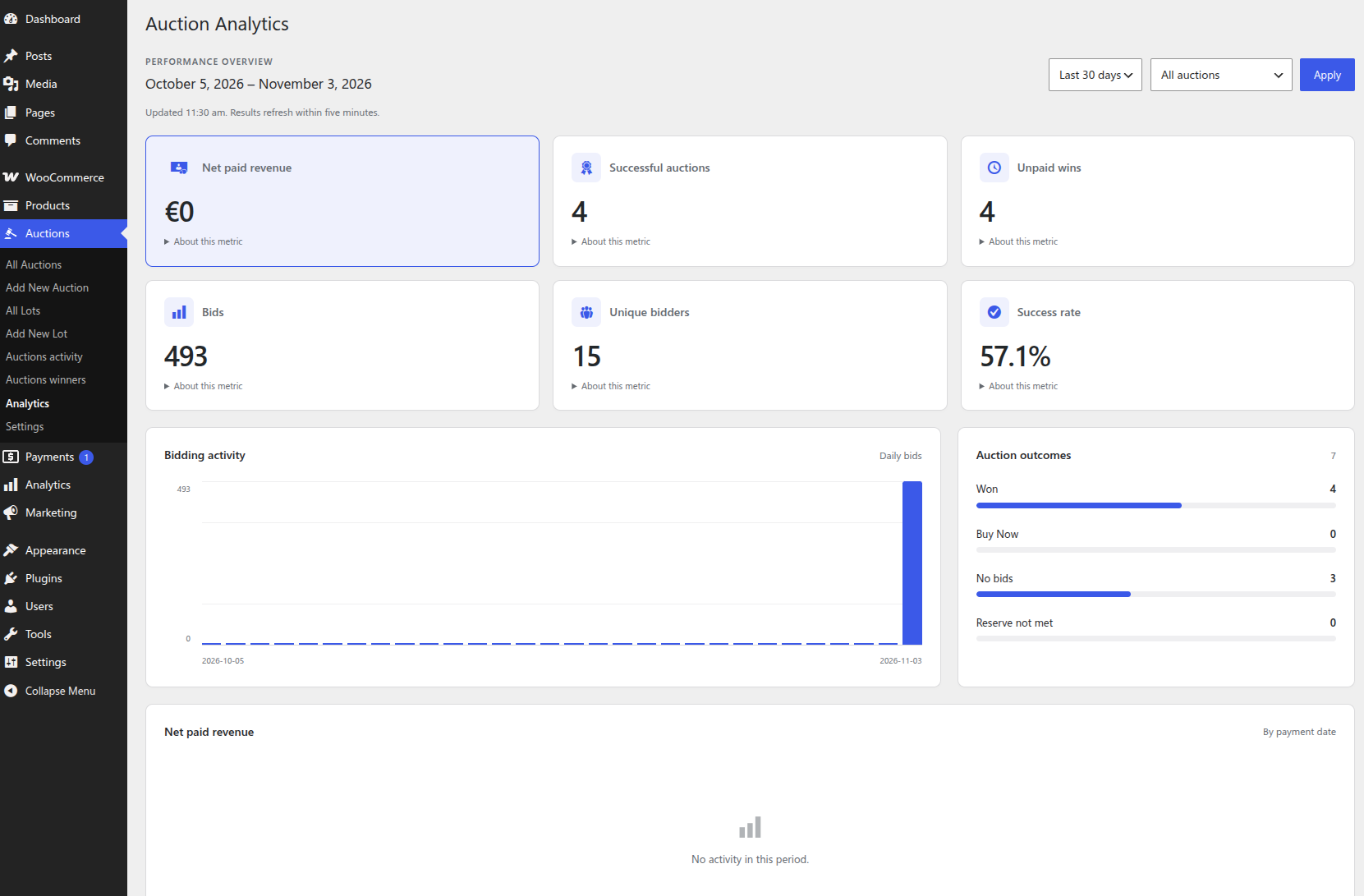
Combine won items per bidder and track outcomes, paid revenue, and unpaid wins.
Auction formats
Choose how your customers bid.
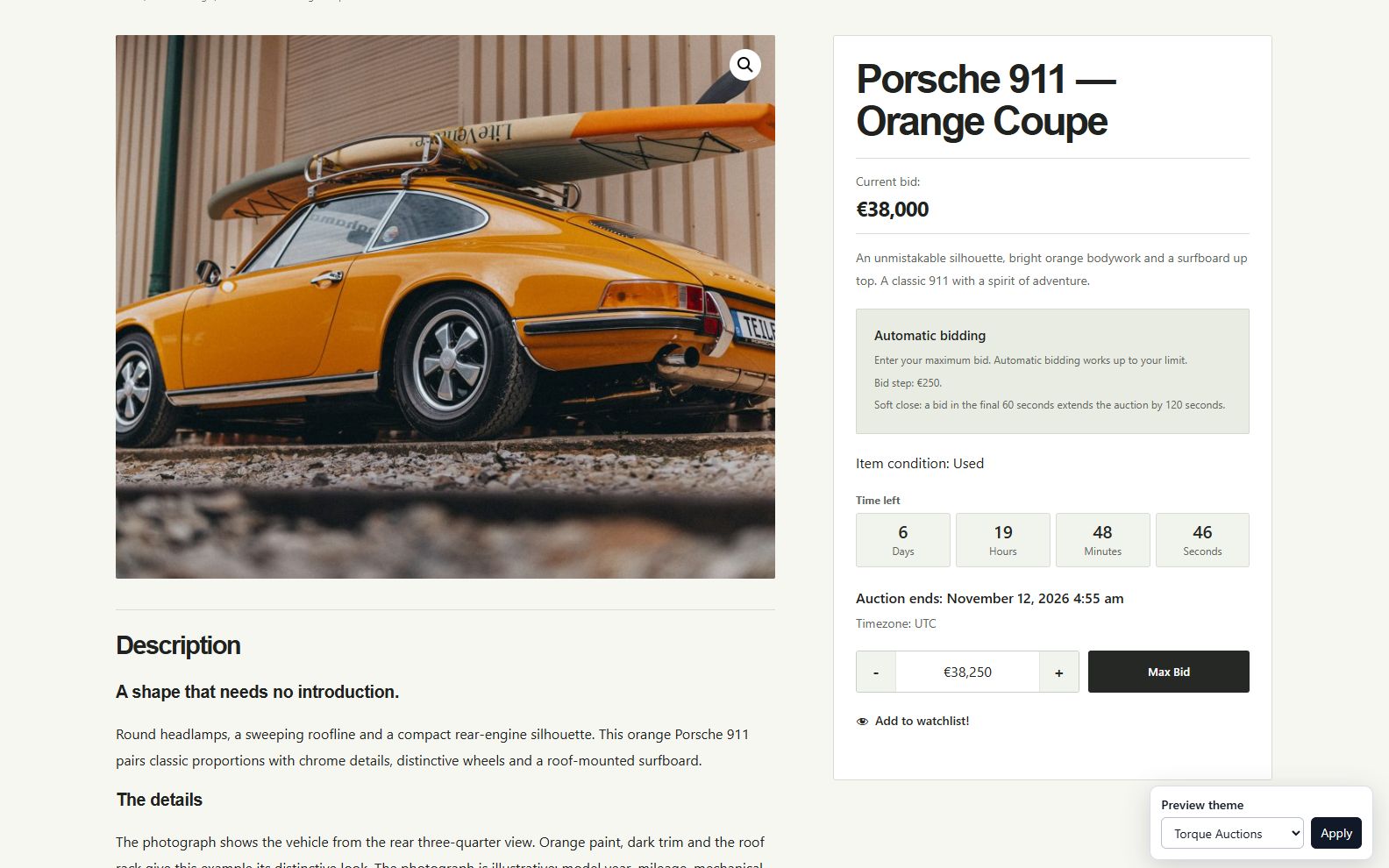
Run normal or reverse auctions, with optional proxy or sealed bidding. With proxy bidding, customers set their bidding limit and the system bids on their behalf.
- Set a starting price, fixed or percentage bid increments, and a reserve.
- Add an optional Buy It Now price.
- Schedule opening and closing dates.
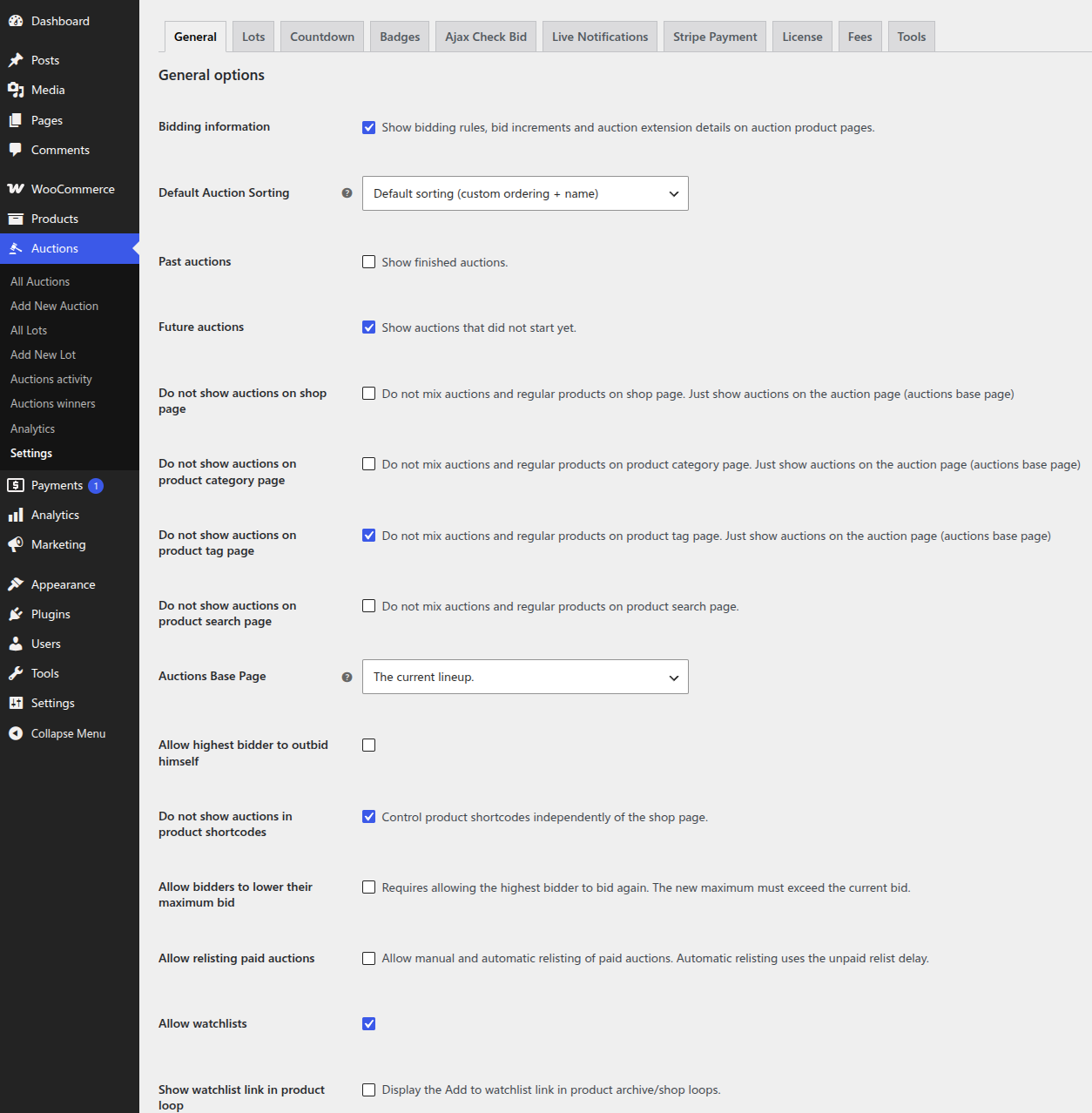
- Enable AJAX bidding on single product pages and optional bid forms in shop and archive loops, with instant feedback and no page reload.
Auction lots
Build a sale around your collection.
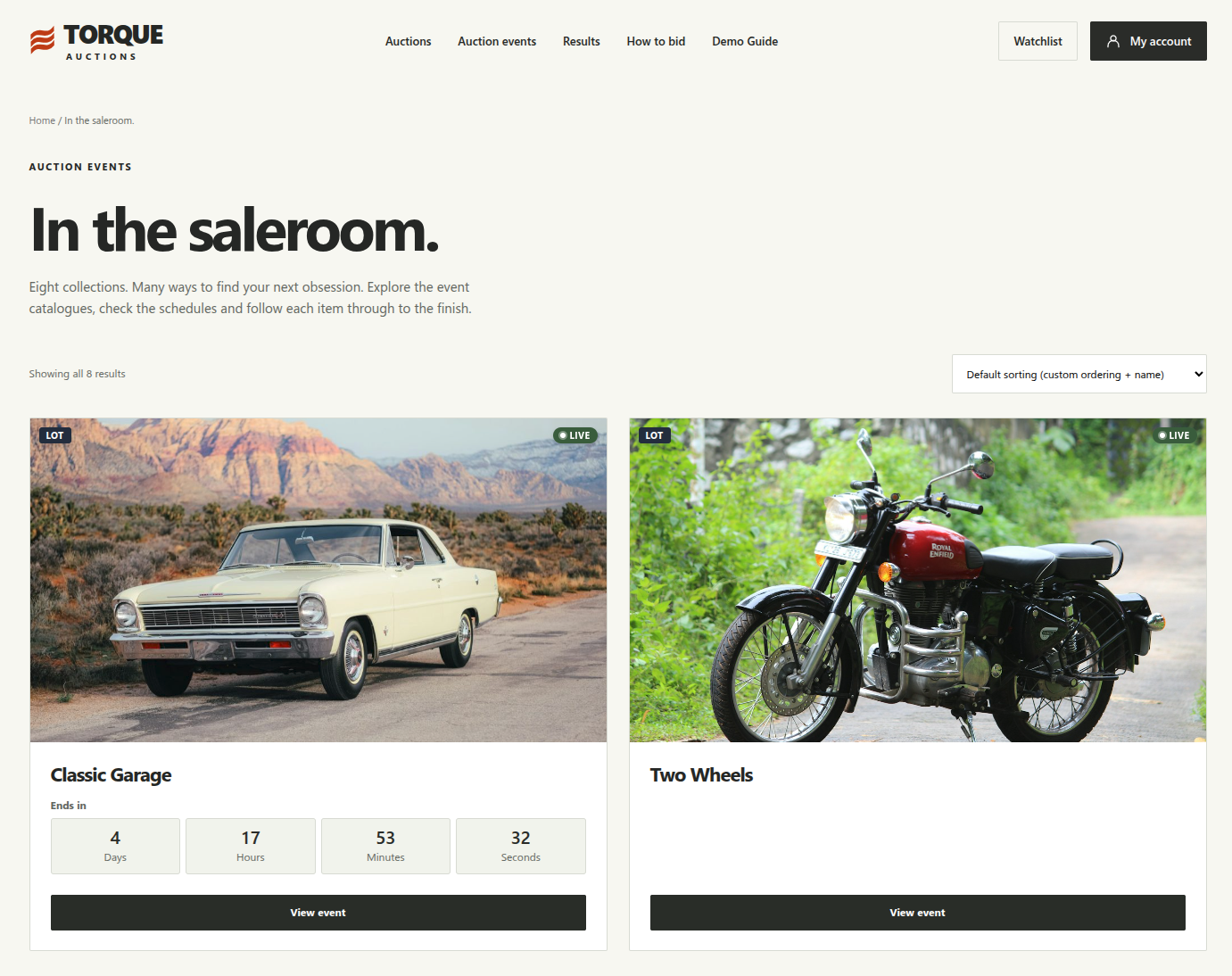
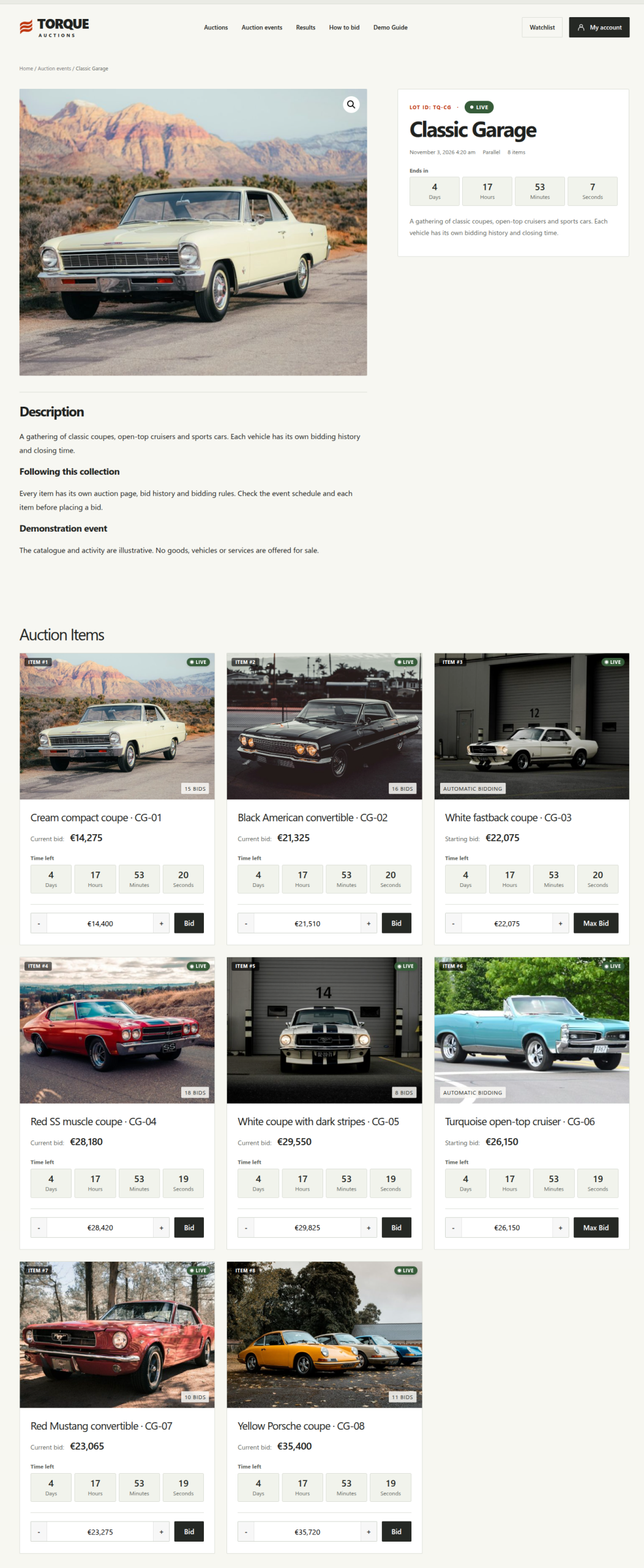
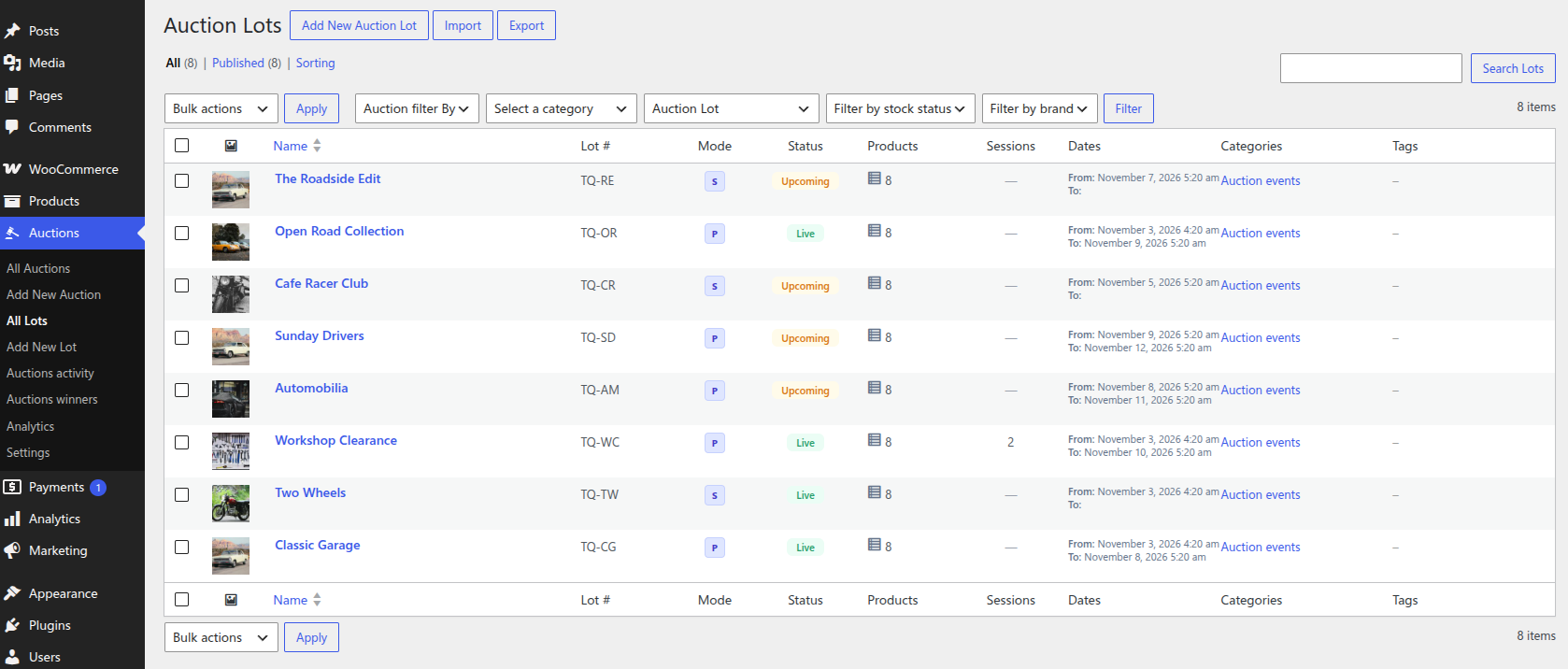
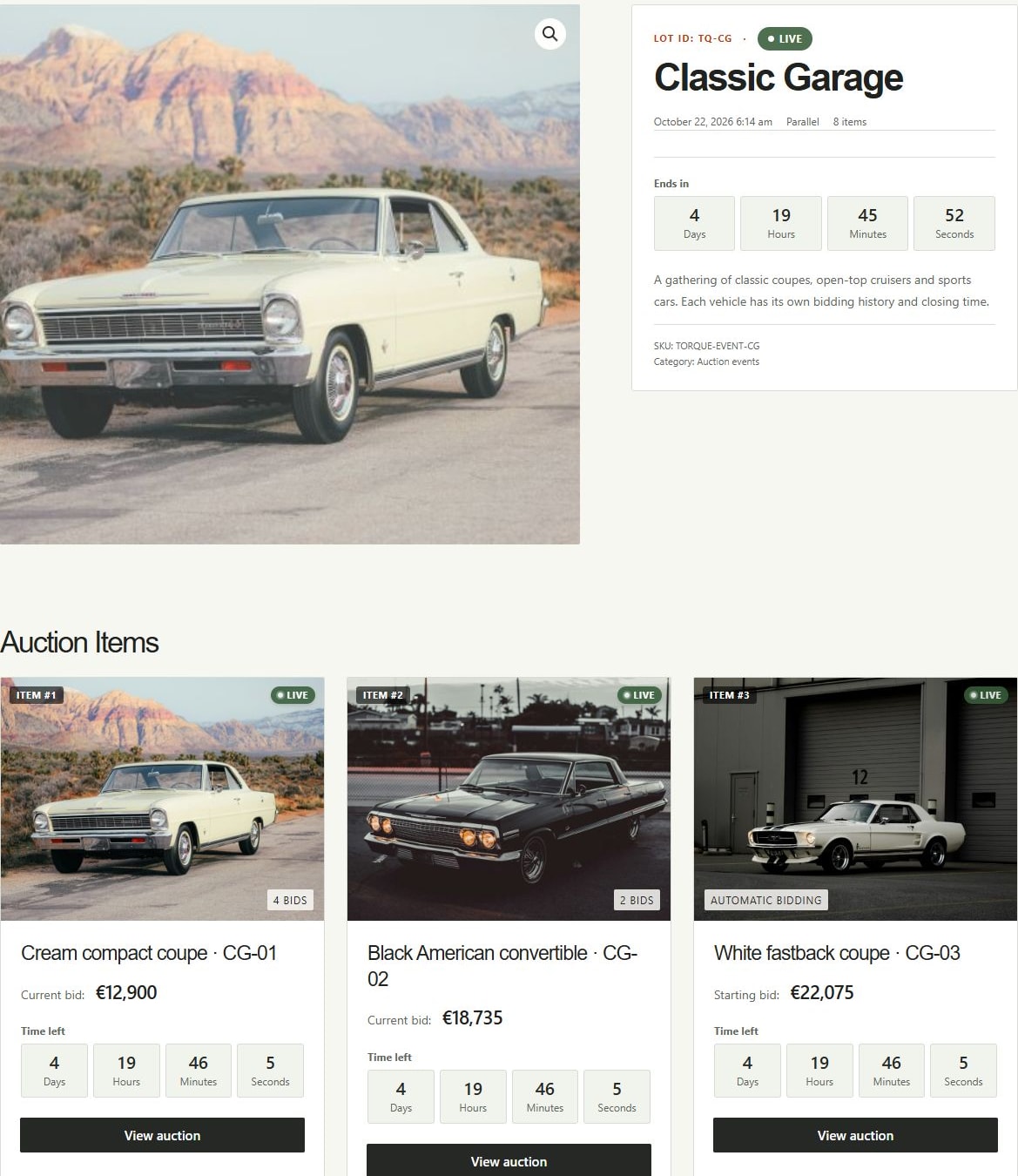
An Auction Lot groups individual auction products into one event. Keep your catalog in order, set the schedule, and give customers a dedicated sale page.
- Parallel bidding across multiple items or a sequential sale with one live item at a time.
- Scheduled sessions for selected item ranges, plus viewing days for inspections.
- Optional pre-bidding for sequential lots, with bids and proxy limits carried into live bidding.
- Fixed item durations or manual closing, with pause, resume, and no-bid handling.
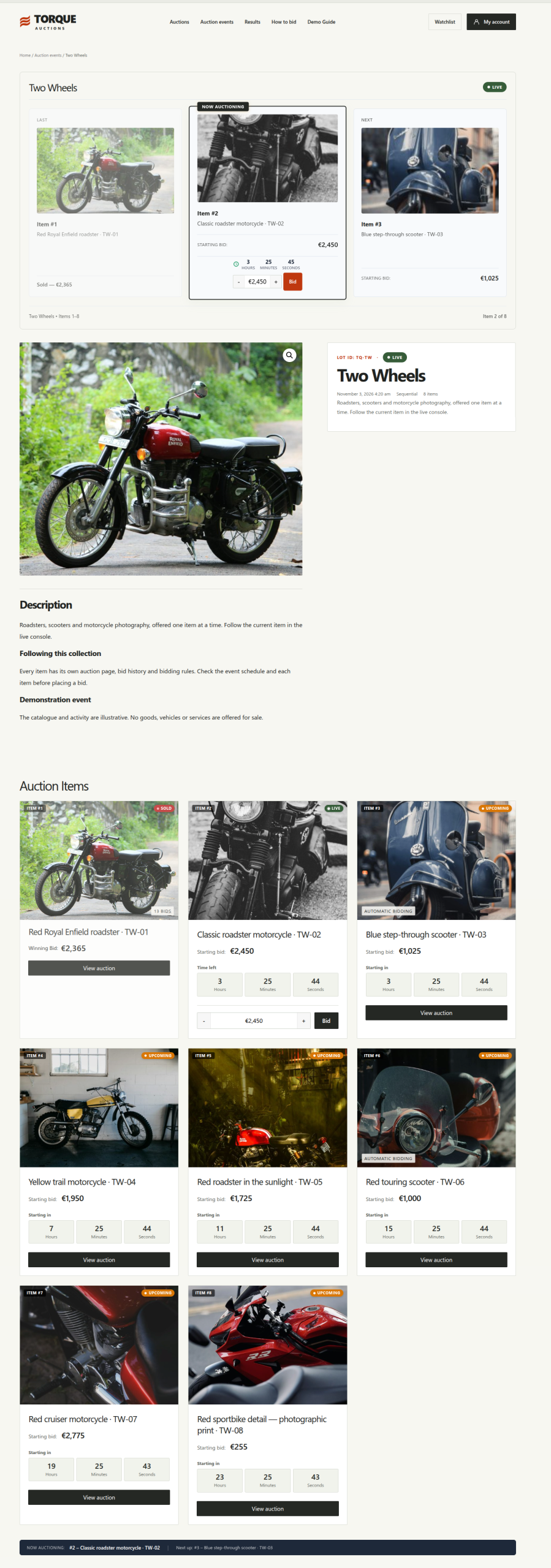
Sequential auction console
Keep every bidder focused on the live item.
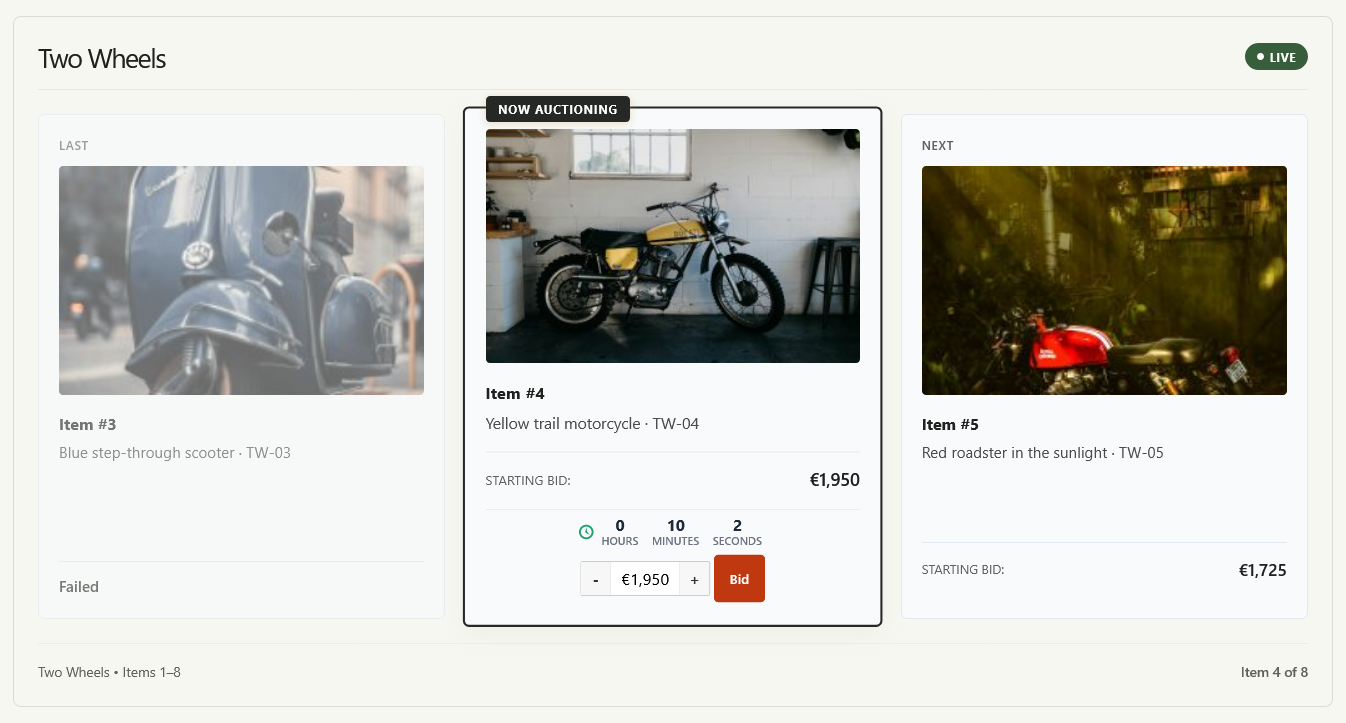
Give sequential sales a dedicated live console. Customers can see the previous result, the item currently being auctioned, and what comes next without switching between product pages.
- Previous, current, and next items displayed together.
- Countdown and bidding form for the active auction.
- Item numbers and sale progress to help bidders follow the sequence.
Bidder experience
Make auctions part of your store.
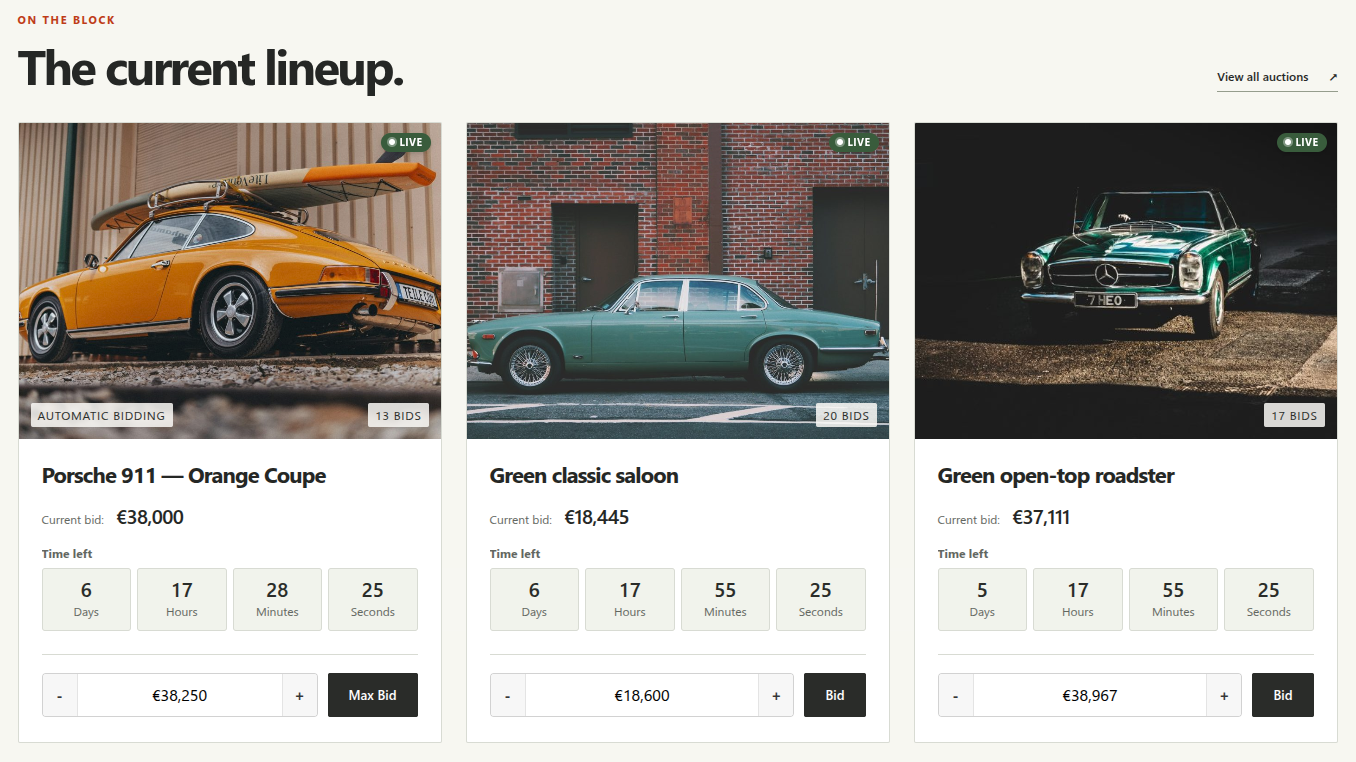
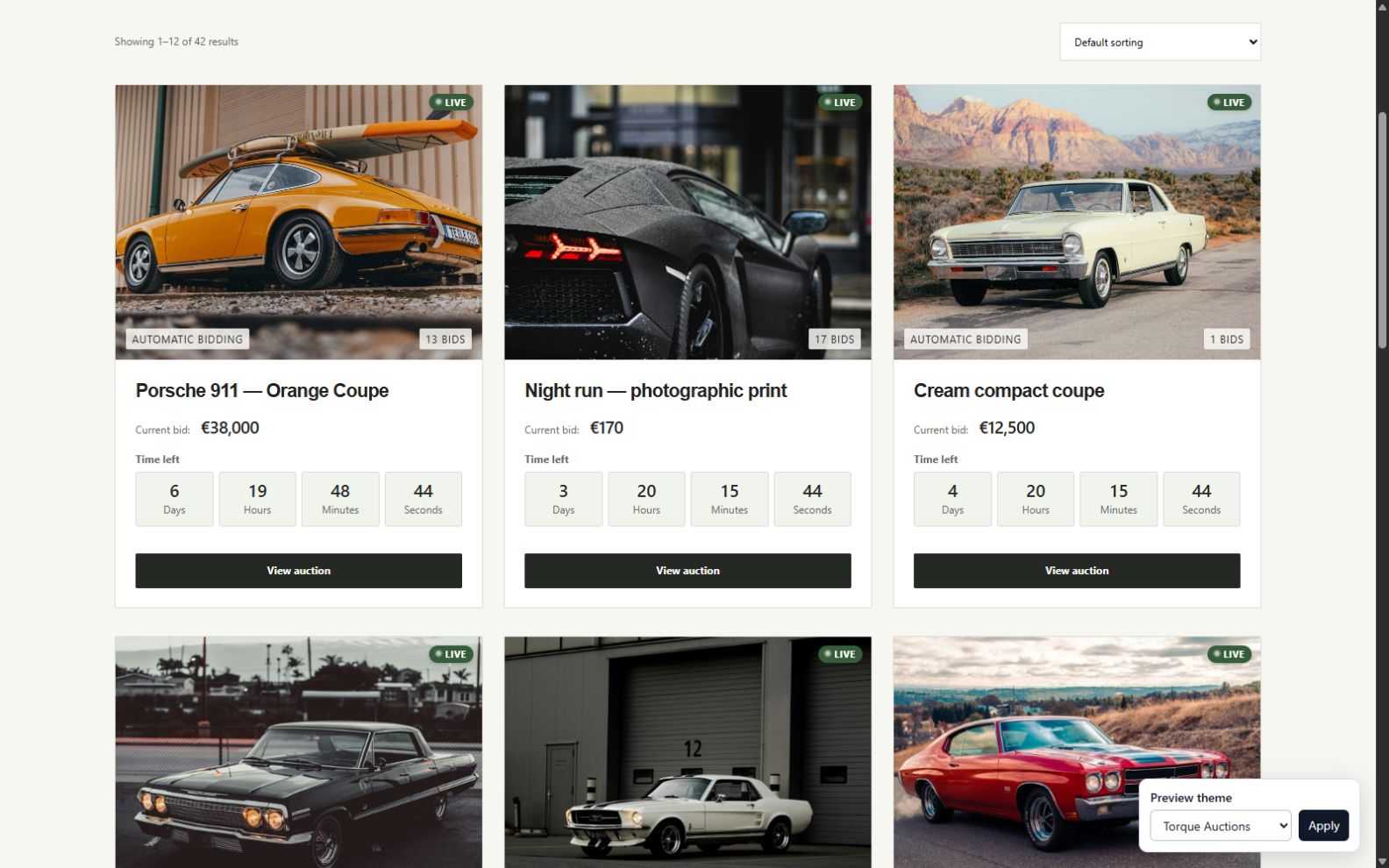
Show auctions alongside regular products or on a dedicated page. Build auction and lot layouts with shortcodes and Elementor widgets.
- Display upcoming, featured, and ending-soon auctions.
- Let customers follow items with watchlists and find active and won auctions in My Auctions.
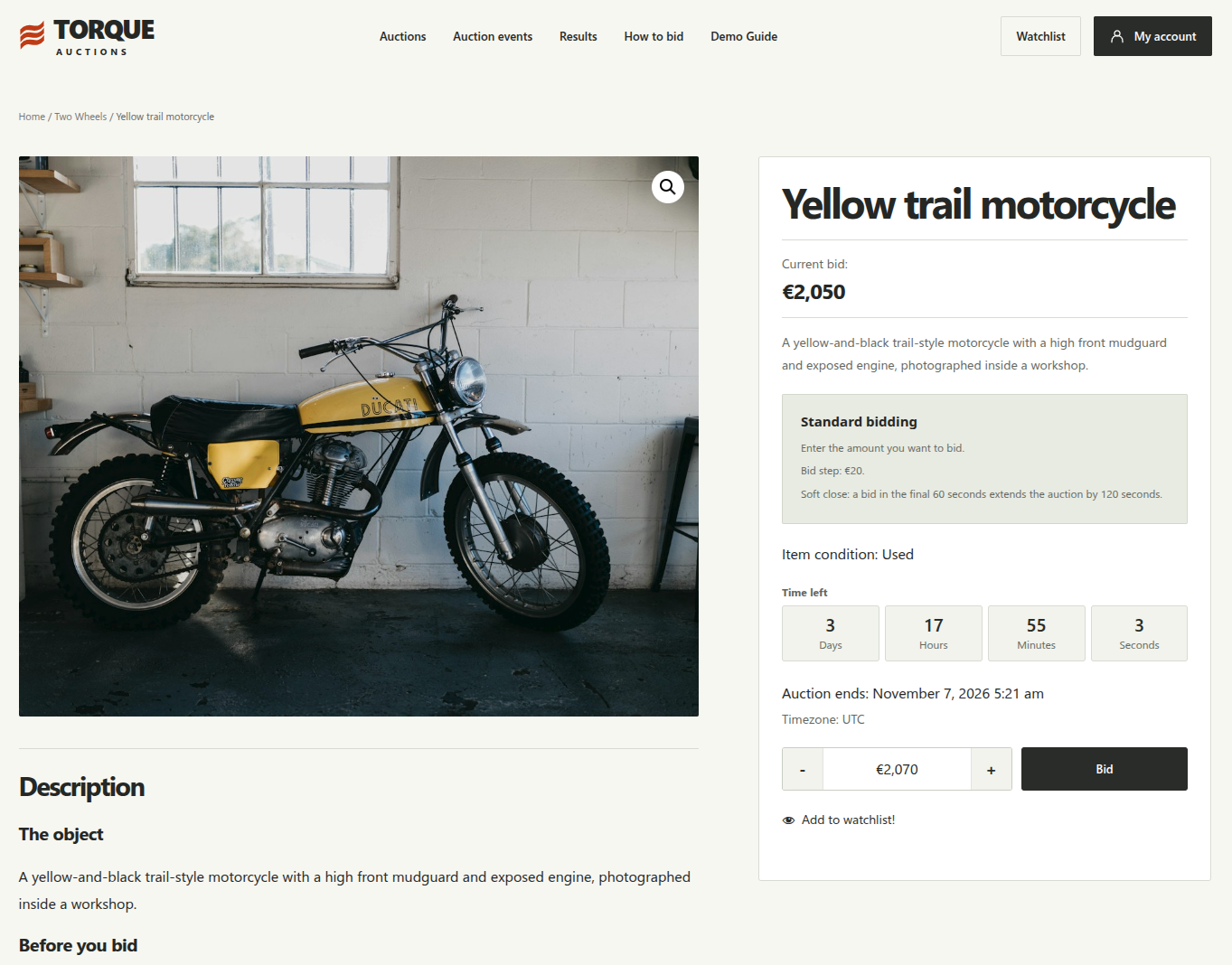
- Explain bidding rules, increments, and soft-close settings on auction pages.
Time to respond
Extend an auction when a bid arrives near its deadline. Set the final bidding window and the extra time added.
Keep bidders informed
Outbid, winner, payment reminder, closing-soon, and Lot Live emails keep customers informed. Customize email templates, live notifications, and bidder preferences in My Account.
Video overview
See individual auctions in action.
Watch the original introduction to individual auctions. Explore the lot and sequential console sections above for the expanded version 4 workflow.
1 minute 47 seconds.
Fees & participation
Choose how customers take part and pay.
Built-in buyer fees
Charge a fixed amount or percentage per auction or per order. Per-auction fees support auction and lot overrides; per-order fees use the global rule. Configure the fee name, taxable status, and WooCommerce tax class.
Fees are calculated in checkout, generated winner orders, combined lot orders, and Stripe automatic charges.
Built-in seated auctions
Require a participation purchase before bidding on an independent auction. Link a separate WooCommerce participation product, use its stock to limit available seats, and optionally show a progress bar.
Participation buys access to bid. The winning item is paid for separately. Seated participation is configured on independent auctions.
Lot results & winner orders
Turn auction results into winner orders.
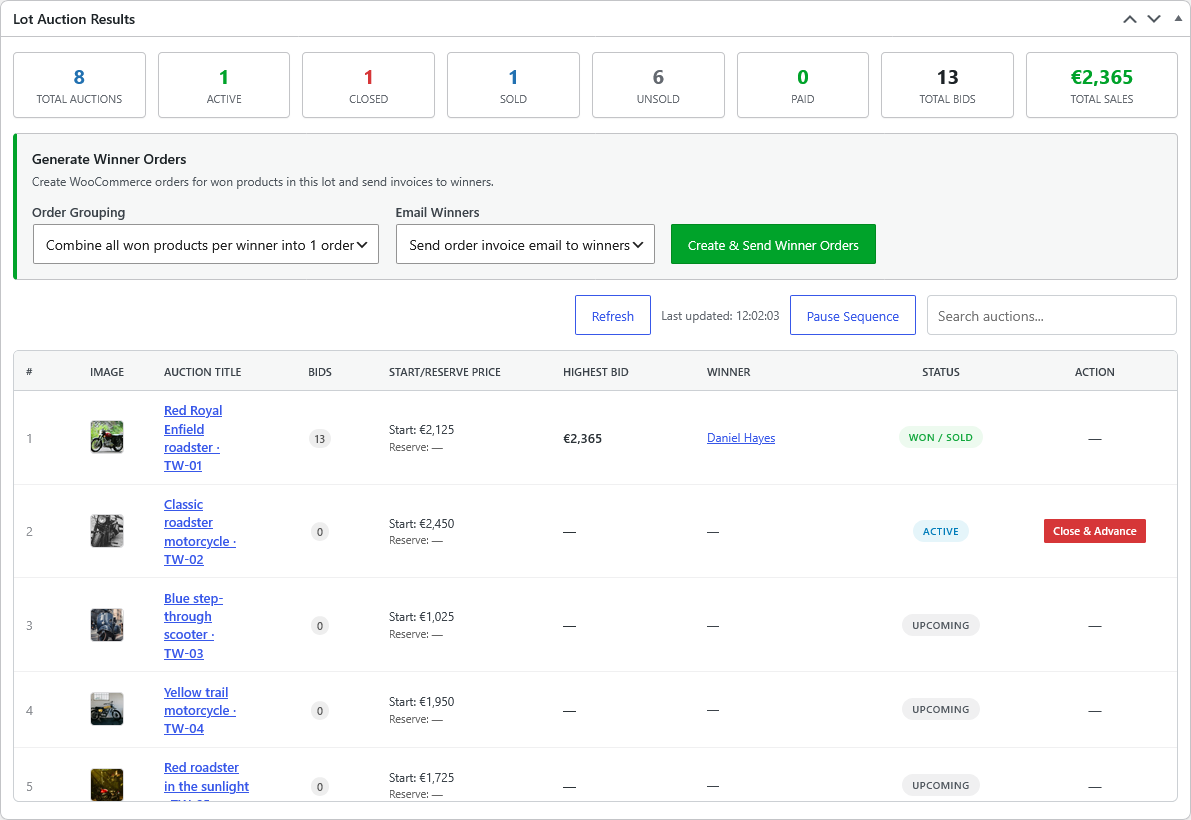
Review lot outcomes, bids, winners, and paid status from the lot results dashboard.
- Create orders automatically when the lot finishes, or generate them manually.
- Combine a winner’s items into one order, or create separate orders in the manual workflow.
- Send winner invoices and relist unsold items for another sale.
A winning result and a generated order do not confirm payment. Customers pay through WooCommerce checkout, or through the optional Stripe automatic charging workflow, which requires a saved card.
Management & analytics
Manage your sale and measure the results.
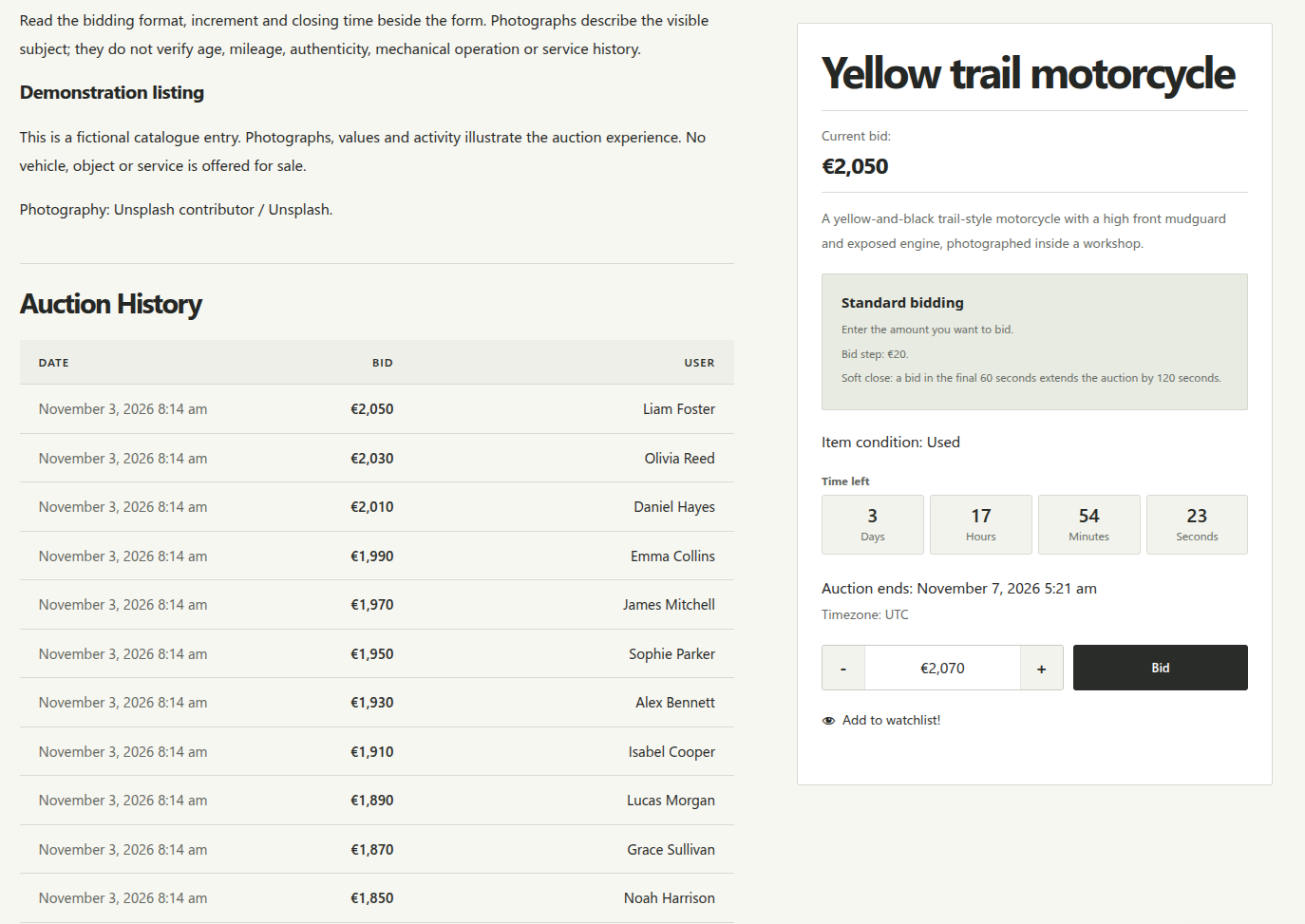
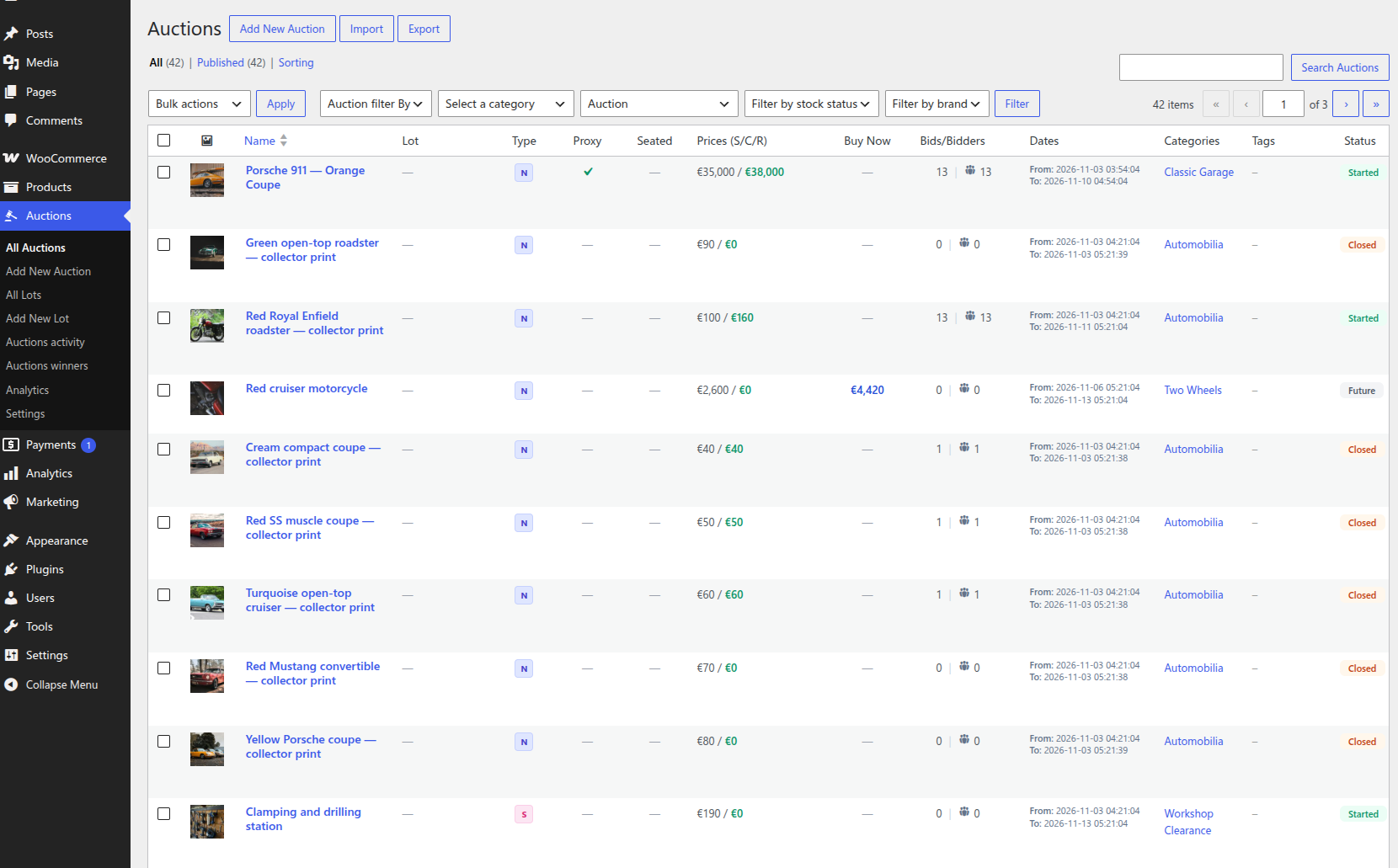
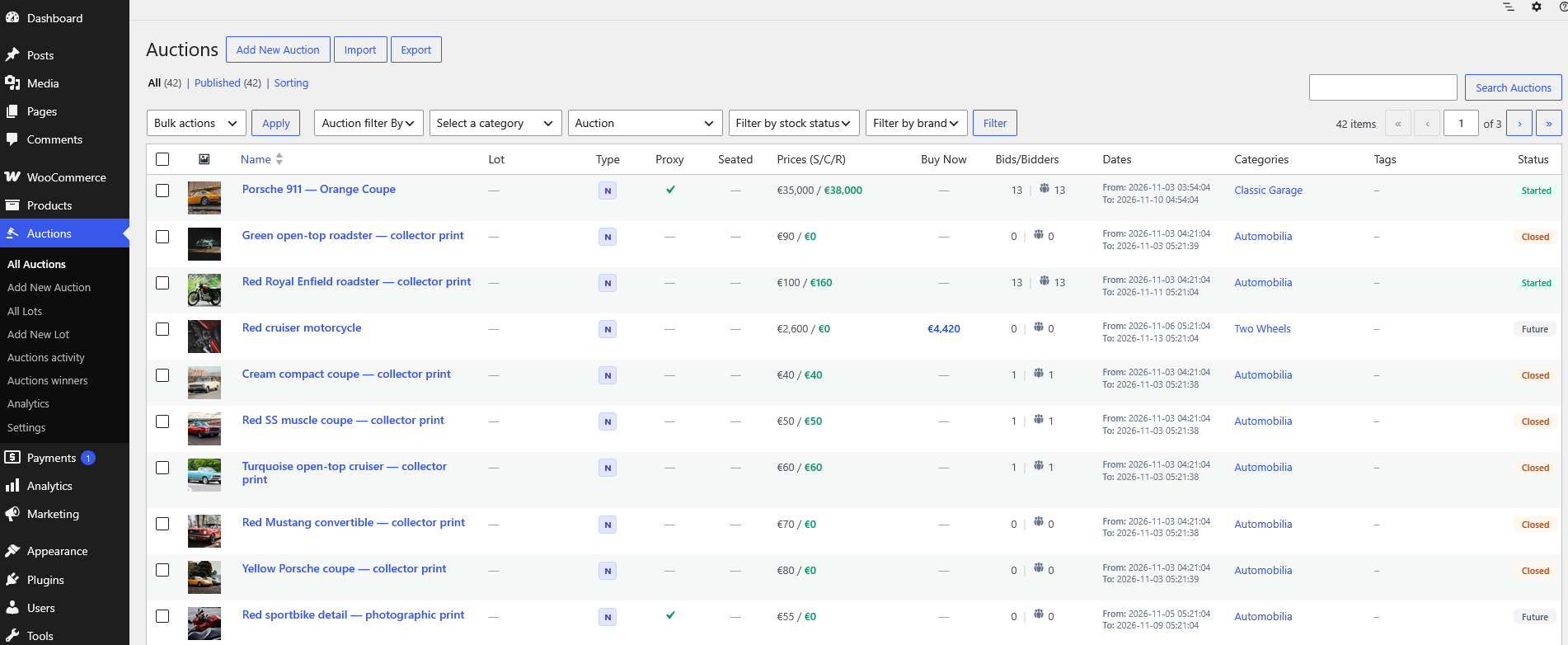
Use the dedicated Auctions workspace to manage individual auctions and lots, review bids, and track winners.
- Quick-create links and auction/lot CSV import and export.
- Winner and activity reports with CSV export, plus individual bid-history exports in CSV or Excel.
- Manual bid removal and relisting controls.
Auction Analytics
Filter by date, lot, and session. Review bid charts, top bidders, outcomes, unpaid wins, and net paid revenue. Currencies are reported separately.
Prepare the next sale
Relist failed or unpaid auctions manually or automatically. Optional paid-auction relisting preserves paid orders and previous order history.
Countdowns & badges
Choose Classic, Boxes, or Flip countdowns. Customize auction, lot, winning, outbid, type, and bid-count badges.
Cron monitoring
Monitor external cron starts, successful completions, overdue runs, and errors. Optionally protect external cron URLs with a secret token.
Customer reviews
Built on years of real auction stores.
Selected excerpts from Simple Auctions customers on CodeCanyon.
“What stands out the most is how flexible and reliable the plugin is.”
“…the support is superb.”
“Simply perfect auction plugin!”
4.66/5 average rating. Checked September 23, 2026.
Before you buy
Frequently asked questions
What does my site need?
WordPress 6.2+, PHP 7.4+, WooCommerce 5.0+, and reliable server cron jobs. These are declared minimums; your WooCommerce release or other extensions may require newer versions. Follow the documentation for auction checks, emails, and optional relisting schedules. Read the setup documentation.
Are lots, buyer fees, and seated auctions included?
Yes. Version 4 includes auction lots, sessions, sequential pre-bidding, buyer fees, seated participation for independent auctions, lot results, and Auction Analytics. A separate add-on is not required for these features.
Can bidders place bids before a sequential sale starts?
Yes. Enable pre-bidding on a sequential lot and set its opening time. Accepted bids and proxy limits carry into the live auction. Pre-bidding ends at the configured cutoff, no later than the item’s lot or session start.
Can one winner pay for several items together?
Yes. Lot winner orders can combine won items per customer. Automatic lot order generation uses combined orders; the manual workflow also offers separate orders per item.
Can I keep selling regular products?
Yes. Choose whether auctions appear alongside your other products or on a separate page.
How do sealed auctions work?
Bidders submit their offers without seeing other bids. Sealed auctions can also use the reverse format.
Is automatic charging available with every gateway?
No. Automatic winner charging and the stored-card bidding requirement use Stripe and require a saved card. Standard winner payments go through WooCommerce checkout.
Are bid credits, SMS, and vendor selling included?
These need separate add-ons or third-party integrations. Contact us with your requirements before choosing a setup.
What does the license include?
The listed price covers one year of updates and support for one website. Contact us about additional websites.
Optional extensions
Build on the auction essentials.
Control access to bidding
Role-based bidding, payment verification across gateways, and bid credits use separate add-ons.
Let vendors run auctions
A multi-vendor setup requires a separate marketplace plugin and the relevant auction integration. Explore the Dokan setup.
Planning a custom auction site?
Tell us about your workflow, existing store, or integration needs.
Ready to launch your auctions?
View purchase options ↑ or explore the live demo first.









estilosavino –
+10
nexbu –
Good support team!
winncomm –
Amazing product to say the least. Thank you for this, our non-profit side will enjoy this for all upcoming events!