
Description
Customer spending controls
Give customers a way to set their own budget.
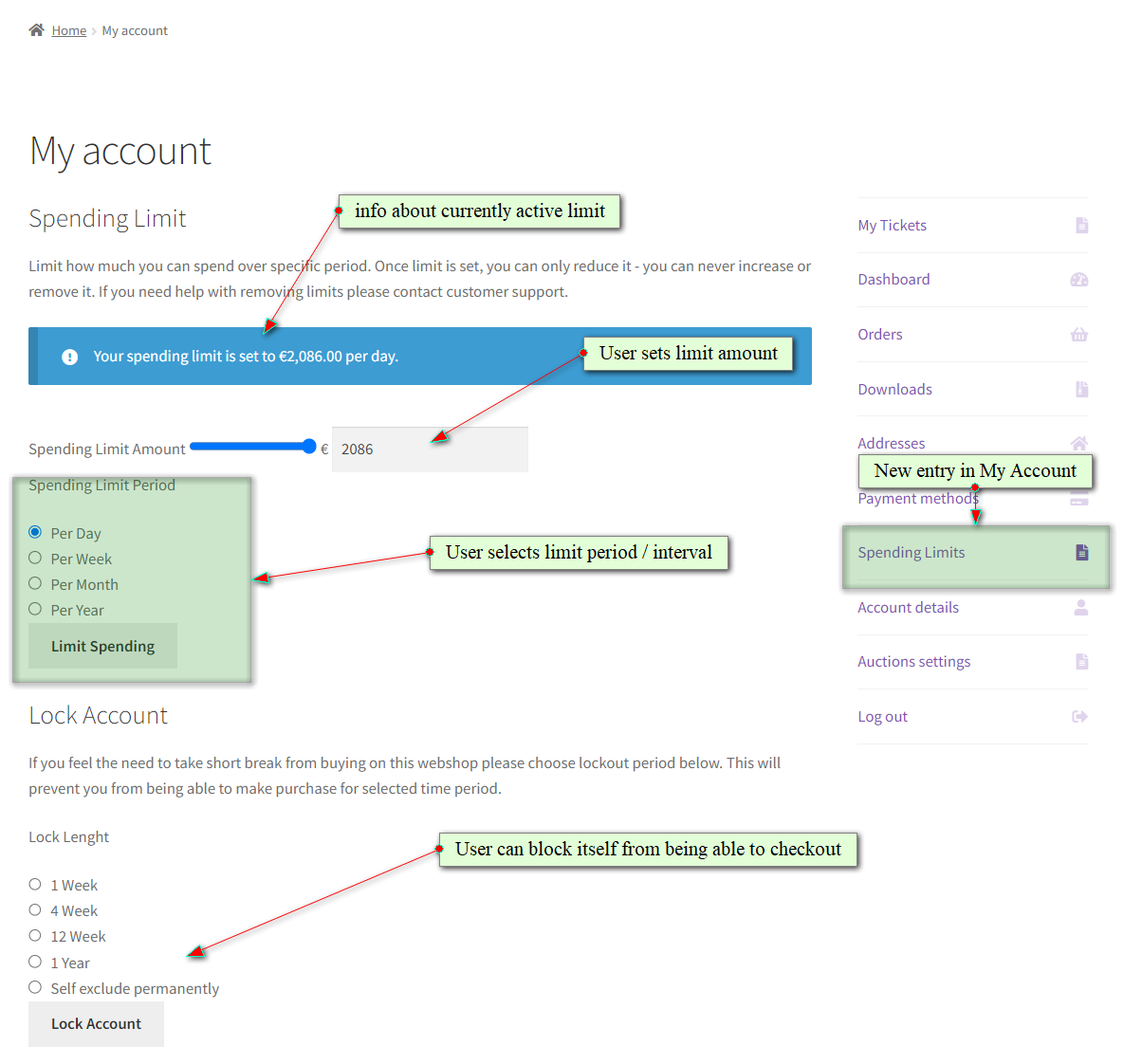
Customers choose a spending amount and a daily, weekly, monthly, or yearly period in My Account > Spending Limits. They can lower an existing limit; increasing or removing it requires an administrator.
For a purchase break, customers can lock their account for 1, 4, or 12 weeks, one year, or permanently.
Administrator controls
Manage individual limits from the user profile.
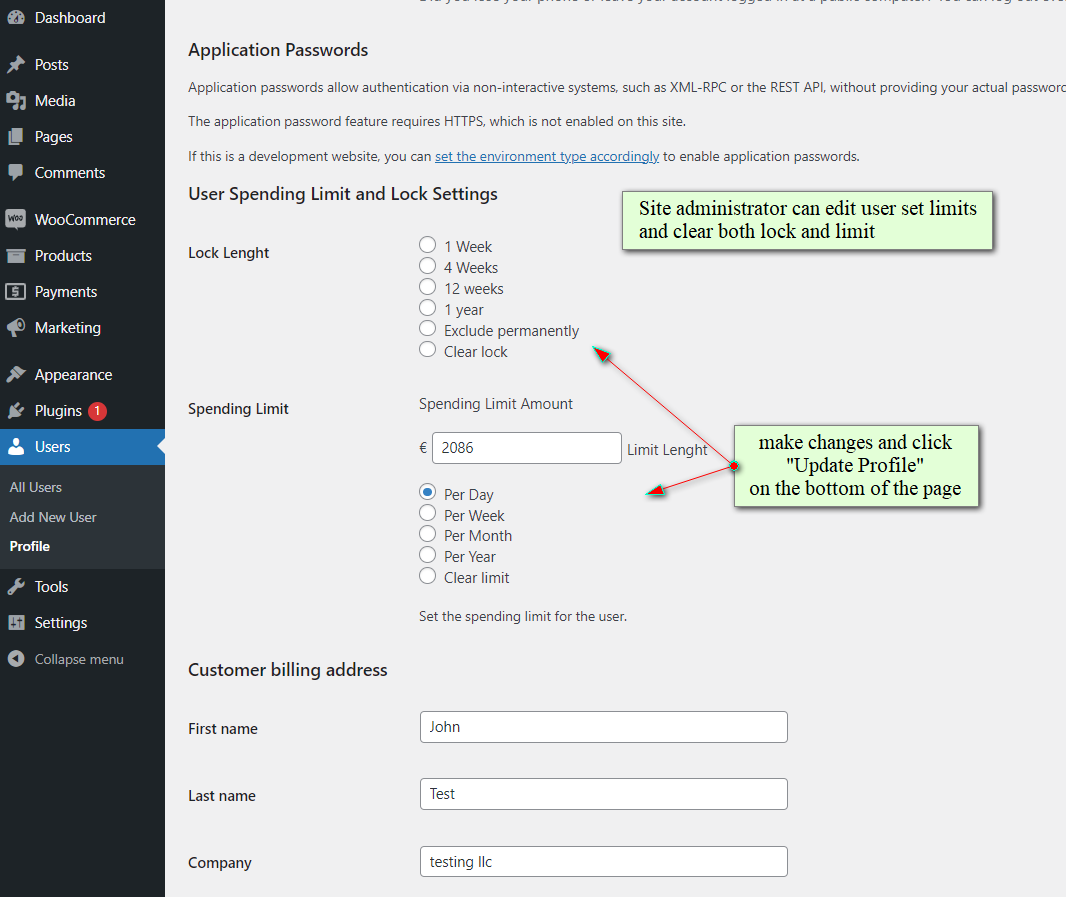
Open a customer profile in wp-admin to review the spending amount and period or change the purchase lock.
Administrators can adjust or clear limits and lift locks early when a customer contacts the store for help.
PRO global limits
Set a spending limit across your store.
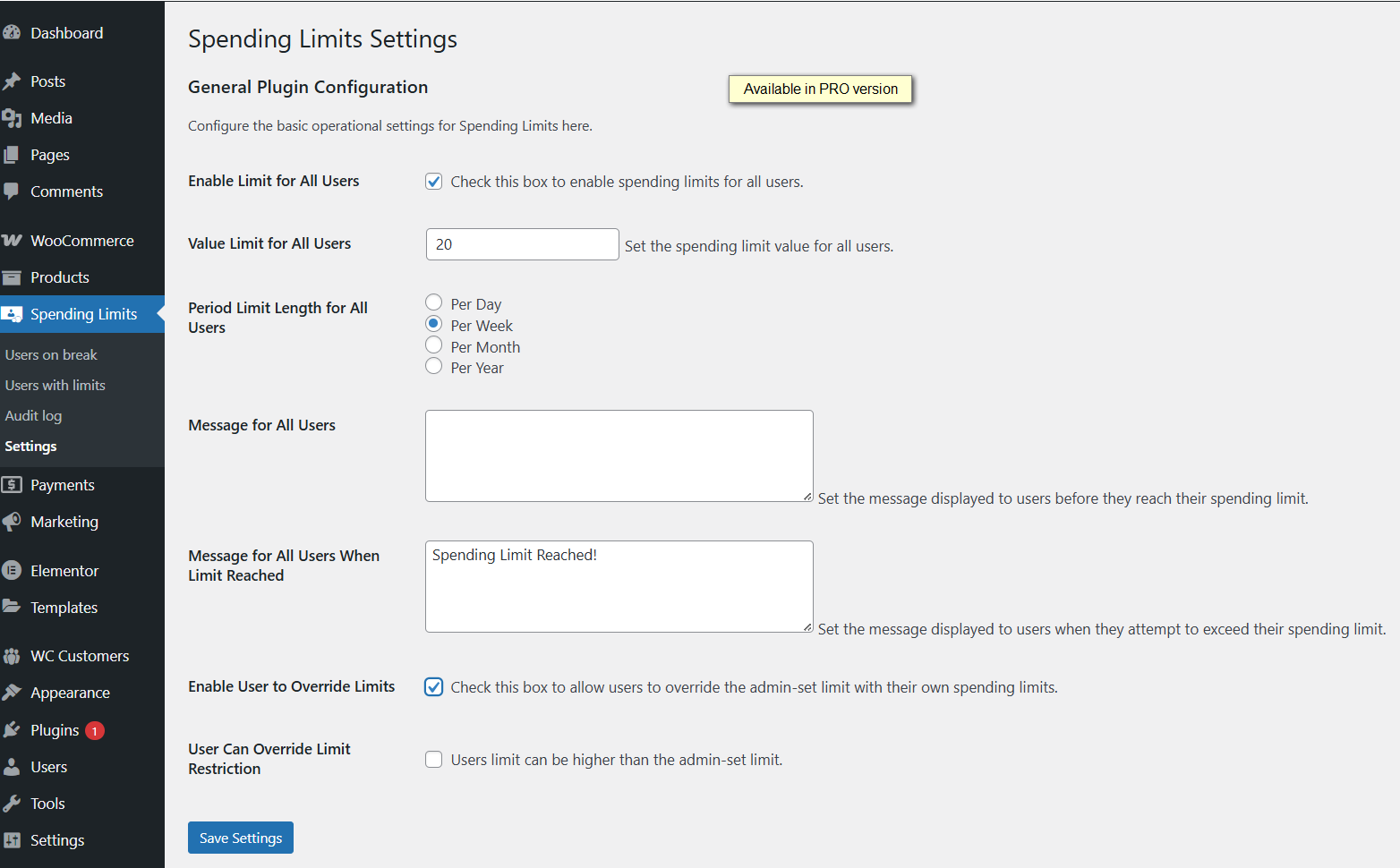
PRO adds a global spending limit for site customers. Set the amount and period from the plugin settings, with messages for customers before and when they reach the limit.
PRO also supports custom limit periods measured in days or weeks.
PRO reporting
See which customers are taking a break.
Dedicated PRO report pages bring together customers with active purchase locks and customers with spending limits.
Use the reports to review restrictions and export records to CSV.

PRO audit history
Review changes with an audit trail.
The PRO audit page shows limit and lock changes, including the action, date, and user who made the change.
Search the history, filter by date range, and export it to CSV for your records.

Use cases
Spending controls for competition sites and online stores.
Competition and prize-draw websites
Help customers manage their spending with personal limits and purchase breaks, with global limits and reporting in PRO.
Specialist retail stores
Let customers set a personal shopping budget and take a voluntary break from purchases.
Stores with frequent promotions
Give returning customers spending controls that apply across purchases, alongside your promotional campaigns.
Free & PRO
Start with personal limits. Add storewide oversight.
Free on WordPress.org
- Customer-set daily, weekly, monthly, and yearly limits.
- Voluntary purchase locks, including permanent exclusion.
- Customers can reduce their existing limits.
- Administrator controls in customer profiles.
PRO adds
- Global spending limits and custom day or week periods.
- Dedicated reports for limits and locked accounts.
- Audit history, date filters, and CSV exports.
- Access to the wpgenie ticket support system.
Start in My Account.
Install and activate the free plugin on your WooCommerce site. Customers will find the Spending Limits entry in My Account; administrators can manage individual restrictions from Users > Edit User.
Make your store contact details easy to find so customers know where to ask for help with an existing limit or lock.
Before you install
Frequently asked questions
How do I upgrade to PRO?
Click Install free version to get the plugin from WordPress.org. Install and activate it on your WordPress site, then use the upgrade option inside the plugin to purchase PRO.
Can customers increase or remove their own limits?
No. Customers can reduce an existing limit. An administrator must handle increases or removal.
Can customers end a purchase lock early?
No. Only an administrator can lift a lock before it expires. Customers should contact the store for help.
Which purchase-break periods are available?
Customers can choose 1, 4, or 12 weeks, one year, or permanent exclusion from purchases.
Can I set a global spending limit?
Yes. PRO includes a global spending limit for site customers, alongside custom limit periods in days or weeks.
Which version does the displayed price cover?
The displayed price is for PRO. The WordPress.org download is free; install it first, then upgrade through the plugin.
Give customers control over their spending.
Start with personal limits and purchase breaks. Upgrade when you need global controls and reporting.









Reviews
There are no reviews yet.