
Description
A home for your deals
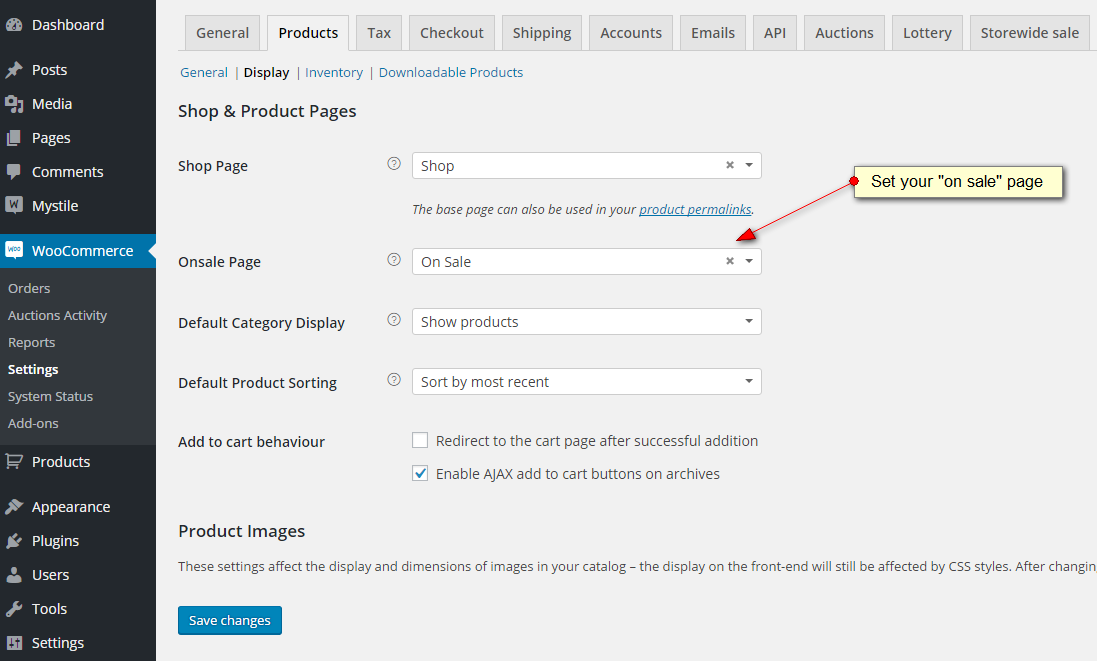
Let customers browse every sale item.
Give discounted products a dedicated catalog page with sorting, filters, and pagination. Use it as a permanent Sale section or a destination for seasonal promotions.
Add promotional text or banners with Gutenberg or the Classic Editor.
Page setup
Choose the pages your store needs.
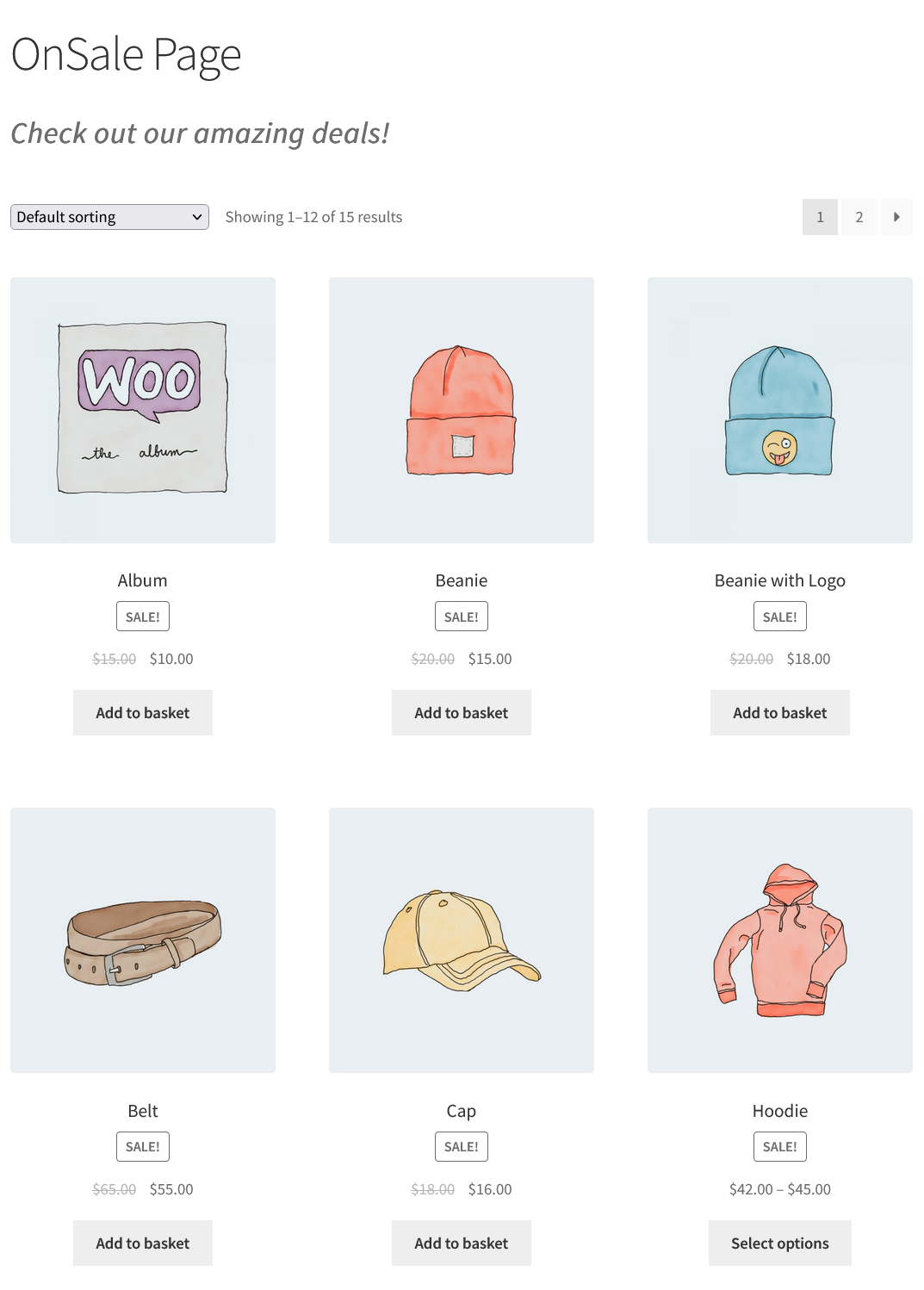
Create a WordPress page and select it as the Onsale Page in WooCommerce product settings.
PRO also adds dedicated Featured Products and Grouped Products pages.
PRO layout control
Style your sale archive with Elementor.
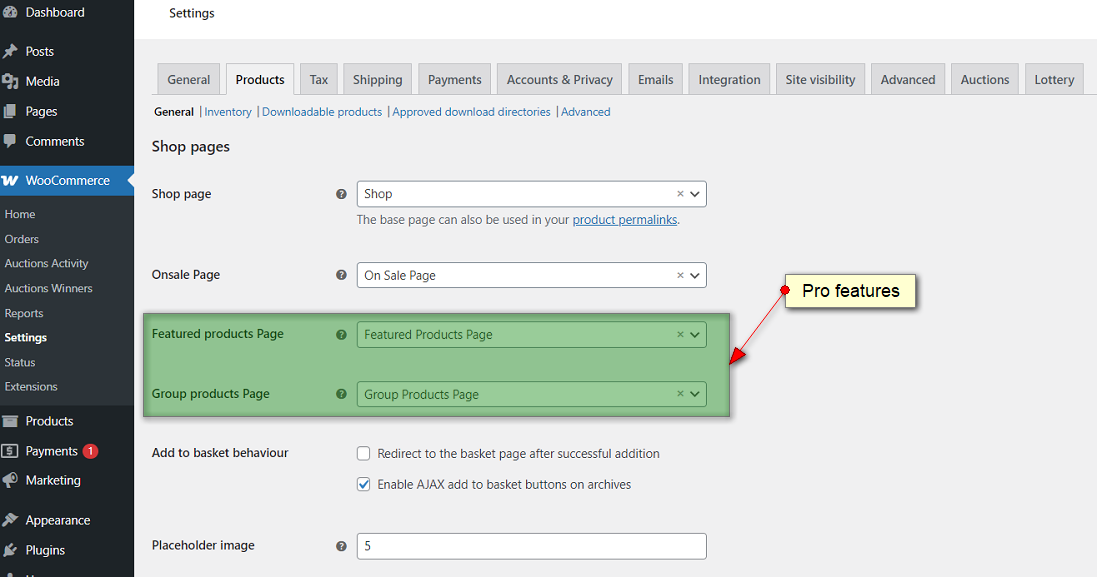
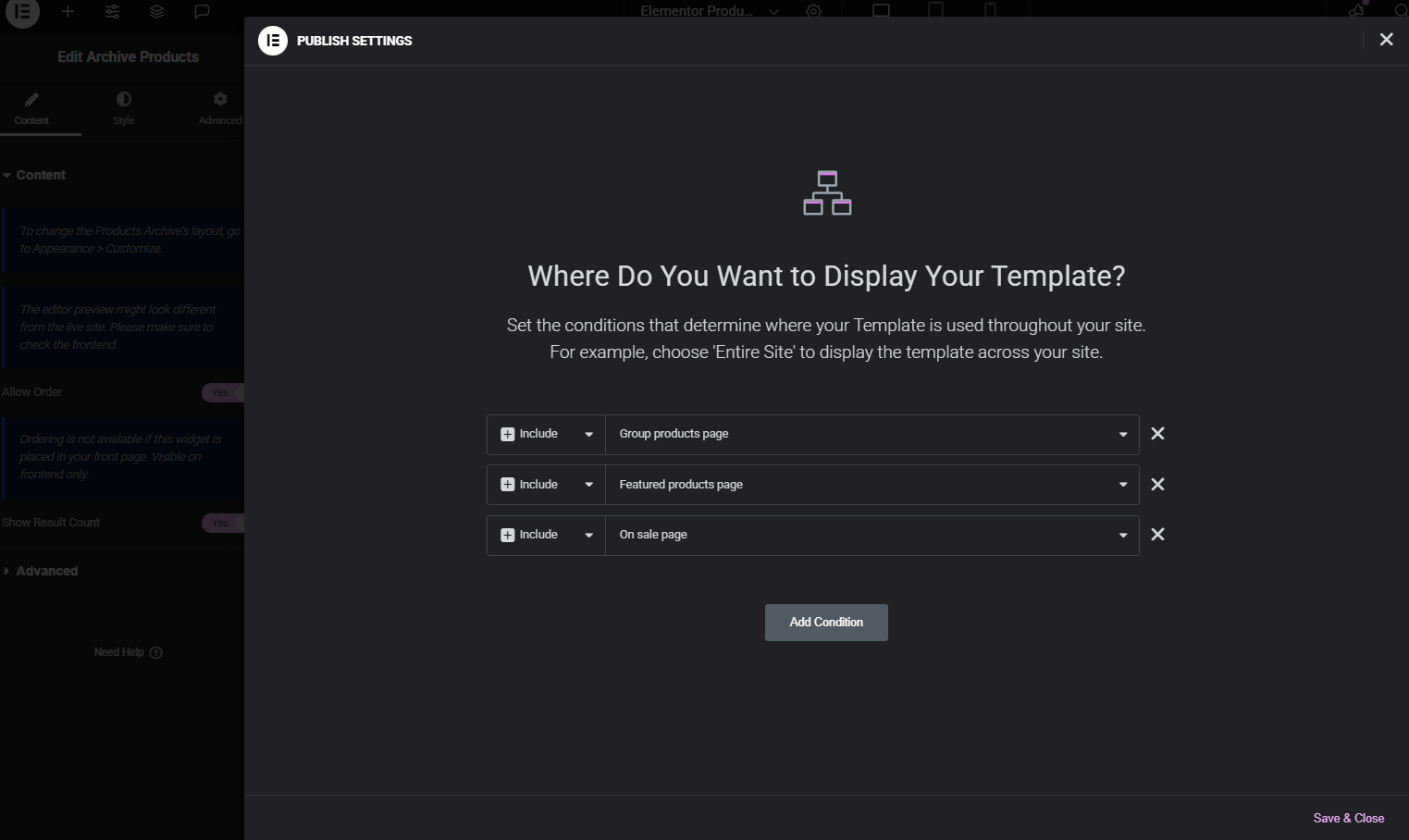
Build a Products Archive template in Elementor Theme Builder. Select the On sale page display condition to apply your design to the sale catalog.
PRO archive templates
Apply templates to additional product pages.
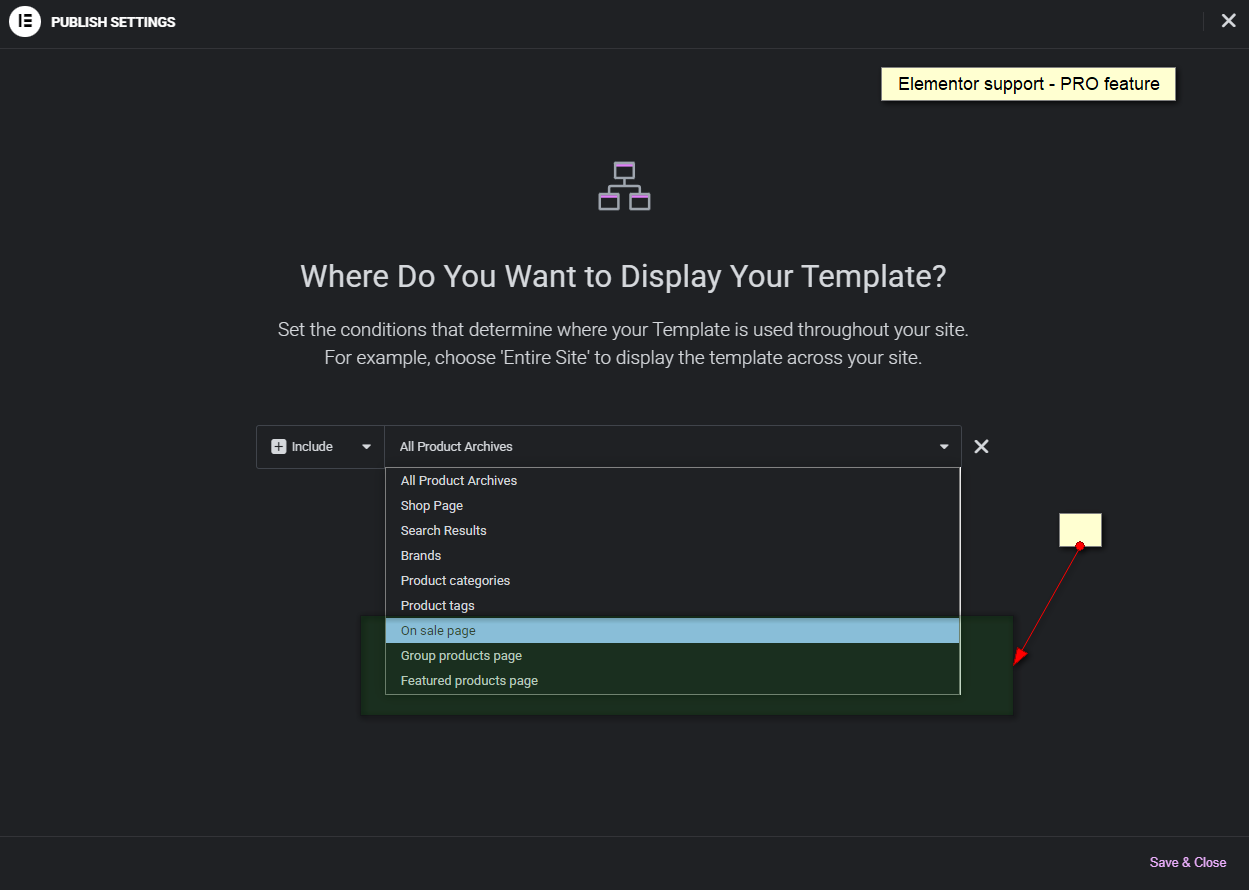
Choose display conditions for your Featured Products and Grouped Products pages too.
PRO also supports category-specific sale browsing using the ?onsale parameter on a product category URL.
Free & PRO
Start with sale browsing. Add more control with PRO.
Free on WordPress.org
- Dedicated sale catalog.
- Sorting, filtering, and pagination.
- Custom page content in Gutenberg or Classic Editor.
PRO adds
- Elementor archive integration.
- Featured and Grouped Products pages.
- Category-specific sale pages.
- Access to our support ticket system.
Set up your sale page.
Install and activate the free plugin, create a page, then select it under WooCommerce > Settings > Products using the Onsale Page setting. Save your changes and add the page to your store navigation.
Assign sale prices to your products in WooCommerce, then check the page on your storefront.
Before you install
Frequently asked questions
How do I upgrade to PRO?
Click Install free version to get the plugin from WordPress.org. Install and activate it on your WordPress site, then use the upgrade option inside the plugin to purchase PRO.
Can I start for free?
Yes. Install the WordPress.org version and upgrade through the plugin when you need PRO features.
Does this plugin create discounts?
It displays products that are already on sale. Set your product sale prices in WooCommerce.
Can I add my own page content?
Yes. Add promotional content using Gutenberg or the Classic Editor.
Is Elementor support included in the free version?
No. Elementor archive integration is a PRO feature.
Can I show sale items from one category?
Yes, with PRO. Add ?onsale to a product category URL to show its sale items.
Which version does the displayed price cover?
The displayed price is for PRO. The WordPress.org download is free; install it first, then use the plugin upgrade option.
Give your deals a dedicated page.
Start free and upgrade when you need additional archives or Elementor integration.










Reviews
There are no reviews yet.