
Description
Discounts in your storefront
Make larger orders more appealing.
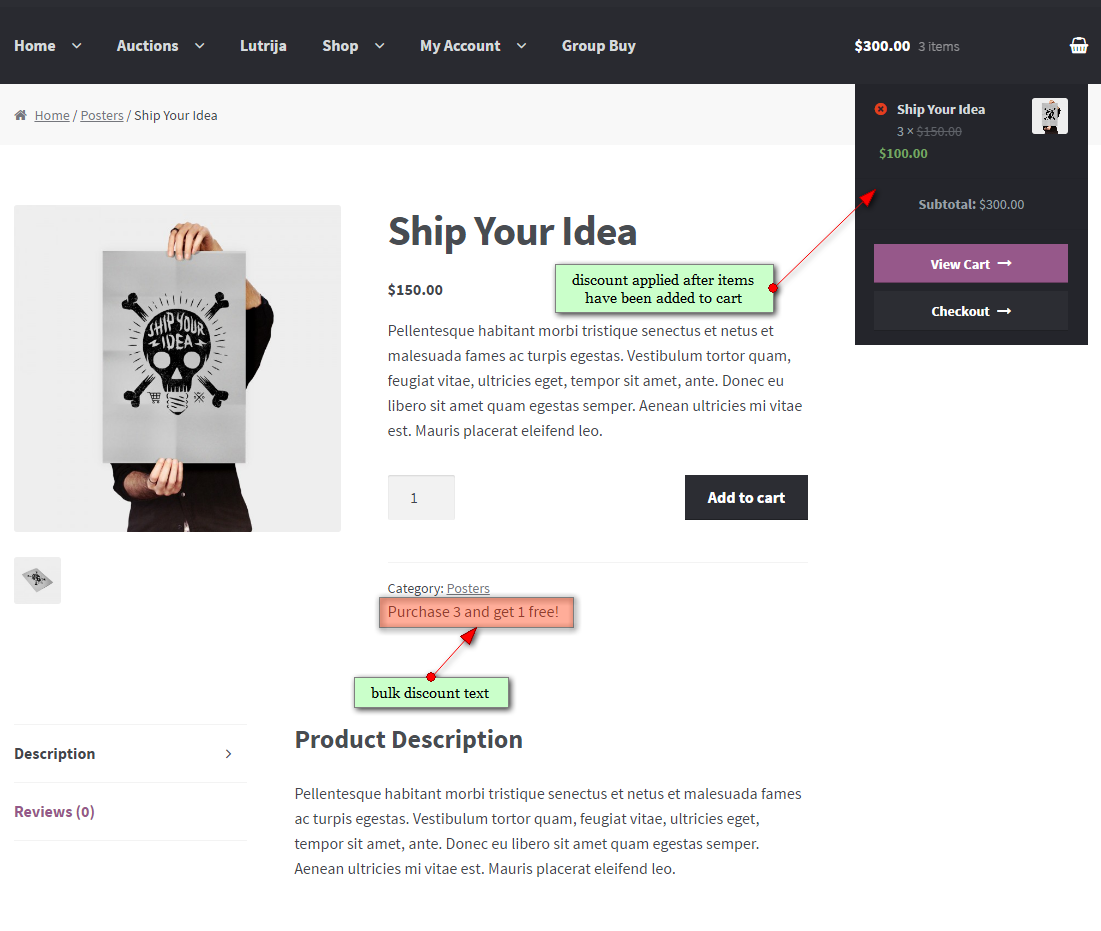
Show a clear offer on the product page and apply the saving when eligible items reach the cart.
Add your own explanation so buyers can see what they need to purchase. The example shows a product message and the adjusted price in the mini-cart.
Rules for each product
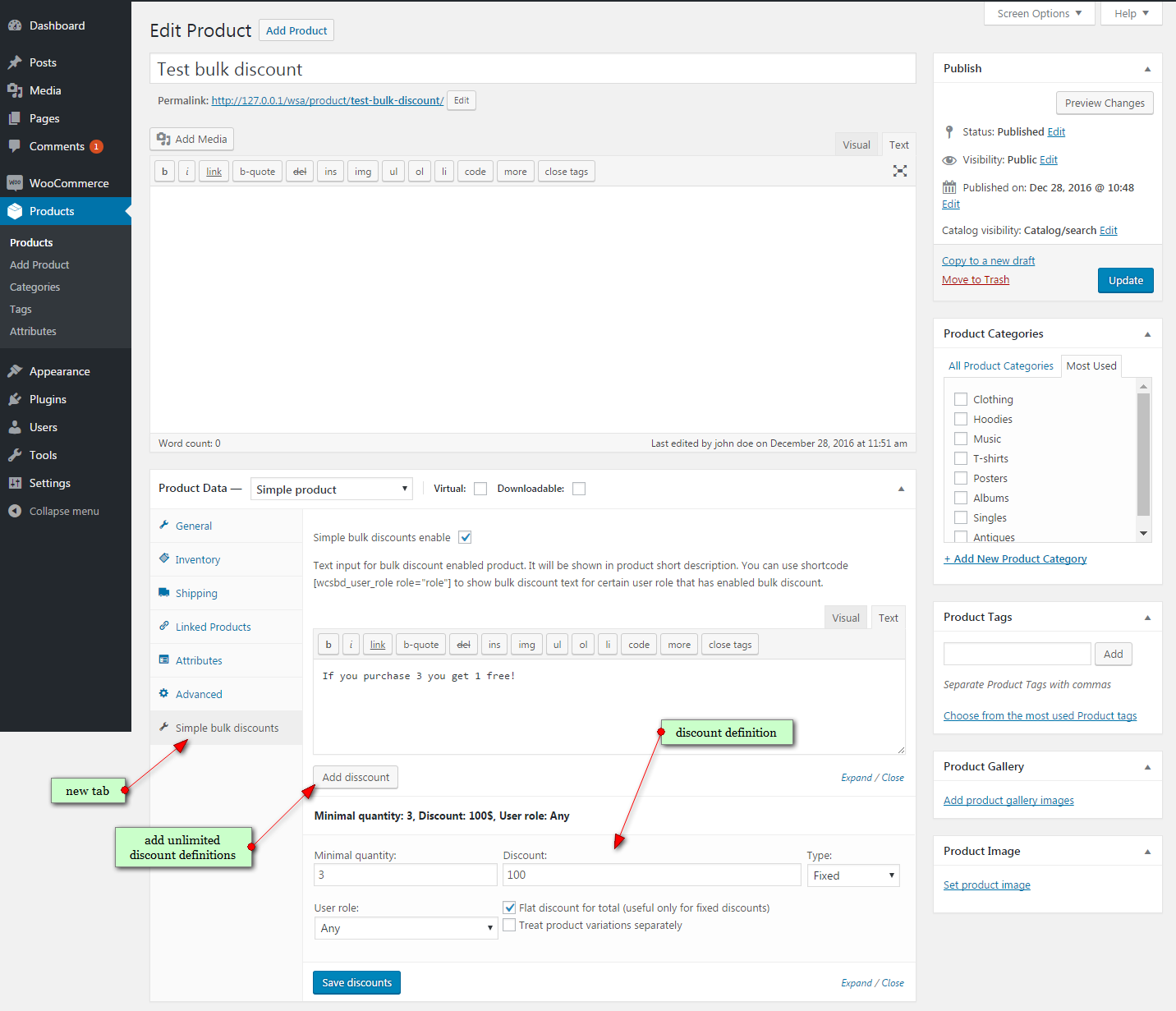
Choose the quantity, amount, and customer role.
Create percentage or fixed discounts with a minimum quantity. Use a customer role to restrict eligibility, or leave the rule open to everyone.
- Add multiple discount rules to one product.
- Choose a fixed discount on the total or a discount per item.
- Treat product variations separately when needed.
- Switch discounts on or off in the product editor.
Store settings
Control coupon handling and discount display.
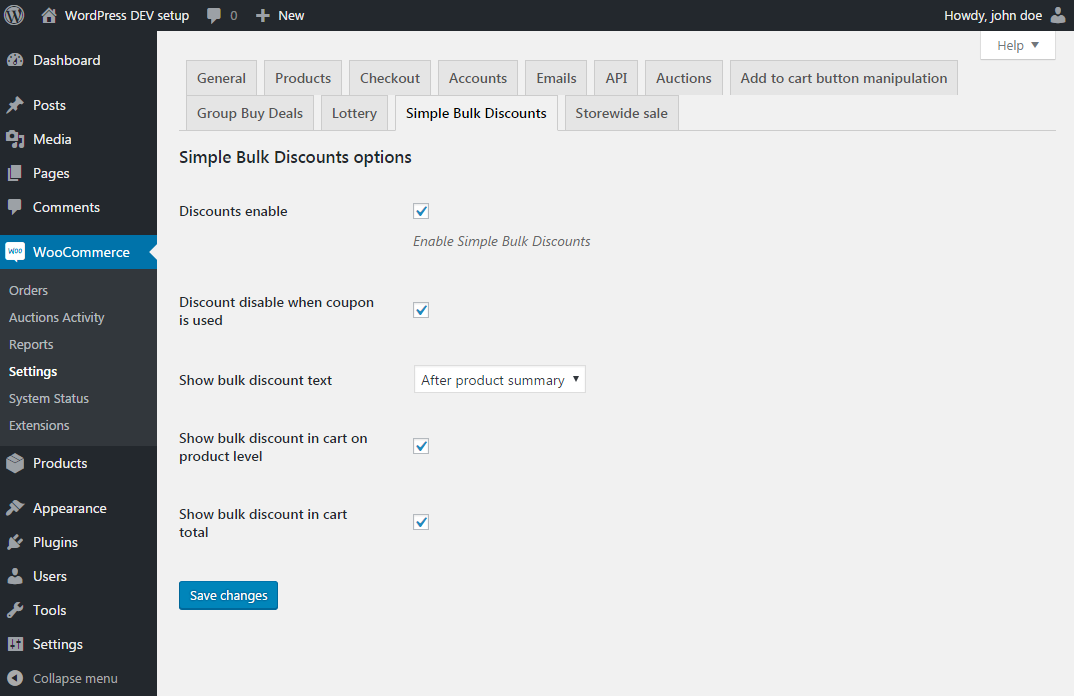
Use WooCommerce settings to enable the plugin, choose where the offer text appears, and control how savings are shown in the cart.
- Disable bulk discounts when a coupon is used.
- Show savings at product level in the cart.
- Show the bulk discount in cart totals.
Example use case
Buy more coffee, save on every bag.
A coffee shop sells a bag of beans for $20. Offer 10% off each bag when a customer buys at least 5 bags of that product.
Set the rule
- Minimum quantity: 5
- Discount: 10%
- User role: Any
Product message: “Buy 5 or more bags and save 10%.”
What the customer pays
4 bags: $80, with no bulk discount.
5 bags: $90 instead of $100.
The customer saves $10, and each bag costs $18.
Illustrative product prices before tax and shipping, with no other discounts applied. The threshold counts this product, not all items in the cart.
Product-level pricing
Target individual products.
Configure each offer in the product editor. This plugin does not create category-wide or storewide discount rules.
Set up your first offer.
With WooCommerce active, install the plugin and open a product. Enable Simple bulk discounts, add a rule, save it, and publish the product. Review the cart with an eligible quantity before launching the offer.
Before you buy
Frequently asked questions
What does my website need?
WordPress and an active WooCommerce installation.
Can I discount a whole category or store?
No. Discount rules are configured separately for each product.
Can I combine quantity and customer-role conditions?
Yes. A rule can require both a minimum quantity and a selected user role.
Can variations qualify separately?
Yes. Enable Treat product variations separately in the discount rule.
What happens when a customer uses a coupon?
The plugin settings include an option to disable bulk discounts when a coupon is used.
Can I explain the offer on the product page?
Yes. Enter custom discount text in the product editor and choose its display position in the plugin settings.
Ready to offer bulk discounts?
Try the demo or return to the purchase options above.










xcooling –
They expect you to manually create text for every discount for every product. One would assume it would create/include a table to show the price and qty for the products by default.
varota –
Plugin works fine, easy to use
jere111 –
easy to use
ipolic –
Plugin is working out of the box and it delivers exactly what author described! Great buy.