Black Friday is approaching, which means we are all planning our promotions and deals. To help you run a successful Black Friday campaign, we’ve put together a list of our free plugins that can help you get your store ready. Whether you need to run a storewide sale, create a dedicated deals page, schedule limited-time product drops, run interactive price-drop campaigns, or add a little gamification to Black Friday, these plugins can help you save time, capture attention, and maximize sales.
Table of Contents
Simple Storewide Sale for WooCommerce
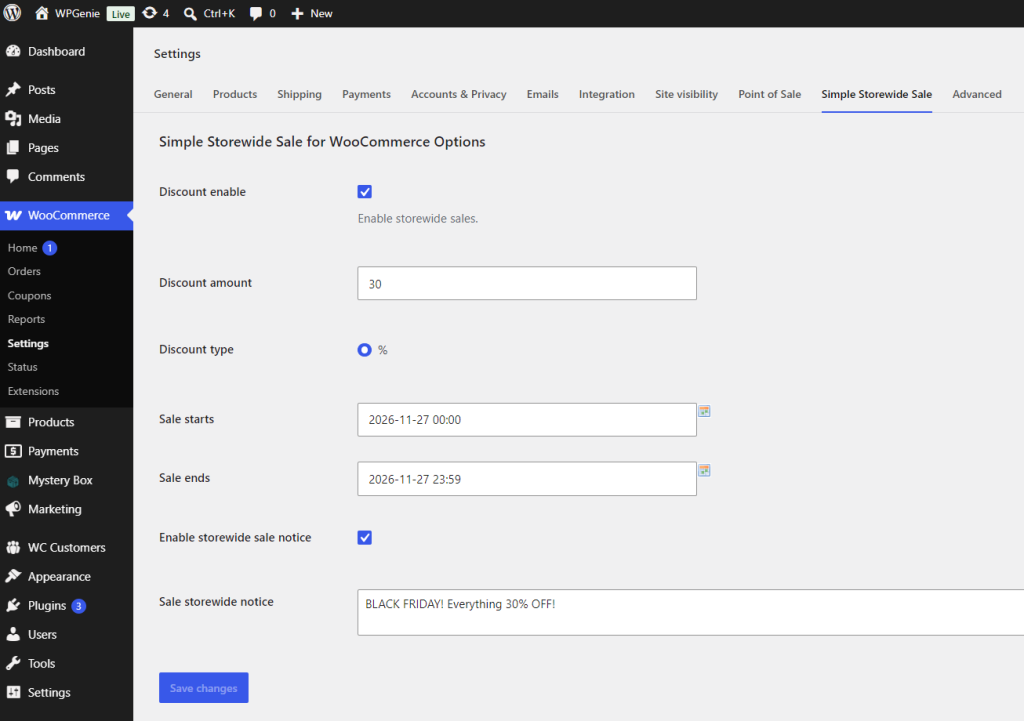
Simple Storewide Sale for WooCommerce is a great option for Black Friday if you want to run a clear, sitewide promotion without spending hours managing individual product sales or complicated discount rules.
With just a few settings, you can apply a percentage-based discount across your entire catalog and schedule the sale to start and end automatically. This makes it easy to launch your Black Friday offer on time and ensure it ends as soon as the promotion is over.
The plugin also helps you communicate the sale clearly to shoppers. You can display a storewide sale notice so customers immediately understand that Black Friday discounts are active across the shop.
Because the setup is simple and requires minimal configuration, it’s one of the fastest and easiest ways to launch a professional-looking storewide promotion for stores with limited time and resources.
(Note: A PRO version with fixed-amount discounts and inclusion and exclusion controls for products, categories, tags, and SKUs is also available.)
OnSale Page for WooCommerce
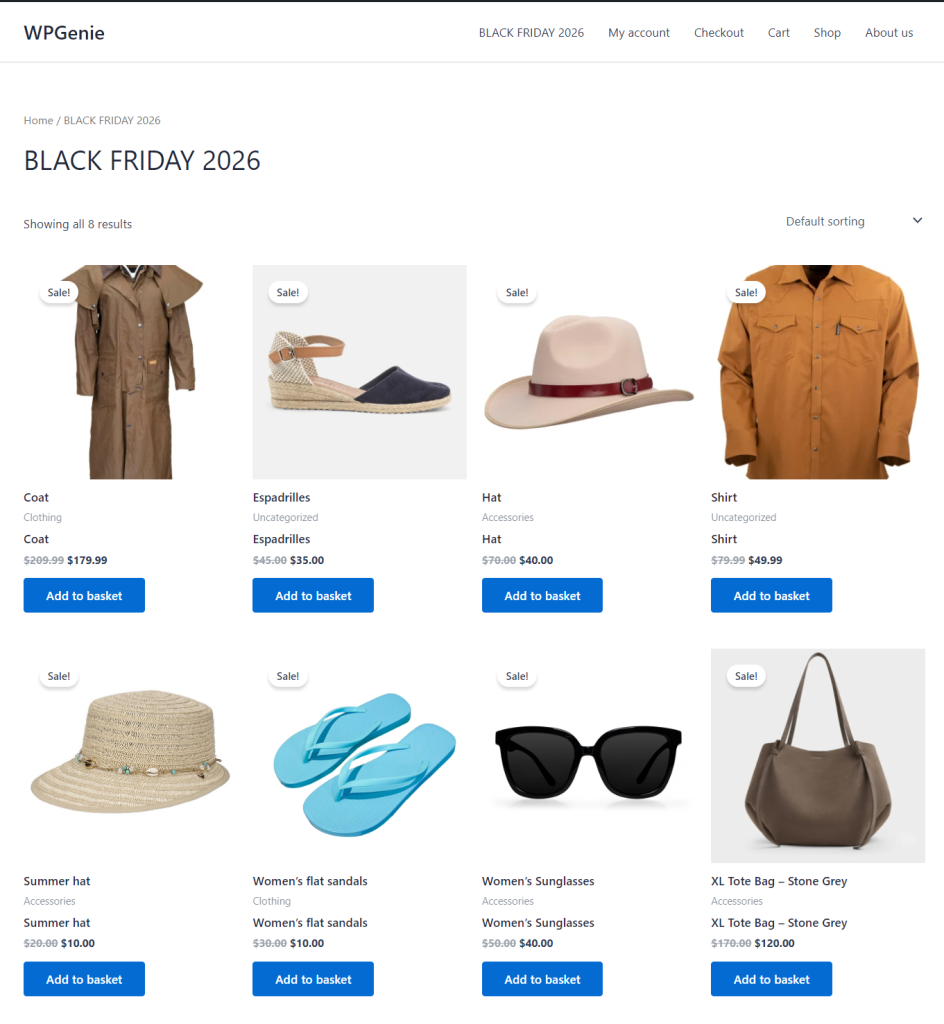
If you choose to skip a storewide sale and instead discount specific products, you need a single, clean landing page for your Black Friday promotions. Having a dedicated URL makes it effortless to share your Black Friday deals across newsletter campaigns and social media posts, while making it easy for customers to find your deals on your website.
OnSale Page for WooCommerce does exactly this: it gives discounted products their own easy-to-browse page, so you can create a complete shop-style “Black Friday Deals” page with pagination, sorting, and filtering. Customers can quickly sort deals by price, popularity, or date, just as they would in your regular store catalog.
Bringing all your Black Friday offers together on one optimized page improves the customer experience, which leads to higher engagement and more sales.
(Note: A PRO version offers Elementor integration, additional page types and category-specific sale pages.)
Add to Cart Scheduler for WooCommerce
While Simple Storewide Sale and OnSale Page cover basic Black Friday setups, Add to Cart Scheduler for WooCommerce allows you to run a “doorbuster” promotional strategy to attract attention to your store before and during Black Friday.
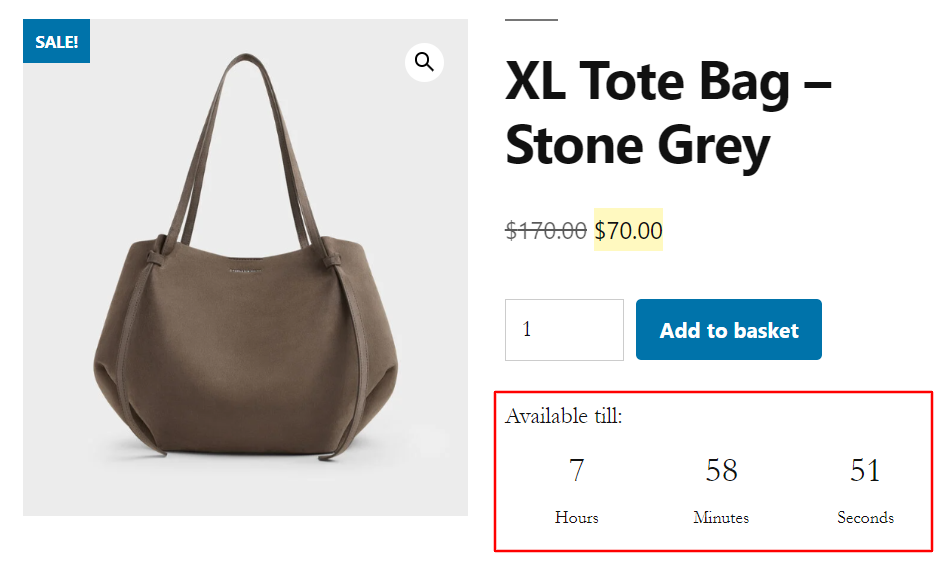
Add to Cart Scheduler for WooCommerce gives you precise control over when customers can buy specific products, enabling you to offer deeply discounted, limited-time items for a short period to draw traffic to your website, even before Black Friday promotions officially start. The plugin also helps create urgency with an optional countdown timer that shows shoppers exactly how long they have to take advantage of a deal. It’s a great way to introduce new shoppers to your brand, and encourage them to explore the rest of your catalog while they are on your site.
Drop Prices for WooCommerce
Another plugin that can help you capture customers’ attention during Black Friday is Drop Prices for WooCommerce.
Instead of offering standard discounts, with Drop Prices for WooCommerce you can turn your promotion into a live, time-based event that encourages shoppers to act quickly.
With this plugin you can create a Dutch-auction-style sale where the price starts high and drops at set intervals until it reaches your chosen minimum price or the campaign ends. Shoppers weigh the risk of waiting for a lower price against someone else buying the item first. This is exactly what Samsung Australia did with its famous Black Friday “reverse auction” in 2022.
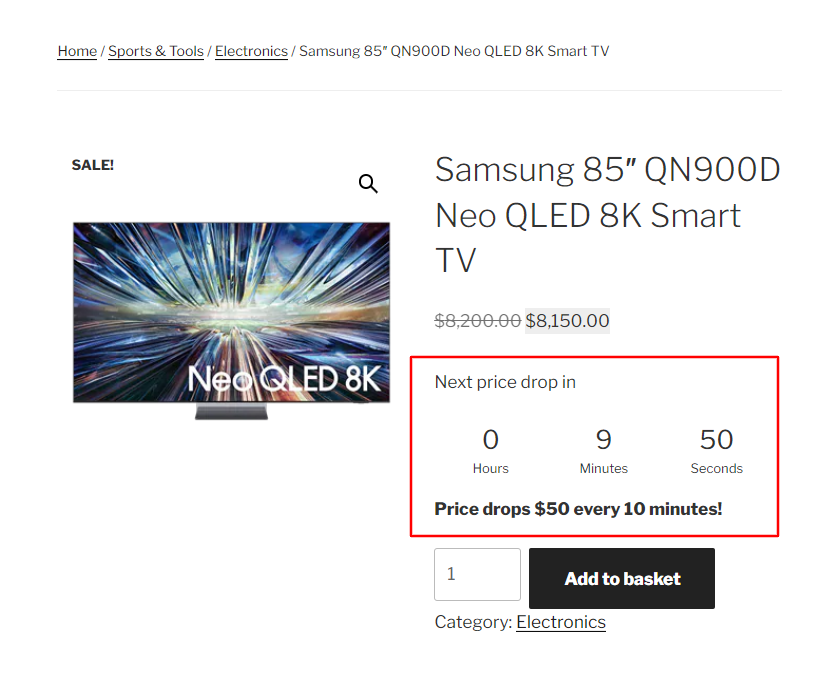
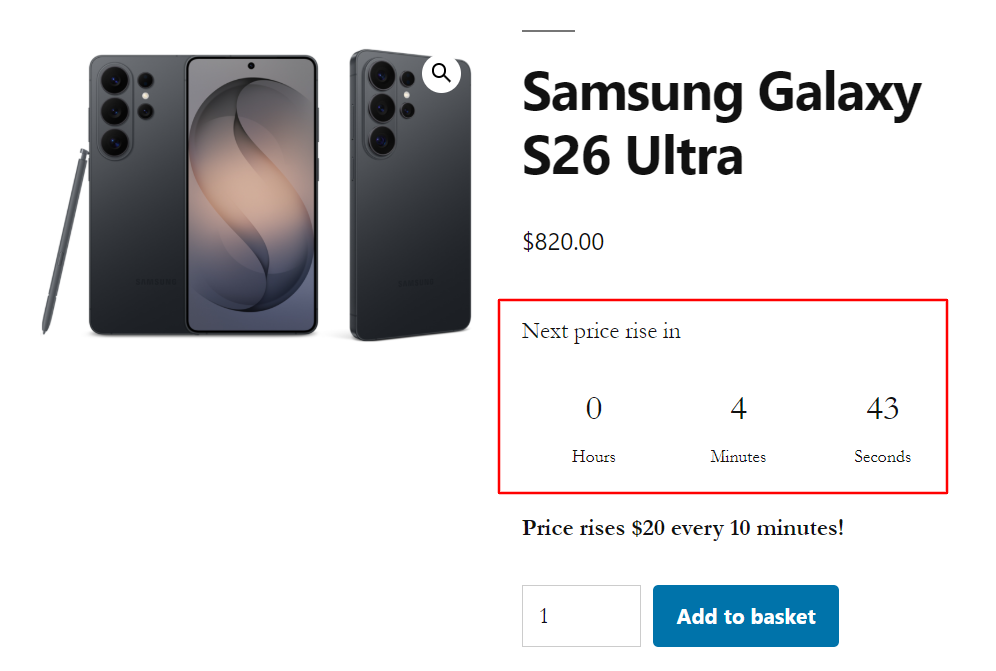
You can also start the product sale at your absolute lowest price and let it increase as time passes. This early-bird pricing rewards early shoppers and drives immediate action the moment your campaign launches. With per-product settings, flexible fixed or percentage price changes, custom intervals, countdown timers, and automatic price resets, you can create an exciting and interactive Black Friday experience that keeps shoppers engaged from the first price change to the final sale.
Mysterx – Mystery Boxes for WooCommerce
To stand out during Black Friday, you can also offer special instant-reveal mystery boxes using our Mysterx – Mystery Boxes for WooCommerce plugin.
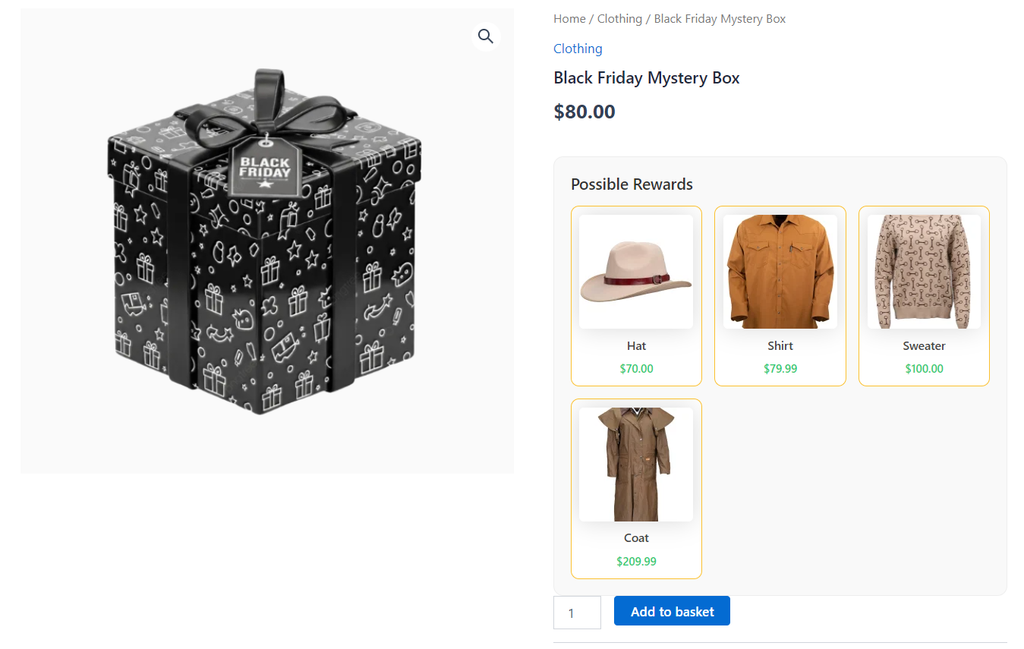
With this plugin, you can create a special Black Friday mystery box with your store’s bestsellers. Customers can see the possible items and the value of these items, but they don’t know which specific item they’ll receive until they digitally “open” the box post-purchase. It adds an element of surprise to Black Friday shopping and, when paired with the right product selection and the right price, can be used as a promotional tactic that gives buyers an extra reason to visit your store.
You can also combine Mysterx with Drop Prices for WooCommerce or Add to Cart Scheduler for WooCommerce for extra excitement and urgency.
(Note: A PRO version offers probability and weight, opening animation and confetti on win, and custom sounds effects.)
Conclusion
We hope some of these free plugins help you get your store ready for Black Friday. You can download them all from WordPress.org, and if you need more advanced features, you’ll find the PRO versions in our store.
Happy selling, and best of luck this Black Friday!
Looking for other ways to improve your WooCommerce store? Check the complete list of our plugins that can help you bring your clients the best online shopping experience!