
Settings Reference
Open Auctions → Settings. Save changes within the relevant tab.
| Tab | Controls |
|---|---|
| General | Bidding information, auction sorting, archive visibility, base page, watchlists, bid limit, Buy It Now, proxy defaults, sealed auctions, AJAX bidding, bidder masking, and admin-list visibility. |
| Lots | Lot sorting, archive visibility, base page, and display rules for lot items. |
| Countdown | Time-unit format, Classic compact display, shop-loop visibility, Classic/Boxes/Flip styles, colors, and a live preview. See Countdown options. |
| Badges | Auction, lot, winning/outbid, and status badges with preview. |
| Ajax Check Bid | Live bid polling behavior. |
| Live Notifications | Notification events, appearance, sound, customer preference controls, and a live preview with test notifications. |
| Stripe Payment | Saved-card eligibility and automatic winner charging, subject to gateway availability. |
| Fees | Fixed or percentage buyer fees per auction or per order, with optional tax settings. See Buyer fees. |
| Tools | Auction and lot visibility synchronization, optional cron secret token, authenticated cron URLs, and external cron status. See Updating Existing Installations and Cron & Scheduled Tasks. |
| License | Administrator-only account or Site Key activation and domain registration. See License & Updates. |
Settings that change customer behavior
Section titled “Settings that change customer behavior”- Bidding information displays bidding rules, increments, and soft-close details on open auction product pages. See Bidding information.
- Allow highest bidder to outbid himself affects leading-bid behavior and repeat sealed bids.
- Enable sealed / silent auctions makes sealed-auction configuration available on products.
- Allow Buy It Now after bidding has started changes immediate-purchase availability.
- Remove pay button from reverse auctions. changes the reverse-auction payment interface.
- Mask bidder name from history tab. masks displayed bidder names; administrators still see complete names.
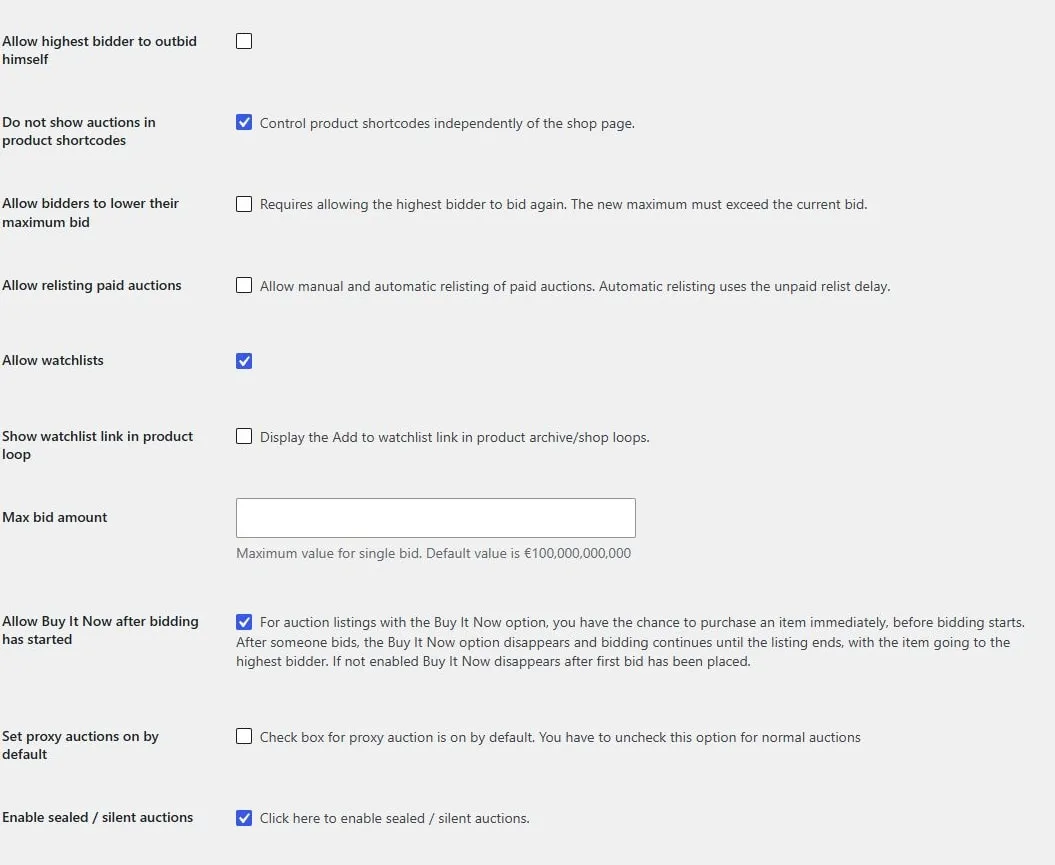
Leading-bidder rules, watchlists, bid limit, Buy It Now, proxy defaults, and sealed bidding.
Countdown and notification previews
Section titled “Countdown and notification previews”Under Countdown, choose the time-unit format, shop-loop visibility, and Classic, Boxes, or Flip style. Compact format appears only for Classic; panel, digit, and label colors appear for Boxes and Flip. The preview updates immediately using a sample duration; save changes to apply the settings to the storefront. Reduced motion uses Boxes instead of Flip. See Countdown options and format examples.
Under Live Notifications, use Live preview to inspect the theme and position. Select a sample event and click Test notification to preview it and hear the selected sound when enabled. Previewing does not require saving; save changes to apply your settings.
Admin list settings
Section titled “Admin list settings”Hide auctions and lots from WooCommerce products list keeps those product types out of the general Products list. Hide lot auctions from All Auctions keeps child items in their lot workflow instead.
If an administrator cannot find an item, check these display settings before assuming that the product was deleted.
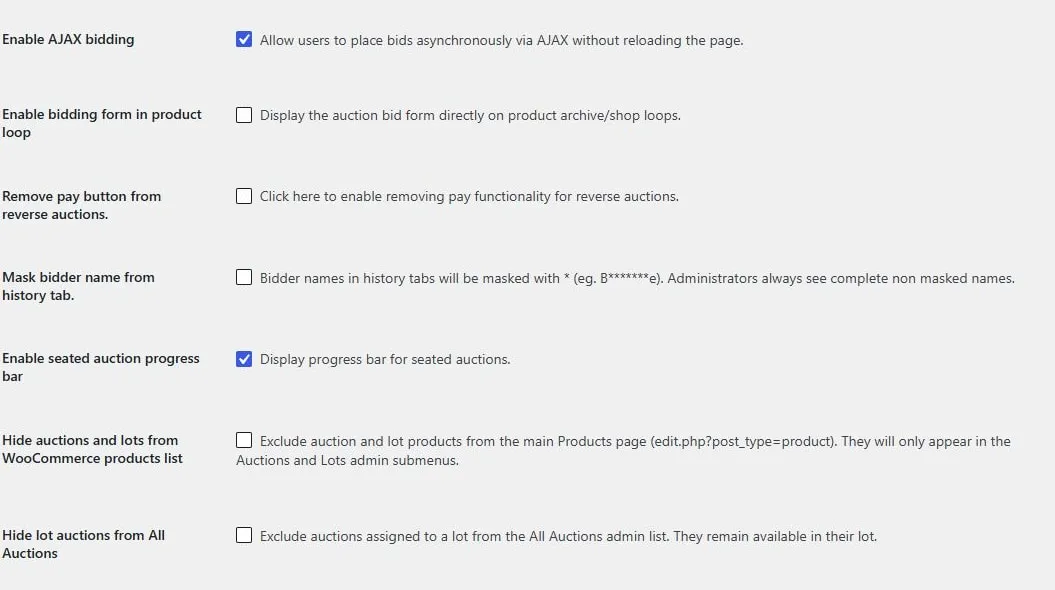
AJAX and archive bid forms, reverse-auction payment, bidder masking, seated progress, and admin-list visibility.
Screen example
Section titled “Screen example”
Auction settings tabs and general display options. Captured from the Torque Auctions demo with the Simple Auctions License tab visible.
Lot display settings
Section titled “Lot display settings”Open Auctions → Settings → Lots for the following controls.
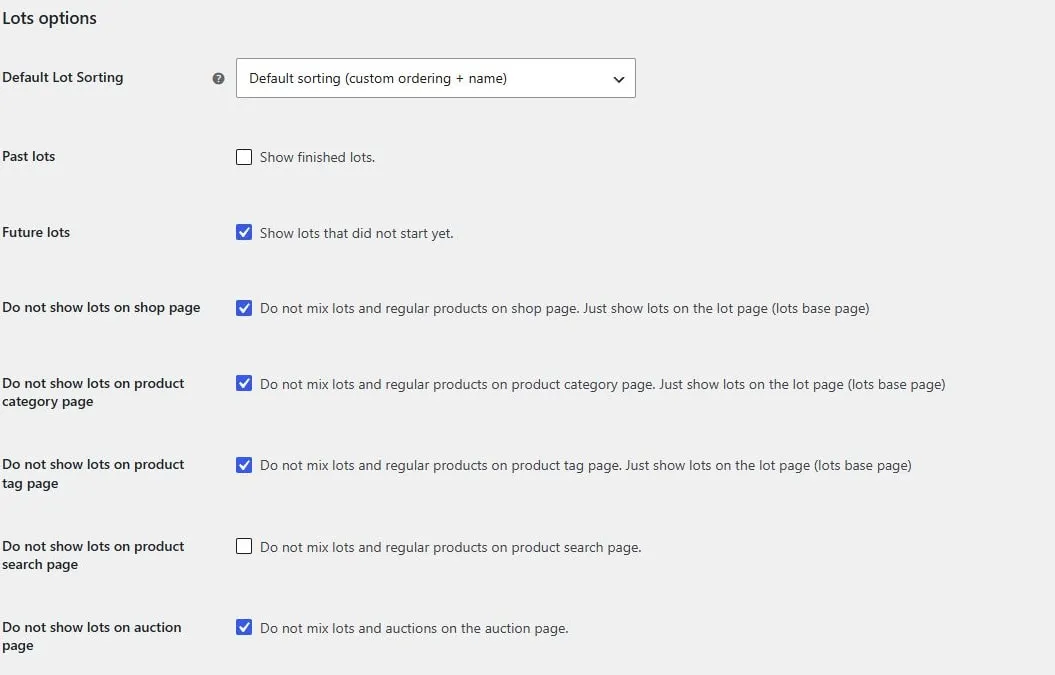
Lot sorting and visibility on shop, category, tag, and search pages.
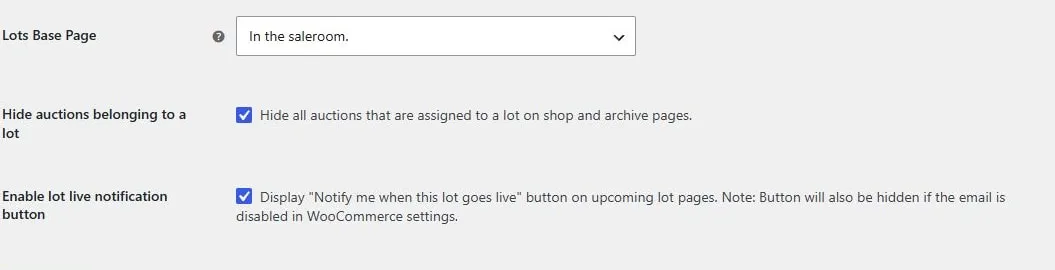
Lot archive page, child-auction visibility, and the upcoming-lot notification button.